Automate Recurring Invoices So You Never Chase Payment Again
If your bookkeeper spends the first week of every month rebuilding last month's retainer invoices in Xero, Sage, or QuickBooks, you are leaking both time and cash. Missed billing cycles and late invoice runs stretch how long clients take to pay.
We set up invoice automation that fires every cycle, on time, without cloning anything by hand.
Sound Familiar?
These are the exact issues agency owners and finance leads bring us before we automate billing:
- Your bookkeeper opens last month's invoice in Xero, Sage, or QuickBooks and clones it client by client
- A retainer or maintenance contract slips through, and the client goes a full month unbilled
- Month-end starts three days late because the invoice run only begins once everyone has free time
- Line items, VAT codes, and contact details drift as each clone is edited by hand
- Cash sits uncollected because invoices leave days after the billing date, not on it
A monthly billing cycle that starts late hides cash you think you have. Research on invoice timing shows the average delay across a monthly run is about 15 days of unbilled revenue, and that gap never appears in DSO measured from invoice date. Automated recurring invoices close that window.
What Recurring Invoice Automation Actually Does
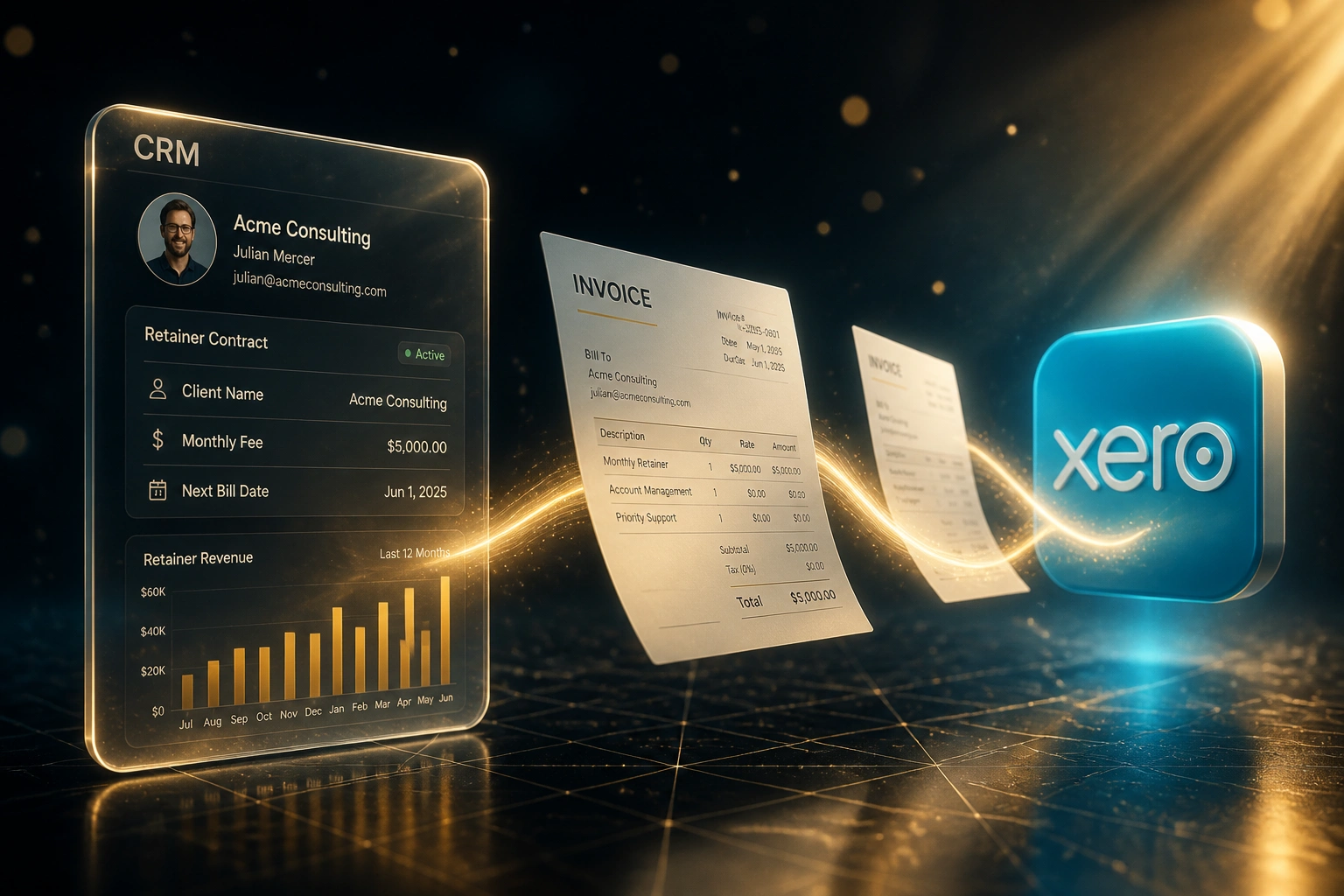
Billing date arrives → invoices generate → finance approves → money starts moving. No rebuilding last month's file.
Active Retainer Listed
Client, fee, and billing date live in your CRM, contract list, or accounting schedule
Invoice Created on Schedule
Xero, Sage, or QuickBooks generates the draft with the right amount, VAT, and terms
Finance Reviews
Your bookkeeper approves the batch instead of rebuilding forty invoices from scratch
Cash Clock Starts
Invoices go out on day one of the cycle, so payment terms begin on time
Everything You Need for Reliable Automated Billing
Recurring Invoice Schedules
Each retainer, maintenance contract, or monthly service agreement becomes a repeating schedule in Xero, Sage, or QuickBooks. Invoices generate on the billing date without anyone cloning last month's draft.
Contract List Sync
Active retainers in your CRM or a simple contract spreadsheet stay linked to accounting. New clients join the schedule; paused or ended ones stop billing automatically.
Day-One Dispatch
Invoices leave on the contracted billing date, every cycle. No more waiting until the bookkeeper has a free afternoon to rebuild the run.
Missed-Cycle Alerts
If a schedule fails, a client is missing from the run, or an invoice stays in draft past the billing window, your team gets alerted before the month slips away.
Correct Amounts Every Time
Fixed retainer fees, account codes, and tax treatments are locked into the schedule. Manual edits that introduce wrong VAT or stale rates become the exception, not the routine.
Faster Cash Collection
Earlier, error-free invoices start the payment clock sooner. Combined with optional payment reminders, clients settle closer to terms instead of weeks late.
Platforms We've Connected for Recurring Invoices
From 10 Hours/Month to 40 Minutes
How a 18-person digital agency stopped cloning retainer invoices and shortened its payment cycle by 19 days.
The Manual Clone Run
- Bookkeeper opened last month's Xero invoices and duplicated each retainer one by one
- Roughly 12 minutes per client across 45 monthly retainers
- Two clients were missed for a full month in the prior year before anyone noticed
- Invoice run typically finished mid-week, so payment terms started late
- VAT codes and contact addresses drifted after repeated hand edits
The Automated Schedule
- Repeating invoice schedules fire on each client's billing date
- Bookkeeper reviews and approves the batch in under an hour
- Missed-cycle alerts flag any retainer that fails to generate
- Invoices leave on day one, so Net-30 starts on time
- Amounts and tax treatments stay locked to the schedule
Before vs After Invoice Automation
How It Works
From first conversation to live recurring invoices in 2–4 weeks.
Map Your Retainers
Tell us how many recurring clients you bill, which accounting system you use, and where the monthly clone run currently lives.
Free Scoping Call
30-minute call to design schedules, billing dates, approval rules, and whether contracts sync from a CRM or a simple list.
Build & Parallel Run
We set up the schedules, test against your real retainer list, and run a full month in parallel so finance can compare every invoice.
Go Live & Monitor
Switch off the hand-clone process. Monitoring catches missed cycles and failed sends before they become a cash problem.
Frequently Asked Questions
How is this different from CRM subscription billing automation?
CRM subscription automation is built for SaaS-style contracts with pro-rata upgrades, price escalations, and plan changes. This page is for service businesses that bill the same retainer or maintenance fee every month and currently rebuild those invoices by hand in Xero, Sage, or QuickBooks. The goal is a reliable repeating schedule, not a subscription billing engine.
Can we use the repeating invoices already built into Xero or QuickBooks?
Often yes. We configure native repeating or recurring invoice schedules correctly, clean up stale templates, and make sure every active retainer is covered. Where you need schedules driven from a CRM contract list, multi-system approval, or Sage Pastel without native repeating invoices, we add the automation layer that fills the gap.
What happens when a retainer ends or a fee changes?
Ended contracts are removed from the schedule so you stop invoicing cancelled clients. Fee changes update the schedule once and apply from the agreed date. Your team still reviews drafts if you want a human checkpoint before invoices go out.
Will this disrupt month-end for our bookkeeper?
No. The bookkeeper keeps reviewing and approving invoices in the same accounting system. The only change is that drafts appear on schedule instead of being rebuilt from last month's file. We run a parallel cycle before switching off the manual run.
How long does setup take and what does it cost?
A straightforward recurring schedule setup takes 2 to 4 weeks from scoping to live. Simple configurations start from around R15,000. Setups that sync from a CRM or contract list, cover multiple entities, or include missed-cycle alerts typically range from R25,000 to R55,000. Most agencies billing 30 or more retainers monthly see ROI within 2 to 3 months.
Which accounting platforms do you support?
We set up recurring invoicing on Xero, Sage Business Cloud, Sage Pastel, QuickBooks Online, and Zoho Books. Contract sources can be HubSpot, Pipedrive, Salesforce, Monday.com, or even a maintained spreadsheet. If your accounting system can create invoices via API or native schedules, we can automate the cycle.
Stop Rebuilding Last Month's Invoices
If your team is still cloning retainers and maintenance invoices by hand, you are spending money on a problem that recurring schedules already solve.
Tell us which accounting system you use, how many clients you bill every month, and where the clone run currently lives. We will show you exactly how automated billing would work for your agency or professional services firm.