Automated Reorder Point Alerts: Buy Time Before the Stockout
Running out of a hero SKU costs revenue and frustrates customers. Spreadsheet reorder lists and gut-feel min/max fail during promotions and lead-time swings. Automated reorder alerts trigger when inventory hits the reorder threshold, so buyers act while there is still cover.
We build the stock replenishment trigger that fires before the shelf goes empty.
Sound Familiar?
These are the exact issues our clients faced before reorder point automation:
- You only learn a hero SKU is out when customers complain or carts abandon
- Spreadsheet min/max lists go stale the moment a promotion or lead-time shift hits
- Buyers reorder by gut feel, then discover the gap after the stockout has already started
- Supplier lead times stretch and nobody recalculates the reorder point
- Peak season and promo spikes push stockout rates past 10% on the SKUs that matter most
Peak season, promo spikes, and longer supplier lead times are the urgency triggers. Absa PMI readings show supplier deliveries stretch when South African demand recovers, and global import lanes can push replenishment toward multi-week waits. Static min/max lists do not keep up.
What Reorder Point Automation Actually Does
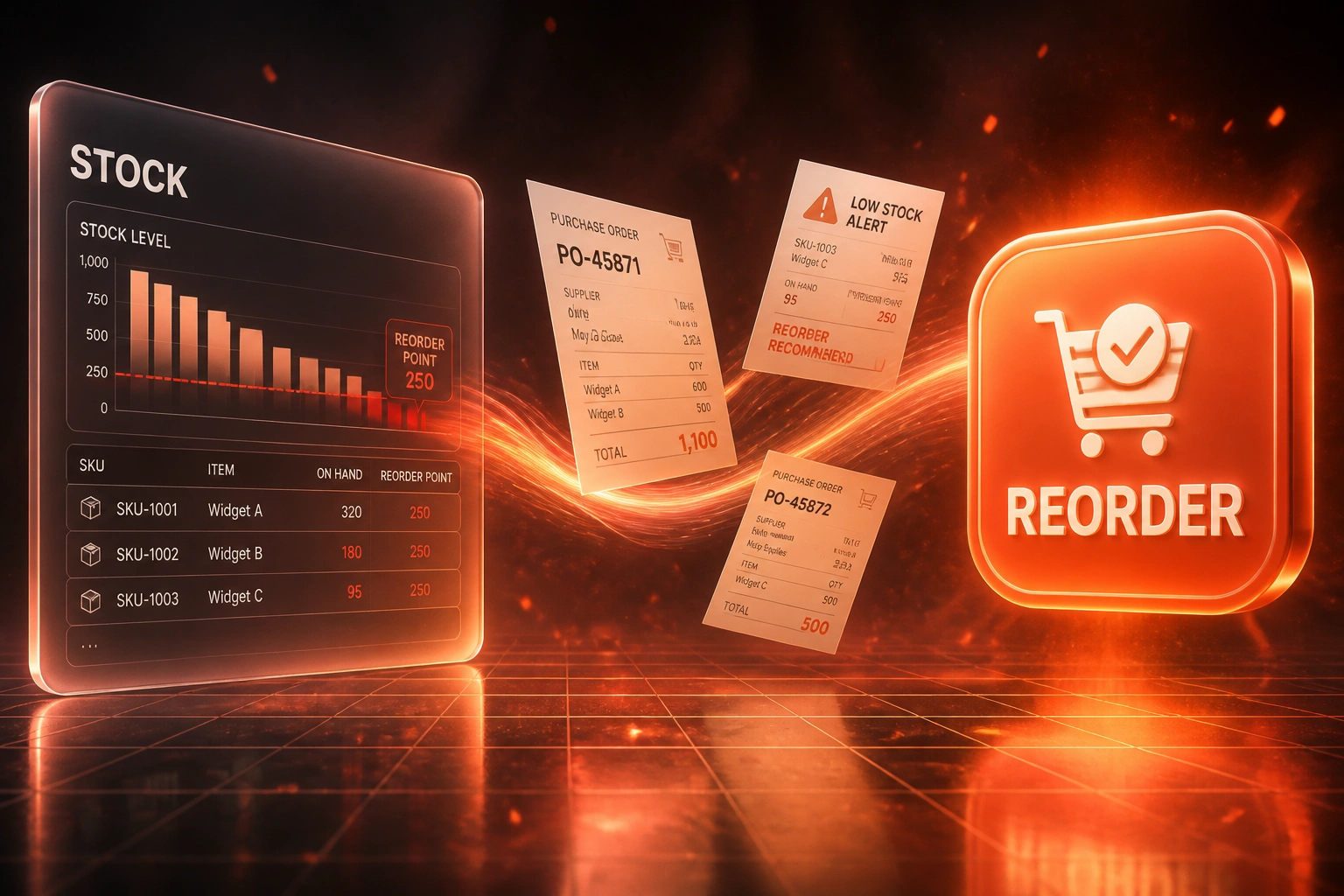
Stock hits threshold → buyer alerted → draft PO ready → stockout avoided. No Monday spreadsheet scramble.
Stock Hits Reorder Point
Available quantity crosses the calculated threshold for that SKU and warehouse
Buyer Gets the Alert
SKU, on-hand, suggested qty, and supplier land in Slack, email, or WhatsApp
Draft PO Created
Purchase order opens in your ERP with lines, supplier, and expected date pre-filled
Cover Restored
Replenishment is underway while customers can still buy, not after the stockout
Everything You Need for Reliable Reorder Alerts
Reorder Point Monitoring
Available stock is checked continuously against calculated reorder points (demand × lead time + safety stock). The moment a SKU hits the threshold, the alert fires.
Buyer & Supplier Alerts
Procurement and buyers get Slack, Teams, email, or WhatsApp notifications with SKU, on-hand qty, suggested order qty, and preferred supplier, before the shelf goes empty.
Draft Purchase Orders
When stock hits the reorder point, a draft PO is created in Sage, Xero, NetSuite, or your ERP with the right supplier, quantity, and expected delivery date pre-filled.
Lead-Time Aware Thresholds
Reorder points adjust when supplier lead times change, so a two-week delay does not silently turn a healthy min/max into a stockout.
Promo & Season Overrides
Raise reorder points and safety stock for Black Friday, festive, or campaign windows so promotions do not burn through cover before replenishment arrives.
A-SKU Focus & Audit Trail
Prioritise the 20% of SKUs that drive most stockout cost. Every alert and draft PO is logged so ops can see what fired, when, and who approved it.
Systems We've Wired for Reorder Alerts
From 11 A-SKU Stockouts a Month to 2
How a Johannesburg distributor recovered R1.8M in lost sales by triggering replenishment when stock hit the reorder point, not when customers complained.
The Manual Process
- Buyers reviewed a spreadsheet min/max list every Monday morning
- Hero SKUs often crossed the reorder point mid-week with no alert
- Promo demand and longer supplier lead times were not reflected in thresholds
- Stockouts surfaced via customer complaints and abandoned carts
- Emergency air freight and lost sales stacked up during peak months
The Automated Process
- Available stock watched against lead-time-aware reorder points
- Buyers alerted the moment a threshold is hit, with suggested order qty
- Draft POs open in Sage for one-click review and send
- Promo windows raise safety stock on the SKUs ads drive traffic to
- Ops sees an audit trail of every alert and approval
Before vs After Reorder Point Automation
How It Works
From first conversation to live reorder alerts in 2–4 weeks.
Tell Us Your Setup
Which stock system, how buyers reorder today, and which A-SKUs hurt most when they run out.
Free Scoping Call
30-minute call to map lead times, safety stock rules, alert channels, and draft-PO destinations.
Build & Test
We wire thresholds to live available stock, run parallel alerts for a week, and validate suggested order quantities.
Go Live & Monitor
Switch off spreadsheet reorder lists. Monitoring keeps thresholds honest as demand and lead times shift.
Frequently Asked Questions
How long does reorder point alert automation take to set up?
A focused A-SKU pilot usually takes 2–4 weeks from scoping to go-live. Broader catalogues with multi-warehouse lead times and draft PO creation typically take 4–6 weeks.
Which inventory and purchasing systems can you connect?
We have built reorder alerts against Shopify, WooCommerce, Takealot seller stock, Sage, Xero, NetSuite, and custom ERPs or WMS databases. If available stock and supplier records are accessible, we can trigger alerts and draft POs.
Will this replace our buyers?
No. The automation watches thresholds and prepares the work. Buyers still approve quantities, pick suppliers when needed, and handle exceptions. The goal is buying time before a stockout, not removing judgement.
How do you calculate the reorder point?
We use the standard formula: (average daily demand × lead time in days) + safety stock. Where lead times or demand are volatile, we set safety stock from your service-level target and recent variability, then review monthly so thresholds do not drift.
What happens during promotions or peak season?
We support temporary overrides: higher reorder points and safety stock for named promo windows, plus faster alert escalation on hero SKUs. That is how you keep stockout rates closer to the healthy 2–5% band instead of the 10%+ promo average.
How much does reorder point automation cost?
Alert-only setups for a focused SKU set start from around R15,000. Draft PO creation, multi-warehouse thresholds, and supplier notifications typically range from R25,000 to R60,000. Most clients recovering even one hero-SKU stockout cycle see payback within 1–3 months.
Stop Learning About Stockouts From Your Customers
If buyers still depend on spreadsheet reorder lists and gut-feel min/max, you are leaving revenue on the floor every time a hero SKU crosses its threshold unnoticed.
Tell us which stock system you run, how long your key suppliers take to deliver, and which SKUs hurt most when they run out. We will show you exactly how automated reorder point alerts and draft POs would work for your operation.