Dunning Automation: CRM-Triggered Payment Follow-Up Sequences
Chasing late payers by hand is inconsistent, relationship-damaging, and slow. Some invoices get three awkward emails; others sit untouched until cash is already tight. Your finance lead ends up writing the same overdue notice under pressure, every week.
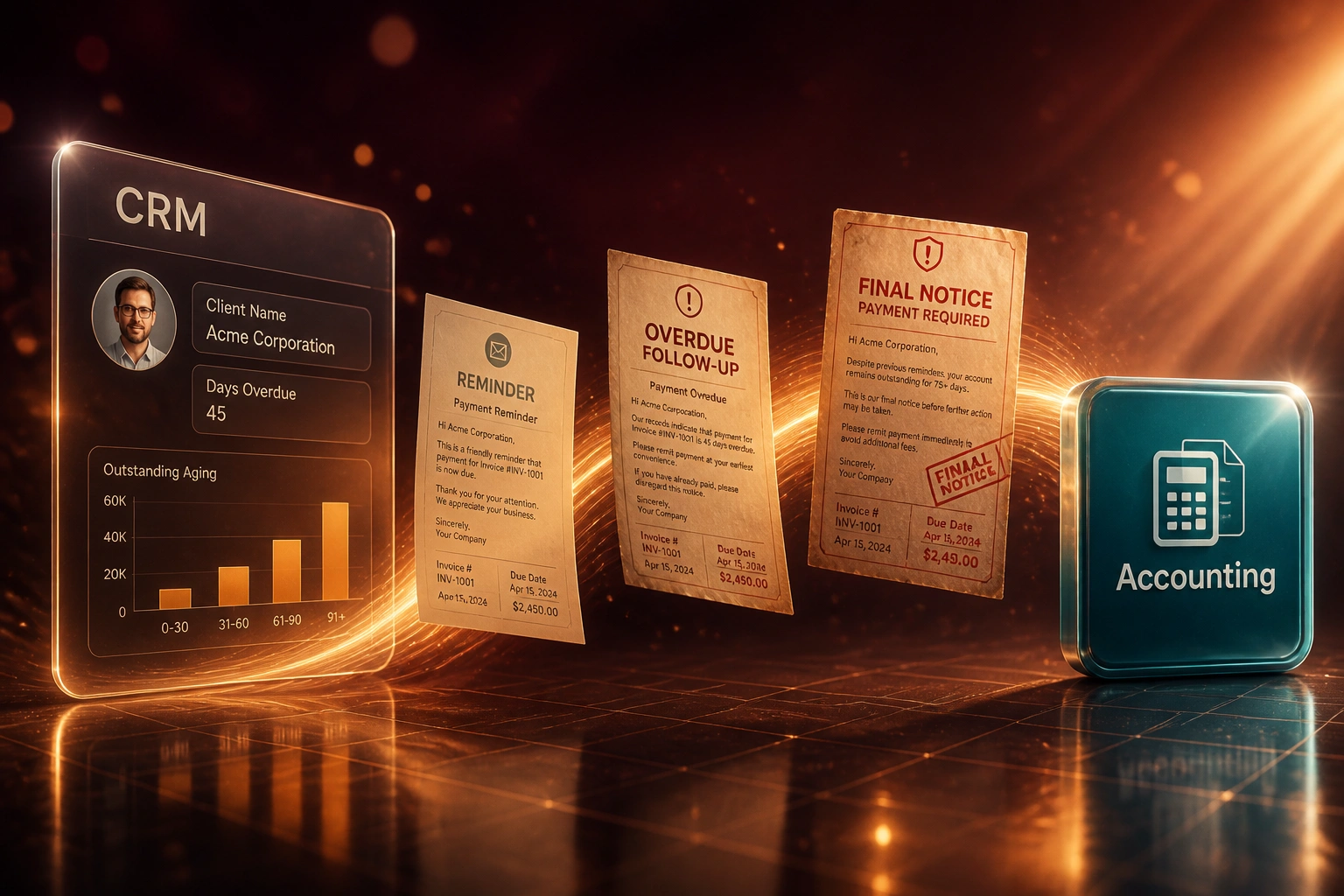
We automate a polite-to-firm dunning sequence that runs from accounting overdue status through CRM email and tasks, so cash comes in without burning goodwill.
Sound Familiar?
These are the exact overdue-management issues our clients faced before sequence automation:
- Finance only chases late payers when cash feels tight, so some invoices get three reminders and others get none
- Tone swings from apologetic one week to aggressive the next, damaging relationships that should still be recoverable
- CRM and accounting never agree on who is overdue, so chase lists are built from stale spreadsheet exports
- Day-14 and day-30 follow-ups get skipped when the finance lead is buried in month-end
- Collections only hears about a stubborn debtor after the invoice is already 90 days late and goodwill is gone
Nearly half of South African small businesses struggle with late payments, and 28% spend more than 10 hours a week chasing them. A one-shot overdue alert helps, but without a timed sequence most follow-ups still depend on whoever remembers to open the ageing report.
What Dunning Automation Actually Does
Invoice goes overdue in accounting → CRM sequence starts → tone escalates on schedule → payment cancels the rest.
Overdue Status Hits
Accounting flags the invoice past due; the CRM account picks up days overdue and amount
Day-7 Friendly Reminder
Polite payment follow-up with invoice PDF, bank details, and a clear due reference
Day-14 / Day-30 Escalate
Firm follow-up, then formal notice; unpaid accounts create a collections task with history
Paid = Sequence Stops
Payment posts in accounting → remaining CRM emails and tasks cancel automatically
Everything You Need for Reliable Overdue Management
Overdue-Triggered Sequences
When accounting marks an invoice overdue, the CRM starts a timed dunning sequence automatically: day-7 friendly reminder, day-14 firm follow-up, day-30 formal notice.
Tone Escalation by Design
Each step uses a different template and subject line so the message hardens on schedule without a human rewriting every email under pressure.
Payment Stops the Sequence
The moment a payment posts in Xero, Sage, or QuickBooks, pending CRM emails and tasks cancel. Clients never get chased for money they already paid.
Collections Escalation Tasks
At day-30 or day-45, unpaid accounts create a CRM task for collections or the account owner, with amount, age, and prior touchpoints attached.
Segmented Cadence Rules
VIP retainers, first-time late payers, and chronic debtors get different cadences and channels so you protect goodwill where it still matters.
Recovery and Ageing Reporting
See recovery rate by sequence step, days-to-pay after first reminder, and how much AR sits in each ageing bucket, without building a spreadsheet.
Platforms We've Wired for Dunning Sequences
From 10 Hours/Week of Chase to 90 Minutes of Exceptions
How a 32-person B2B services firm with recurring retainers lifted overdue recovery from 28% to 74% and cut DSO by 18 days.
The Manual Process
- Finance exported ageing from Xero into a spreadsheet every Monday
- Reminders depended on who had time; tone jumped from soft to sharp with no pattern
- Only about 28% of invoices overdue past 14 days were recovered within 45 days
- Average DSO sat at 58 days on 30-day terms
- Collections only saw stubborn debtors after 90+ days, when write-off risk was high
The Automated Sequence
- Xero overdue status starts a HubSpot sequence: day 7, day 14, day 30
- Templates escalate from friendly reminder to formal notice without rewriting
- Payment cancels remaining steps; VIP accounts use a softer cadence
- Day-30 unpaid accounts create a collections task with full touch history
- Finance only handles exceptions and disputes, not the weekly chase list
Before vs After Dunning Automation
How It Works
From first conversation to live payment follow-up sequences in 2–4 weeks.
Map Your Chase Today
Which invoices go overdue, who chases them, what you say at day 7, 14, and 30, and where goodwill must be protected.
Free Scoping Call
30-minute call to design the sequence, choose CRM and accounting triggers, and agree escalation rules for VIP vs standard accounts.
Build & Test
We build the workflows, load your templates, test against real overdue invoices, and run parallel for a week before switching off manual chase.
Go Live & Tune
Sequences go live. We monitor open rates, recovery by step, and false escalations, then tighten the cadence in the first month.
Frequently Asked Questions
How is dunning automation different from a one-shot overdue alert?
A single alert tells someone an invoice is late. Dunning automation runs a multi-step sequence: day-7 friendly reminder, day-14 firm follow-up, day-30 formal notice, then a collections task. Tone and urgency escalate on a schedule, and payment cancels the rest of the sequence automatically.
Which CRMs and accounting systems can drive these sequences?
We have built overdue-triggered workflows with HubSpot, Pipedrive, Salesforce, and Zoho CRM, fed by overdue status from Xero, QuickBooks, Sage Business Cloud, and Sage Pastel. If your accounting system exposes invoice age and your CRM supports sequences or workflows, we can connect them.
Will automated reminders damage client relationships?
Ad-hoc chase usually does more damage because the tone is inconsistent and late. Structured sequences start polite, stay factual, and only harden after clear delays. VIP accounts can use softer templates or human review before the formal notice step.
What happens when a client pays mid-sequence?
Payment status syncs from accounting into the CRM and cancels remaining emails and tasks within minutes. Clients do not receive a firm follow-up after they have already paid.
How long does setup take?
A standard dunning sequence with three email steps and a collections task typically takes 2 to 4 weeks from scoping to go-live. Complex segment rules, multi-entity ageing, or approval gates before formal notices take closer to 4 to 6 weeks.
How much does CRM-triggered dunning automation cost?
Sequence setups that pull overdue status from accounting into CRM email and task workflows typically range from R25,000 to R55,000. Firms chasing more than about R500,000 in overdue AR usually recover the build cost within one or two billing cycles through faster collections alone.
Stop Burning Goodwill on Ad-Hoc Payment Chase
If overdue management still depends on Monday ageing exports and awkward reminder emails, you are leaving cash on the table and wearing out relationships that a structured sequence would protect.
Tell us which CRM and accounting stack you run, how you handle day-7, day-14, and day-30 follow-ups today, and which accounts need a softer touch. We will show you exactly how dunning automation would work for your firm.