Document AI for Data Extraction: PDFs Into Structured ERP Data
Your finance and ops teams still rekey invoices, contracts, and forms from PDFs. Manual invoice processing costs roughly R150–R210 each and takes about 9 days on average, while exception rates near 14% keep cash and suppliers waiting.
We build Document AI pipelines that extract structured data automatically, so humans only review low-confidence fields.
Sound Familiar?
These are the exact issues our clients faced before Document AI extraction:
- AP and ops rekey invoices, contracts, and forms from PDFs into the ERP every day
- Line items, VAT, parties, and due dates get mistyped, then exceptions stall the payment run
- Month-end piles up because unstructured documents never land as clean, structured records
- Supplier portals and VAT-ready invoice rules raise the bar while headcount stays frozen
- Reviewers open every PDF instead of only the fields the model flags as low-confidence
Structured e-invoicing mandates are rolling out across major trading markets through 2026–2028, while many suppliers still send PDFs. Volume keeps rising under headcount freezes. Manual rekeying cannot absorb both the compliance shift and the residual paper or PDF stack.
What Intelligent Document Processing Actually Does
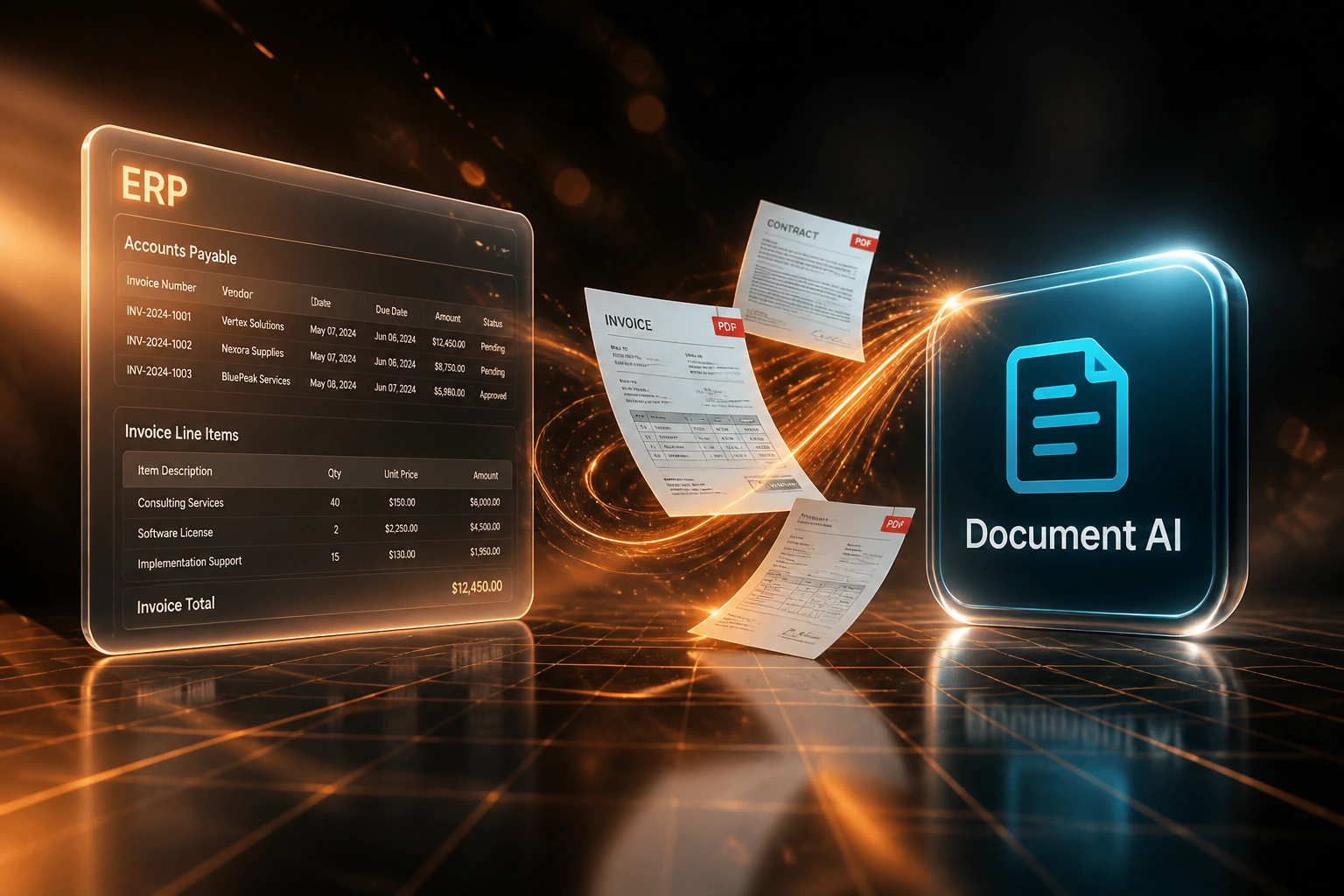
PDF arrives → fields extracted → low-confidence review → ERP posted. No blanket rekeying.
Document Arrives
Invoice, contract, or form lands by email, portal, or scan inbox
Document AI Extracts
Parties, dates, amounts, VAT, and line items become structured fields
Confidence Review
Only low-confidence fields pause; clear extractions never wait in that queue
Posted to ERP / AP
Structured records hit the ledger with matching, approvals, and an audit trail
Everything You Need for Reliable PDF Extraction
Multi-Document IDP Pipeline
Invoices, contracts, and forms share one intelligent document processing path. Classify the document, extract the fields, and route the payload to ERP, CRM, or AP without a separate template for every layout.
Line Item & Party Extraction
Document AI pulls vendors, counterparties, dates, amounts, VAT, and line items from unstructured PDFs so finance stops typing the same fields twice.
Confidence Review Queue
High-confidence fields post straight through. Low-confidence values pause with the source highlight so reviewers confirm a handful of fields, not the whole document.
ERP & AP Write-Back
Structured records land in Xero, Sage, SAP, Pastel, or your AP system with account codes, tax treatment, and approval status your team already trusts.
Exception & Matching Rules
PO matching, duplicate detection, and amount tolerances catch problems before they hit the ledger. Your team only sees the exceptions that need a decision.
Audit Trail & Retention
Every extraction, edit, and approval is logged against the source PDF so audit, VAT, and supplier disputes have a clear evidence pack.
Systems We've Fed with Document AI
From 18 Hours/Week to 3 Hours/Week
How a mid-sized distributor cut PDF rekeying across invoices and contracts, and shortened AP cycle time by 6 days.
The Manual Process
- AP clerks opened every supplier PDF and typed vendors, lines, and VAT into the ERP
- Contracts and credit notes sat in a shared drive until someone had time to capture key dates
- Roughly one in seven invoices threw an exception after a mistyped amount or tax field
- Average 11–12 business days from receipt to ready-to-pay
- Headcount freeze meant overtime, not hiring, when volume spiked
The Automated Process
- Document AI classifies invoices and contracts, then extracts structured fields into AP
- Finance reviews only low-confidence fields against the source PDF
- Straight-through rate climbed above 85% on familiar supplier layouts
- Same-week posting for clean invoices; exceptions flagged with context
- Audit trail links every posted field back to the original document
Before vs After Document AI
How It Works
From first conversation to live Document AI extraction in 3–6 weeks.
Tell Us Your Setup
Which documents arrive (invoices, contracts, forms), which systems they feed, and where rekeying hurts most.
Free Scoping Call
30-minute call to map volumes, field models, confidence thresholds, and the review queue your AP team will actually use.
Build & Test
We train on your real document mix, wire ERP write-back, and run parallel for a week so accuracy is proven before go-live.
Go Live & Monitor
Switch off blanket rekeying. Monitoring tracks straight-through rate, exception volume, and hours recovered.
Frequently Asked Questions
How is Document AI different from basic OCR or scan-to-data?
Basic OCR reads characters from a page. Document AI for data extraction classifies invoices, contracts, and forms, pulls structured fields (parties, dates, amounts, line items), scores confidence, and posts into ERP or AP with a human review queue only for low-confidence fields. That is intelligent document processing, not a one-off scan job.
Which document types and systems can you connect?
We commonly process supplier invoices, contracts, delivery notes, and operational forms into Xero, Sage, SAP, Pastel, QuickBooks, NetSuite, and custom ERPs or CRMs. If the destination has an API or import path, we can write structured records into it.
Will this disrupt our current AP workflow?
No. Your team keeps the same ERP and approval habits. Extraction and posting happen behind the scenes. We run parallel testing so finance can compare AI-extracted fields against the current process before switching off manual rekeying.
How accurate is PDF extraction in production?
Clean digital invoices often reach 95–99% field accuracy. Mixed scanned packs typically land in the 80–92% range in production. That is why we design confidence thresholds and a review queue: reviewers touch exceptions, not every page. Traditional template OCR alone often stalls around 60% before it needs heavy maintenance.
How do you handle VAT fields and supplier portal mandates?
We map the fields your VAT and AP rules require (vendor VAT numbers, tax amounts, invoice dates, line totals) during setup. As supplier portals and structured e-invoicing expand globally, the same pipeline can ingest machine-readable formats where available and still extract from the PDF and paper residual that remains.
How much does a Document AI extraction project cost?
A focused invoice IDP into one ERP starts from around R35,000. Multi-document pipelines with contracts, forms, confidence queues, and custom matching typically range from R50,000 to R95,000. Teams processing 200+ documents a month usually see payback within 2–4 months against manual processing costs of roughly R150–R210 per invoice.
Stop Rekeying Valuable Data Out of PDFs
If your finance and ops teams are still typing invoices, contracts, and forms into the ERP by hand, you are paying R150–R210 per document for a problem Document AI already solves.
Tell us which documents arrive, which systems they should feed, and where exceptions hurt most. We will show you exactly how an intelligent document processing pipeline and confidence review queue would work for your business.