Manage Different Payment Terms Per Customer: Automatically
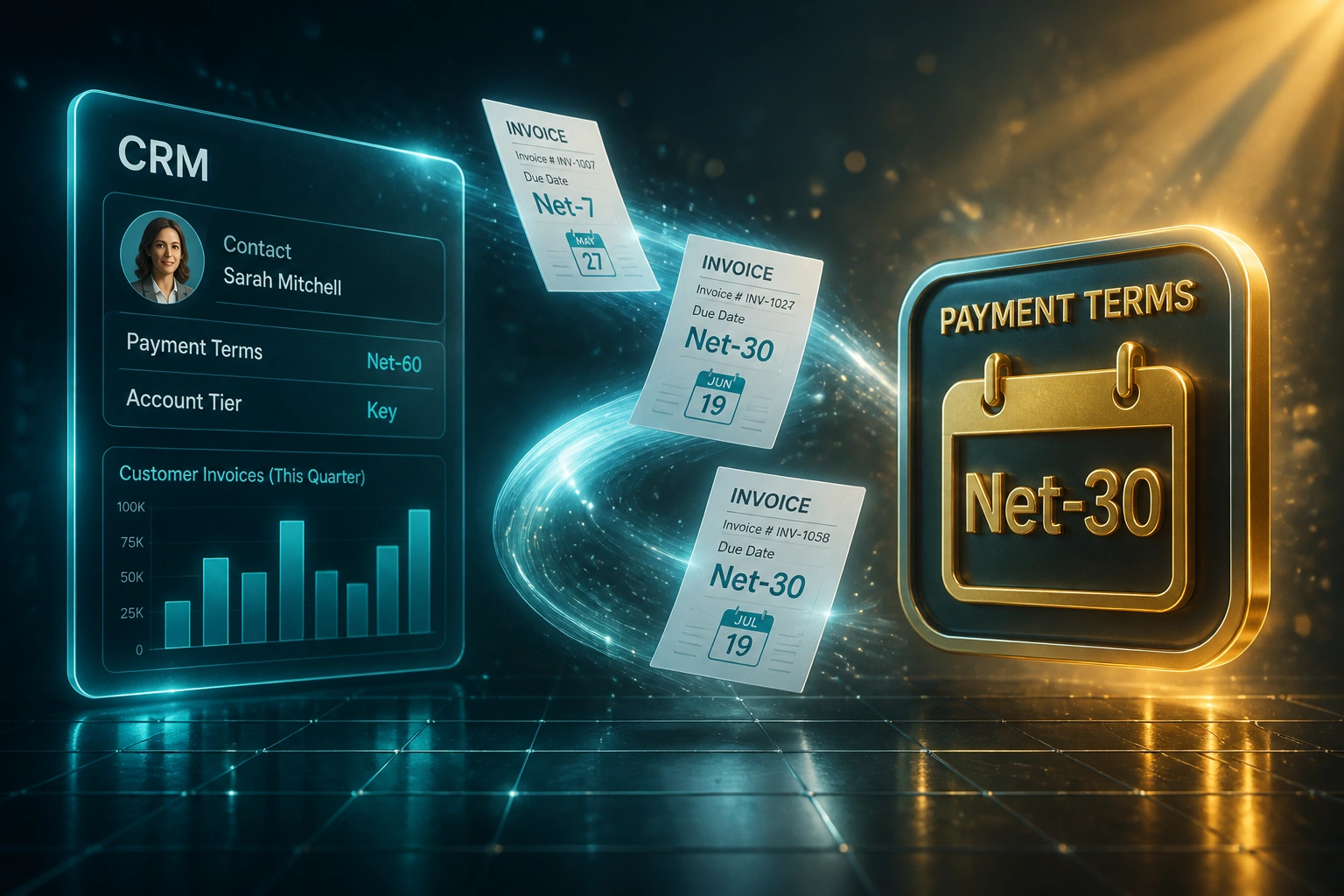
Some customers get net-30, others get net-7, and key accounts get net-60. When billing invents the wrong due date, you fight weekly disputes, distort DSO, and damage relationships you worked hard to win.
We build the payment terms engine that stamps the agreed terms on every invoice.
Sound Familiar?
These are the exact issues credit controllers and sales ops leads bring us before a payment terms engine:
- Key accounts agreed net-60, but invoices go out on the default net-30 template
- Credit control chases at day 35 and the customer pushes back with the signed terms
- Finance rewrites payment terms from emails, deal notes, or tribal knowledge every week
- COD, net-7, and early-payment discount rules never reach the ledger, so due dates stay wrong
- DSO looks healthy until a terms dispute freezes a large invoice and distorts the aging report
Wrong payment terms are a contract dispute waiting to happen. PYMNTS research shows 40% of B2B payment delays come from disputes, including contract term conflicts. Resolving each one costs R4,900–R8,200 in staff time, and disputes older than 90 days are three times less likely to be recovered.
What the Payment Terms Engine Actually Does
Customer terms in CRM → due date on the invoice → aging and reminders stay honest. No human rewriting net-30 by default.
Terms Live in CRM
Each customer carries net-7, net-30, net-60, COD, or discount rules on their record
Invoice Raised
Billing creates the invoice from a deal, job, or recurring schedule
Engine Stamps Due Date
Correct payment terms and due date write into Xero, Sage, or QuickBooks
Collections Stay Aligned
Aging, reminders, and CRM stages all use the same agreed calendar
Everything You Need for Reliable Custom Payment Terms
Customer Terms Matrix
Net-7, net-30, net-60, COD, and early-payment discounts live on the CRM customer record. Every invoice inherits the agreed terms, not a template default.
Automatic Due-Date Stamping
When accounting raises an invoice, the engine calculates the correct due date from the customer's payment terms and writes it into Xero, Sage, or QuickBooks.
Early-Payment Discount Rules
2/10 net-30 and similar windows apply only where the customer qualifies. Discount uptake is tracked so finance sees who actually pays early.
Tier and Exception Logic
Key accounts, cash customers, and negotiated one-offs map to different term codes. Exceptions outside your approved matrix flag for credit review before posting.
Ledger Term Code Mapping
CRM terms map to the right Xero, Sage, or QuickBooks payment-condition codes so the printed invoice, aging report, and reminder schedule all agree.
Dispute Prevention Alerts
If an invoice due date drifts from the CRM customer terms, finance is flagged before collections starts chasing early and damaging the relationship.
Systems We've Wired Into a Payment Terms Engine
From Ten Term Disputes a Month to Zero
How a Johannesburg industrial supplier stopped billing key accounts on net-7, cleaned DSO by 11 days, and recovered R682,000 in year one.
The Manual Process
- Credit controller checked emails and deal notes before every large invoice
- Billing still defaulted to net-30, so key accounts on net-60 were chased early
- Roughly ten payment-terms disputes a month, each eating a full resolution cycle
- DSO looked fine until a disputed key-account invoice sat open for weeks
- Sales ops spent Friday afternoons apologising for wrong due dates
The Automated Process
- CRM customer record carries net-7, net-30, net-60, or COD as standing terms
- Every invoice into Sage inherits the correct due date and term code
- Early-payment discounts apply only to customers who qualify
- Mismatch alerts catch the rare exception before collections starts
- Aging reports finally match what sales and customers agreed
Before vs After Custom Payment Terms Automation
How It Works
From first conversation to a live payment terms engine in 2–4 weeks.
Tell Us Your Setup
Which CRM, which ledger, and how net-7, net-30, net-60, COD, and discounts are negotiated today.
Free Scoping Call
30-minute call to map your customer terms matrix to accounting term codes and due-date rules.
Build & Test
We wire the payment-terms engine, test with real customer records, and validate due dates against signed agreements.
Go Live & Monitor
Switch off manual term overrides. Monitoring flags only the invoices that still need a human terms decision.
Frequently Asked Questions
How is a payment terms engine different from syncing deal terms once?
Deal-level sync copies what sales typed on one opportunity. A payment terms engine reads the customer's standing terms from CRM, applies net-7, net-30, net-60, COD, or early-payment discount rules to every invoice, and keeps due dates correct even when billing is raised from recurring jobs, projects, or e-commerce. The customer record is the source of truth, not a one-off deal note.
Which CRMs and accounting systems work with custom payment terms?
We've built payment-terms engines with HubSpot, Pipedrive, Salesforce, Zoho CRM, and Monday.com into Xero, Sage Business Cloud, Sage Pastel, Sage Evolution, and QuickBooks. If your CRM stores customer-level term fields and your ledger exposes payment condition codes, we can map them.
Can different customers keep different payment terms automatically?
Yes. That is the point. Key accounts stay on net-60, standard trade on net-30, cash accounts on net-7 or COD, and early-payment discounts apply only where you offer them. Billing no longer invents the wrong terms from a shared template.
Will this stop collections from chasing clients who are not actually late?
Yes. When invoice due dates match the CRM payment conditions, aging reports and reminder schedules use the agreed net-30, net-60, or COD date. Early chases that create client pushback become rare, because the calendar is no longer wrong.
How do you handle early-payment discounts and COD?
During setup we map COD to immediate or short due dates, and optional early-payment discount windows (for example 2/10 net-30) where your ledger supports them. Discount eligibility comes from the CRM customer record so finance does not apply or miss discounts by hand.
How much does a payment terms engine cost?
Simple one-way terms mapping starts from around R15,000. A full rules engine with customer matrix, early-payment discounts, mismatch alerts, and multi-system term codes typically ranges from R25,000 to R60,000. Teams raising 30+ invoices a month usually see ROI within 2–3 months from fewer disputes and cleaner DSO alone.
Stop Billing Key Accounts on the Wrong Payment Terms
If your credit controller is still rewriting net-30, net-60, and COD by hand, you are paying for disputes that a payment terms engine prevents at the source.
Tell us which CRM and ledger you use, how your customer terms matrix works today, and where the wrong due dates hurt most. We will show you exactly how automatic net-7, net-30, and net-60 stamping would work for your business.