LexisNexis Bridger Integration: Compliance Screening for Financial Institutions
Your compliance team already licences LexisNexis Bridger Insight. If screening still means dual-keying into the portal, inconsistent dispositions, and thin evidence packs, you are paying for an engine your workflows are not using.
We integrate Bridger into onboarding and payment flows, with matching rules tuned to your risk appetite.
Sound Familiar?
These are the exact issues Heads of Compliance bring us before Bridger integration:
- Analysts re-type client details from the CRM into the Bridger portal for every onboarding and payment screen
- Disposition decisions live in emails and spreadsheets, so inspections cannot reconstruct who cleared what and why
- Matching rules and Accept Lists are not tuned to your risk appetite, so false positives dominate the queue
- Account screening and payment screening run as separate manual steps with no shared workflow
- When the Head of Compliance is away, screening stalls because the process depends on one person's portal habits
LexisNexis reports that 90% of screening alerts are false positives, and 98% of financial institutions see annual compliance cost increases. Portal-only Bridger use multiplies that burden: dual-keying, inconsistent dispositions, and evidence that will not survive an inspection. Integration is how you turn the licence you already own into a controlled workflow.
What LexisNexis Bridger Compliance Integration Actually Does
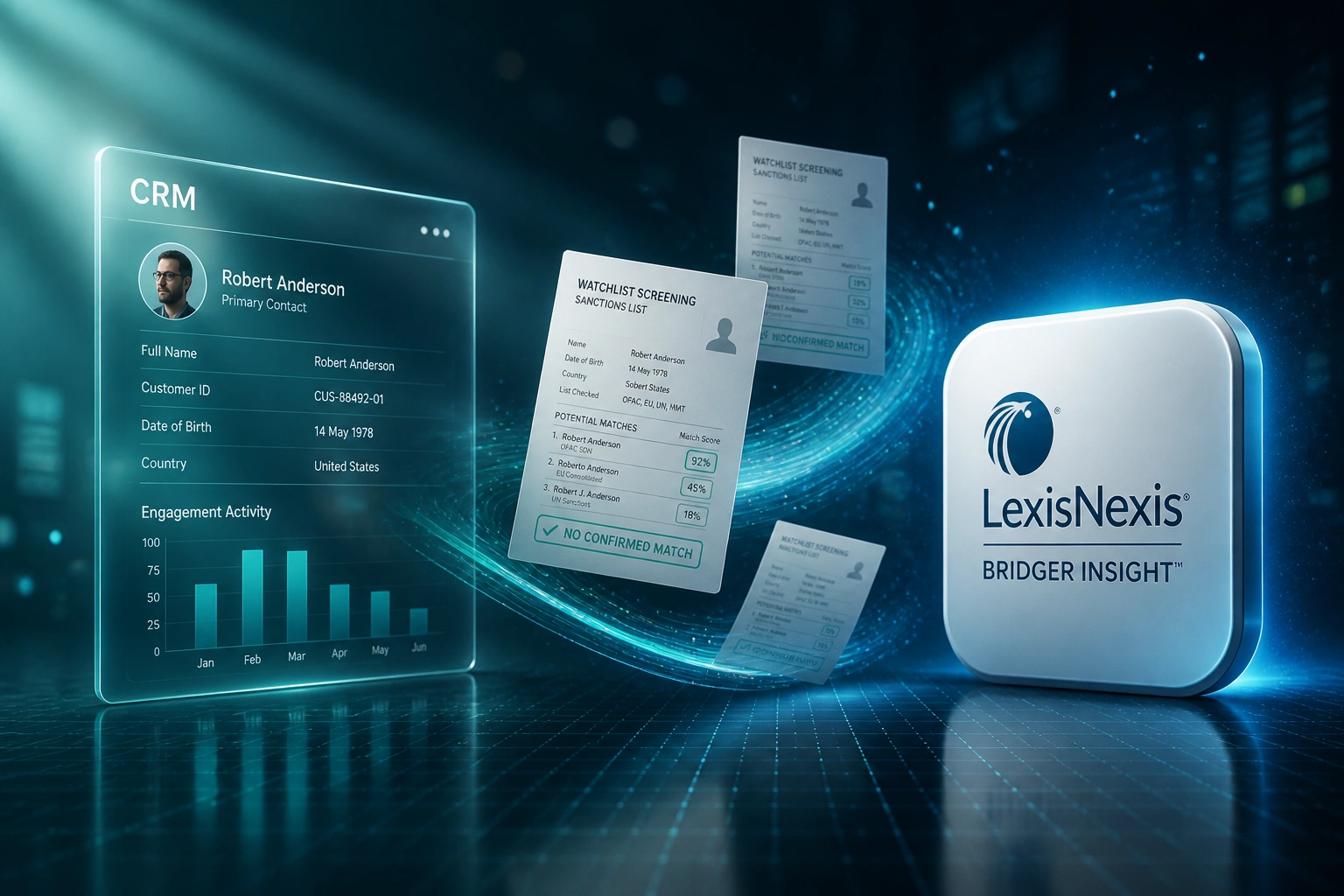
Client or payment enters the system → Bridger screens → disposition is recorded → clear cases proceed. No portal dual-keying.
Record Lands in CRM
A new client, payment, or portfolio refresh triggers screening from the system of record
Bridger Runs the Screen
Watchlists, sanctions, PEPs, and your custom lists are checked with your calibrated matching rules
Disposition Workflow
Clear results auto-progress. Potential matches route to compliance with scores and evidence attached
Audit Trail Synced
Decisions, Accept List updates, and archives write back so inspections see a consistent trail
Everything You Need for Reliable Watchlist Screening
CRM-Triggered Watchlist Screens
A new client or payment instruction in your CRM or core system triggers Bridger Insight screening automatically, with no dual-keying into the portal.
Risk-Appetite Matching Rules
Fuzzy matching thresholds, secondary identifiers, and scoring modules are calibrated to your RMCP so the engine prioritises genuine risk, not name collisions.
Accept Lists & Known False Positives
Entities cleared as false positives feed Bridger Accept Lists so the same collision does not return every week. Analysts stop re-investigating the same names.
Account and Payment Screening
One integration covers customer take-on and payment screening (including ACH, SWIFT, and ISO 20022-style flows) with consistent disposition rules across both.
Disposition Workflow Sync
Clear, review, escalate, or reject decisions write back to the CRM or case queue with timestamps, analyst identity, and match evidence attached.
Inspection-Ready Evidence Packs
Every screen, match score, Accept List hit, and disposition note is archived so FIC, SARB, and internal audit can follow the trail without a portal scramble.
Systems We've Connected to Bridger Insight
From 12 Hours/Week to Under 3
How a mid-size financial institution stopped Bridger portal dual-keying, tuned matching to its risk appetite, and recovered analyst capacity.
The Portal Process
- Analysts copied client and payment details from the CRM into Bridger for every screen
- 35 minutes average per alert disposition, mostly clearing name collisions
- Accept Lists unused; the same false positives returned week after week
- Disposition notes lived in email threads with no link to the client record
- Account and payment screening followed different undocumented habits
The Integrated Process
- CRM and payment events trigger Bridger Insight screens automatically
- Matching thresholds and Accept Lists calibrated with the MLRO
- Clear results auto-progress; potential matches arrive with evidence attached
- Every disposition writes back to the client or payment record
- Account and payment screening share one consistent workflow
Before vs After Bridger Integration
How It Works
From first conversation to live Bridger integration in 4–6 weeks.
Tell Us Your Setup
Which systems hold clients and payments, how you use Bridger today, and where dual-keying and disposition gaps hurt most.
Free Scoping Call
30-minute call with your Head of Compliance or MLRO to map screening triggers, matching rules, and how exceptions should escalate.
Build & Test
We wire Bridger Insight into your CRM or core system, tune rules against your risk appetite, and parallel-test dispositions with your compliance team.
Go Live & Monitor
Switch off portal dual-keying. Monitoring keeps screening reliable as volumes grow, and evidence packs stay inspection-ready.
Frequently Asked Questions
How long does a LexisNexis Bridger Insight integration take?
A focused CRM or core-banking screen with disposition write-back typically takes 4–6 weeks from scoping to go-live. Simpler one-way batch screens can be live in about 3 weeks. Multi-system setups covering account and payment screening with custom escalation queues take closer to 6–8 weeks.
Do we already need a Bridger Insight licence?
Yes. LexisNexis Bridger Insight XG licensing, WorldCompliance data access, and API credentials are sold separately by LexisNexis Risk Solutions based on your screening volume and deployment model. We build the technical integration once licensing is in place, or in parallel with your LexisNexis account manager.
How is this different from portal-only Bridger screening?
Portal use still requires analysts to copy client data from your CRM, apply inconsistent judgment, and store dispositions outside the core record. Integration triggers screening from the workflow itself, applies your calibrated matching rules every time, and writes an inspection-ready evidence trail back to the client or payment record.
Can matching rules be tuned to our risk appetite?
Yes. Bridger Insight supports configurable thresholds, rules-based and scoring modules, custom watchlists, and Accept Lists for known false positives. We calibrate those settings with your MLRO against your RMCP so the queue reflects your risk appetite rather than a one-size-fits-all portal default.
What happens when Bridger returns a potential match?
Clear results can auto-progress onboarding or payment release. Potential matches pause the workflow, notify your compliance queue, and attach match scores and list detail so the analyst can disposition, escalate, or file required reports without reconstructing evidence from emails.
How much does Bridger screening integration cost?
Integration build fees typically start from around R40,000 for a focused onboarding screen with CRM write-back. Broader account-and-payment screening with rule calibration, Accept Lists, and exception workflows usually range from R60,000 to R95,000. Most teams clearing 40+ screens a week recover the build cost within 2–4 months from analyst time alone.
Stop Paying for Bridger You Only Use as a Portal
If your analysts are still dual-keying into LexisNexis Bridger and reconstructing dispositions from email, you are spending money on a problem a proper integration already solves.
Tell us which CRM or core system you run, how you screen today, and where false positives and audit gaps hurt most. We will show you exactly how Bridger watchlist screening would work inside your onboarding and payment workflows.