PDF Data Extraction Automation: From Locked PDFs to Structured Data
Your AP and ops teams burn hours retyping invoices, supplier statements, and monthly reports out of PDFs into spreadsheets or ERP fields. Layouts change, errors slip through, and payment delays follow.
We build AI-powered PDF to database pipelines that recover those hours and cut error-driven delays.
Sound Familiar?
These are the exact issues our clients faced before PDF parsing automation:
- Finance staff retype supplier invoices, statements, and monthly reports from PDFs into spreadsheets or ERP fields every week
- Varying layouts mean each new supplier format takes longer to key, and the backlog grows at month-end
- Wrong amounts, VAT lines, or due dates slip through and trigger payment holds or supplier disputes
- AP cycle time stretches to weeks because documents sit in email while someone finds time to capture them
- Month-end reconciliation waits on PDF catch-up, so the close slips while clerks finish the queue
Each invoice error costs around R875 to correct once investigation, vendor chase, and re-posting are included (IOFM). At hundreds of PDFs a month, silent transcription mistakes become a structural cash-flow drag, not a minor admin cost.
What PDF Data Extraction Actually Does
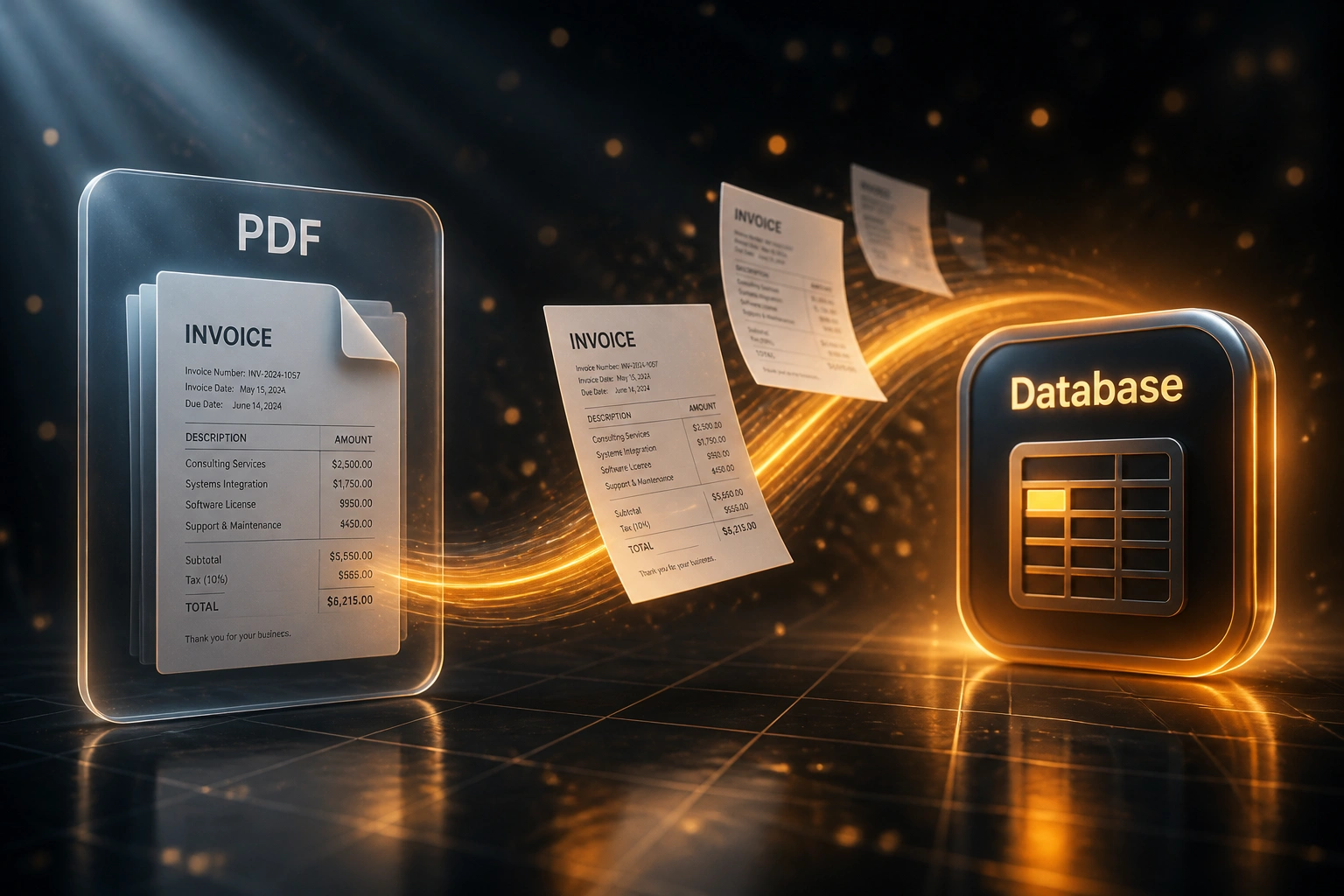
PDF arrives → fields extracted → low-confidence review → database updated. No human retyping every line.
PDF Lands
Invoice, statement, or report arrives by email, upload, or shared folder
AI Extracts Fields
Totals, VAT, dates, vendor, and line items mapped regardless of layout
Human Reviews Edges
Only low-confidence fields pause for a quick confirm against the source page
Database Updated
Structured records post to ERP or SQL so payments and reports run on clean data
Everything You Need for Reliable PDF Parsing Automation
AI PDF Field Extraction
Invoices, statements, and reports are read by layout-aware AI, not rigid templates. Supplier name, totals, VAT, line items, and dates land as structured fields even when formats differ.
Database & ERP Write-Back
Extracted records write into your database, warehouse, or ERP tables so PDF parsing automation stops at a spreadsheet paste and starts at a system of record.
Confidence-Based Review
High-confidence fields pass through. Low-confidence values queue for a short human check with the source page attached, so staff fix edges instead of retyping every document.
Multi-Layout Resilience
New supplier PDFs do not need a week of template building. The pipeline adapts to layout variance that breaks traditional OCR rules.
Validation Against Masters
Vendor codes, VAT numbers, and PO references can be checked against your master data before posting, catching mismatches before payment runs.
Audit Trail to Source PDF
Every written field links back to the original document so finance and auditors can prove where a figure came from without digging through email.
Systems We've Written Extracted PDF Data Into
From 20 Hours/Week to 3.5 Hours/Week
How an industrial wholesaler stopped retyping supplier PDFs and shortened their AP cycle by 11 days.
The Manual Process
- Two AP clerks retyped ~350 supplier invoices and statements from PDFs into Sage each month
- Roughly 15 minutes per document: vendor match, VAT lines, due dates, and GL codes
- Nearly two in five documents needed some correction after capture
- Average 15 days from PDF receipt to payment-ready posting
- Month-end close waited on the PDF backlog before reconciliation could finish
The Automated Process
- PDFs extract into structured database fields within minutes of arrival
- Finance only reviews low-confidence fields against the source page
- Straight-through rate covers the clear majority of recurring supplier layouts
- Payment-ready posting in a few days instead of two weeks
- Source PDF linked to every posted record for audit and supplier queries
Before vs After PDF to Database Automation
How It Works
From first conversation to live PDF extraction in 3–5 weeks.
Tell Us Your Documents
Which PDFs arrive today (invoices, statements, reports), where data must land, and which fields finance cannot afford to get wrong.
Free Scoping Call
30-minute call to map volumes, layout variety, confidence thresholds, and where exception review should sit.
Build & Test
We train extraction on your real supplier PDFs, write to a staging database, and run parallel capture until accuracy meets your bar.
Go Live & Monitor
Staff stop retyping clear documents. Monitoring keeps extraction accuracy and exception volumes visible as suppliers change layouts.
Frequently Asked Questions
How is AI PDF data extraction different from basic OCR?
Basic OCR reads characters on a page and often still needs templates per supplier. AI-powered pdf parsing automation understands fields by meaning (invoice total, due date, VAT) across varying layouts, and flags low-confidence values for review instead of silently guessing. Industry comparisons put traditional OCR field accuracy on mixed supplier bases around 60–85%, while modern AI extraction commonly reaches 95–99% on common invoice fields.
Which documents can you extract into a database?
We specialise in business PDFs: supplier invoices, credit notes, bank and supplier statements, and recurring operational reports. Identity-document OCR for KYC is a separate pipeline. If your team currently retypes a PDF into ERP or spreadsheet fields, we can almost always automate that path.
What happens when the AI is unsure about a field?
Low-confidence fields pause posting, highlight the uncertain values, and attach the source page so a finance reviewer confirms only what needs confirming. Clear documents never wait behind those exceptions.
How long does PDF to database automation take to implement?
A focused invoice-and-statement extraction build typically takes 3–5 weeks from scoping to go-live. Broader packs covering multiple report types, several ERP destinations, and custom validation rules usually sit closer to 5–8 weeks.
Will this disrupt our accounts payable team?
No. Your team keeps the same ERP and approval habits. Automation removes the retyping step so people spend time on exceptions, vendor queries, and payment decisions. We run parallel capture before switching off the manual path.
How much does PDF data extraction automation cost?
Focused AI extraction into a database or single ERP typically starts from around R35,000. Multi-document pipelines with confidence review, master-data validation, and several write-back targets usually range from R50,000 to R90,000. Teams processing a few hundred supplier PDFs a month often recover the build cost within 2–3 months against labour and error-correction costs alone.
Stop Wasting Hours on PDF Retyping
If your finance or ops team is still keying invoices and statements out of PDFs, you are paying for a problem we have already solved for clients.
Tell us which documents arrive, where the data must land, and what errors hurt cash flow most. We will show you exactly how PDF data extraction would work for your volumes and layouts.