AI-Powered Data Entry: Stop Typing Into the CRM
Your reps close the day selling, then spend evenings filling CRM fields so the forecast looks real. Manual CRM entry burns about 5.5 hours per rep every week, seeds incomplete records that break pipeline reviews, and keeps selling capacity locked in admin work.
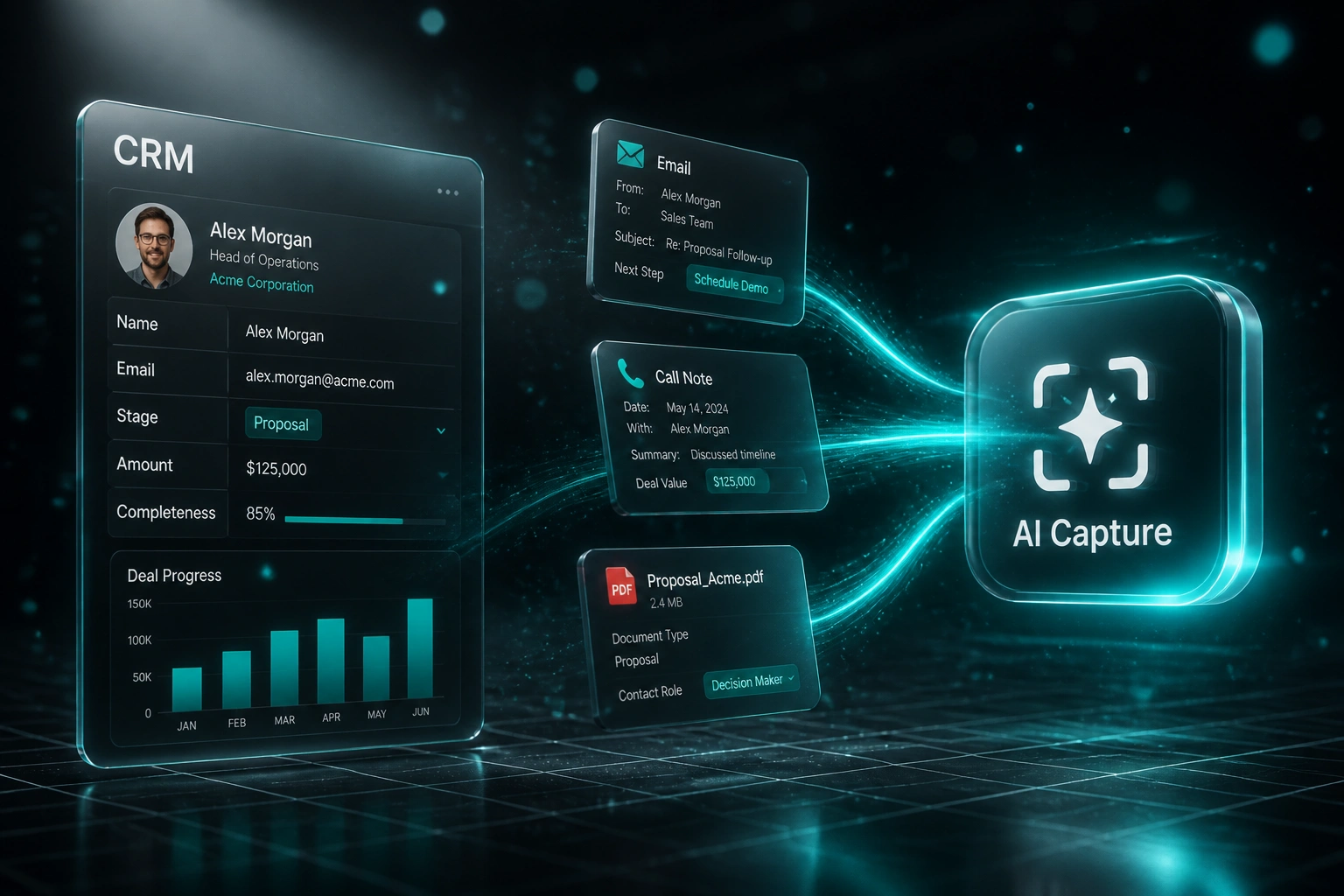
We build automated CRM entry that captures emails, calls, and documents into the right fields, so sales directors get complete records without asking reps to type.
Sound Familiar?
These are the exact issues our clients faced before AI-powered data entry:
- Reps spend evenings updating CRM fields after a full day of calls, instead of prospecting or following up
- Deal stages, next steps, and stakeholders sit blank until Friday, so Monday forecasts are fiction
- Managers chase reps for activity logs while pipeline reviews stall on incomplete records
- One in twenty-five manual field updates is wrong, and those errors compound into bad coaching and missed handoffs
- Sales directors cannot trust coverage metrics when contact roles, amounts, and close dates are half-filled
CRM vendors are monetising capture as paid add-ons. Salesforce Sales Cloud Einstein runs around R820 per user per month, and Inbox-style activity capture around R410, yet native sync still mainly logs email and calendar events. It does not reliably fill custom deal fields from call notes and documents, so reps keep skipping fields under quota pressure.
What Automated CRM Entry Actually Does
Email, call, or document lands → fields populate → activity logs → completeness score rises. No evening typing.
Source Arrives
Email thread, call note, or deal document enters the capture pipeline
AI Extracts Fields
Contact role, amount, stage signals, next steps, and stakeholders mapped to your schema
CRM Writes & Logs
Fields update on the right deal or contact; activity attaches automatically
Completeness Rises
Managers see forecast-ready deals; exceptions wait in a short review queue
Everything You Need for Smart Data Capture
Email Field Extraction
Inbound and outbound emails yield contact details, product interest, next steps, and decision-maker roles, then map into the right CRM fields automatically.
Call & Note Capture
Call summaries and voice notes populate deal value, timeline, competitors, and MEDDIC-style fields so reps review suggestions instead of retyping from memory.
Document Smart Capture
Proposals, contracts, and attached PDFs feed structured fields (amount, term, contact role) into the open opportunity without a data-entry pass.
Activity Auto-Logging
Emails, calls, and meetings attach to the correct contact and deal as they happen, so activity history stays complete without "Log Email" clicks.
Data Completeness Scores
Every record gets a live completeness score across required forecast fields. Managers see which deals are report-ready and which still need a human check.
Confidence Review Queue
High-confidence writes land untouched. Ambiguous extractions pause with the suggested value so sales ops only clears exceptions.
CRMs We've Wired for AI Data Capture
From 5.5 Hours/Week to Under 1 Hour
How a 6-rep B2B sales team stopped evening CRM chores and recovered 1,400+ selling hours in year one.
The Manual Process
- Each AE spent about 5.5 hours a week typing emails, call outcomes, and proposal details into HubSpot
- Deal amounts, next steps, and contact roles often stayed blank until Friday pipeline scrub
- Managers rebuilt forecasts from Slack and memory because completeness sat below 60% on mid-funnel deals
- Activity logging was inconsistent: high performers logged everything, others logged almost nothing
- Sales director could not trust coverage or coach from dirty CRM data
The Automated Process
- Email, call notes, and proposal PDFs feed contact and deal fields within minutes
- Reps review high-confidence suggestions; only exceptions need a short confirm
- Activity attaches to the right records automatically for coaching and handoffs
- Completeness scores surface forecast-ready deals before Monday pipeline review
- Evening CRM updates largely disappeared; selling blocks returned to the calendar
Before vs After Smart Data Capture
How It Works
From first conversation to live capture in 2–4 weeks.
Tell Us Your Setup
Which CRM, which fields break your forecast, and where reps still type after emails, calls, and document reviews.
Free Scoping Call
30-minute call to map capture sources, required fields, completeness rules, and where humans must still approve.
Build & Test
We wire email, call, and document capture into your field model, then parallel-test against live deals for a week.
Go Live & Monitor
Reps stop evening CRM chores. Monitoring tracks completeness scores, exception volume, and hours recovered.
Frequently Asked Questions
How is AI-powered data entry different from meeting transcription?
Meeting transcription writes summaries and action items from live calls. AI-powered data entry goes further: it extracts structured contact and deal fields from emails, call notes, and documents, logs activity against the right records, and raises data completeness scores so forecasting stops depending on evening typing.
Will this replace Salesforce Einstein or HubSpot activity sync?
Native tools are useful for logging email and calendar events, but they rarely fill custom deal fields from conversation content or attached documents. We build the field-population and completeness layer on top of (or instead of) vendor add-ons, tuned to the fields your forecast actually needs.
Which CRMs and capture sources can you connect?
We write into HubSpot, Salesforce, Pipedrive, Zoho CRM, Monday.com, Freshsales, and custom CRMs with an API. Capture sources typically include Gmail or Microsoft 365 email, call notes and transcripts, and PDF or Word documents attached to deals.
Will this disrupt how our reps already work?
No. Reps keep the same CRM and inbox. Capture and field writes happen behind the scenes. We run parallel for a week so managers can compare AI-filled fields against existing practice before switching off manual evening updates.
How accurate is smart data capture for CRM fields?
Manual CRM entry typically carries around a 4% error rate. Automated capture with confidence thresholds and a short review queue commonly drives errors toward under 1% on familiar field patterns. Ambiguous values never invent an amount or stage; they wait for a human confirm.
How much does AI-powered CRM data entry cost?
A focused email-and-call capture into one CRM starts from around R25,000. Builds that add document capture, completeness scoring, and multi-source activity logging typically range from R40,000 to R75,000. Teams recovering 4+ hours per rep per week usually see payback within 2–3 months.
Give Your Reps Their Evenings Back
If your forecast still depends on people typing after every call, you are paying premium sales talent to do data entry, and your pipeline numbers are less trustworthy than they look.
Tell us which CRM you run, which fields break Monday reviews, and where emails, calls, and documents already hold the answers. We will show you how AI-powered data entry would work for your team. Related capability: AI development.