AI Semantic Search: Find Information by Meaning, Not Just Keywords
Your people waste hours digging through SharePoint and Drive because keyword search fails when naming is inconsistent. Meaning-based search with embeddings returns the right policy, contract, or SOP even when the query words never appear in the filename.
We build the semantic document search layer that makes answers findable in seconds.
Sound Familiar?
These are the exact issues our clients faced before meaning-based document search:
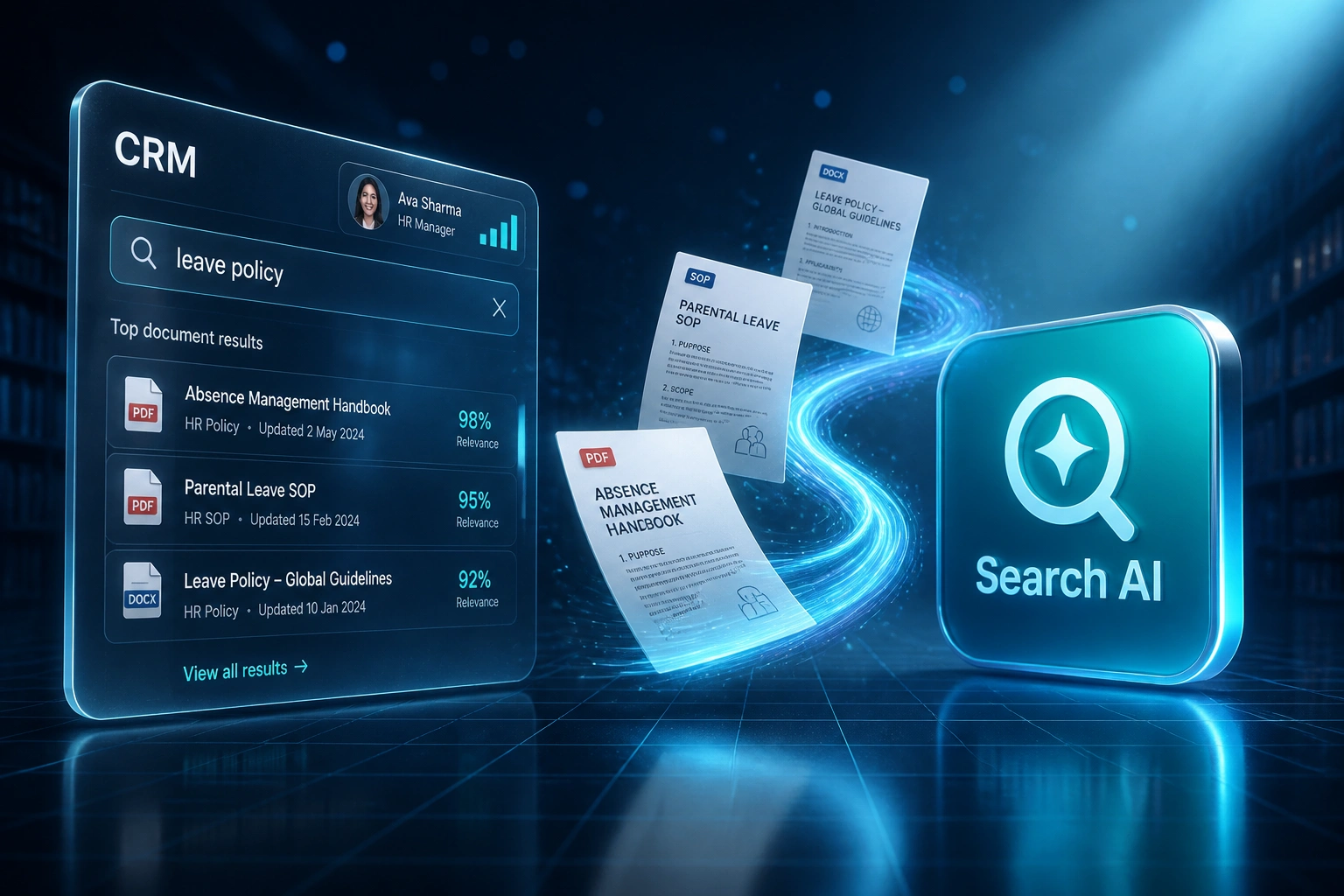
- Staff type leave policy into SharePoint or Drive and get zero results because the file is titled Absence Management Handbook
- Keyword search fails when people use everyday language instead of the exact words buried in the document
- Ops and knowledge leads spend hours chasing policies, contracts, SOPs, and board packs across inconsistent folder trees
- New joiners ping colleagues for the same documents every week because naming conventions never stuck
- Teams recreate SOPs and policy packs that already exist, then argue which version is current
IDC estimates an organisation of 1,000 knowledge workers loses about R93 million a year to searching but not finding information. Every month of keyword-only SharePoint and Drive search is another month of paid hours wasted on files that already exist under different titles.
What AI Semantic Search Actually Does
Ask in everyday language → embeddings match meaning across the document corpus → the right file opens in seconds.
Staff Ask in Plain Language
Someone searches leave policy in CRM, the intranet, or a search portal
Embeddings Match Meaning
AI compares intent to your policies, contracts, SOPs, and board packs
Right Document Surfaces
Absence Management Handbook ranks first even without the keyword leave
Opened From CRM or Intranet
One click into the source file, with permissions already enforced
Everything You Need for Meaning-Based Enterprise Search
Document Corpus Indexing
We embed policies, contracts, SOPs, board packs, and Drive or SharePoint libraries into a meaning-based search index your team can query in plain language.
Semantic Intent Matching
AI search matches meaning, not filenames. Leave policy still surfaces Absence Management Handbook, parental leave, and related SOPs.
Cited Document Hits
Every result links back to the original PDF or file in SharePoint, Drive, or the intranet so people open the source in one click.
Permissions-Aware Retrieval
Results respect existing folder and library permissions. Confidential HR, legal, and board packs stay invisible to people who should not see them.
CRM & Intranet Surfaces
Expose semantic document search in your CRM, intranet, Slack, or Teams so answers sit where knowledge workers already operate.
Zero-Result Diagnostics
Failed queries show knowledge leads which topics need better naming, fresher SOPs, or missing uploads, so coverage improves over time.
Document Sources We've Connected
From 8 Hours/Week to 90 Minutes
How a 70-person professional services firm stopped failing keyword searches on policies and SOPs, and put meaning-based document search into CRM.
The Keyword Process
- Knowledge lead hunted SharePoint and Drive for policies staff could not find by title
- Leave policy returned zero hits because the file was Absence Management Handbook
- Average 40 minutes per failed lookup across ops, HR, and project managers
- New joiners pinged Slack for the same SOPs every week
- Teams quietly recreated board packs and procedure docs that already existed
The Semantic Process
- Staff type leave policy and get Absence Management Handbook with a citation link
- Embeddings match intent across policies, contracts, SOPs, and board packs
- Results open from CRM and the intranet with folder permissions intact
- Zero-result rate on everyday policy queries dropped sharply
- Knowledge lead reviews edge cases instead of manually locating files
Before vs After Semantic Search
How It Works
From first conversation to live meaning-based document search in 3–6 weeks.
Tell Us Your Setup
Which document libraries hold policies, contracts, and SOPs, and which searches fail most often when naming is inconsistent.
Free Scoping Call
30-minute call with your COO, knowledge manager, or operations lead to map corpora, permissions, and success metrics.
Build & Test
We embed approved document sets, tune ranking on real failed keyword searches, enforce permissions, and run a parallel week against SharePoint or Drive search.
Go Live & Monitor
Roll out meaning-based search into CRM or the intranet. We monitor zero-result rates, time-to-document, and hours recovered.
Frequently Asked Questions
How is semantic document search different from enterprise knowledge search?
Enterprise knowledge search often spans email, wikis, databases, and chat as well as files. This build specialises in your document corpora: policies, contracts, SOPs, board packs, and Drive or SharePoint libraries, so staff find the right file by meaning when keyword titles do not match.
How is this different from helpdesk knowledge base search or CRM smart search?
Helpdesk KB search finds approved support articles. CRM smart search finds contacts and deals. Semantic document search indexes the company file libraries themselves, so ops and knowledge teams stop failing on leave policy when the handbook uses different words.
Which document sources can you include?
We commonly index SharePoint, Google Drive, OneDrive, Confluence, Notion, network file shares, and documents already linked from CRM or intranet pages. If a library is reachable with proper authentication, we can embed it for meaning-based search.
Will this replace SharePoint or Drive keyword search?
No. Built-in keyword search stays useful when someone knows the exact title or document ID. Semantic search sits alongside it for the everyday queries that return nothing because naming is inconsistent. Most organisations keep both.
How do you handle permissions and confidential packs?
Retrieval respects source permissions. Users only see documents they are already allowed to open. Private HR, legal, and board material stays out of open results.
How much does AI semantic search for company documents cost?
Focused document-corpus pilots start from around R45,000. Production meaning-based search across SharePoint, Drive, and related libraries with CRM or intranet surfaces typically ranges from R70,000 to R130,000. Teams of 40+ knowledge workers usually recover the project cost within 2–3 months from rediscovery time alone.
Stop Paying Staff to Hunt Documents That Already Exist
If keyword search still returns nothing when the right policy lives under a different title, you are spending money on a problem semantic search already solves.
Tell us which SharePoint libraries, Drive folders, and SOP packs hold the documents people cannot find, and what your highest-friction searches look like. We will show you how meaning-based search would work for your organisation.