Amazon FBA Integration: Sync Stock, Shipments, and Fees
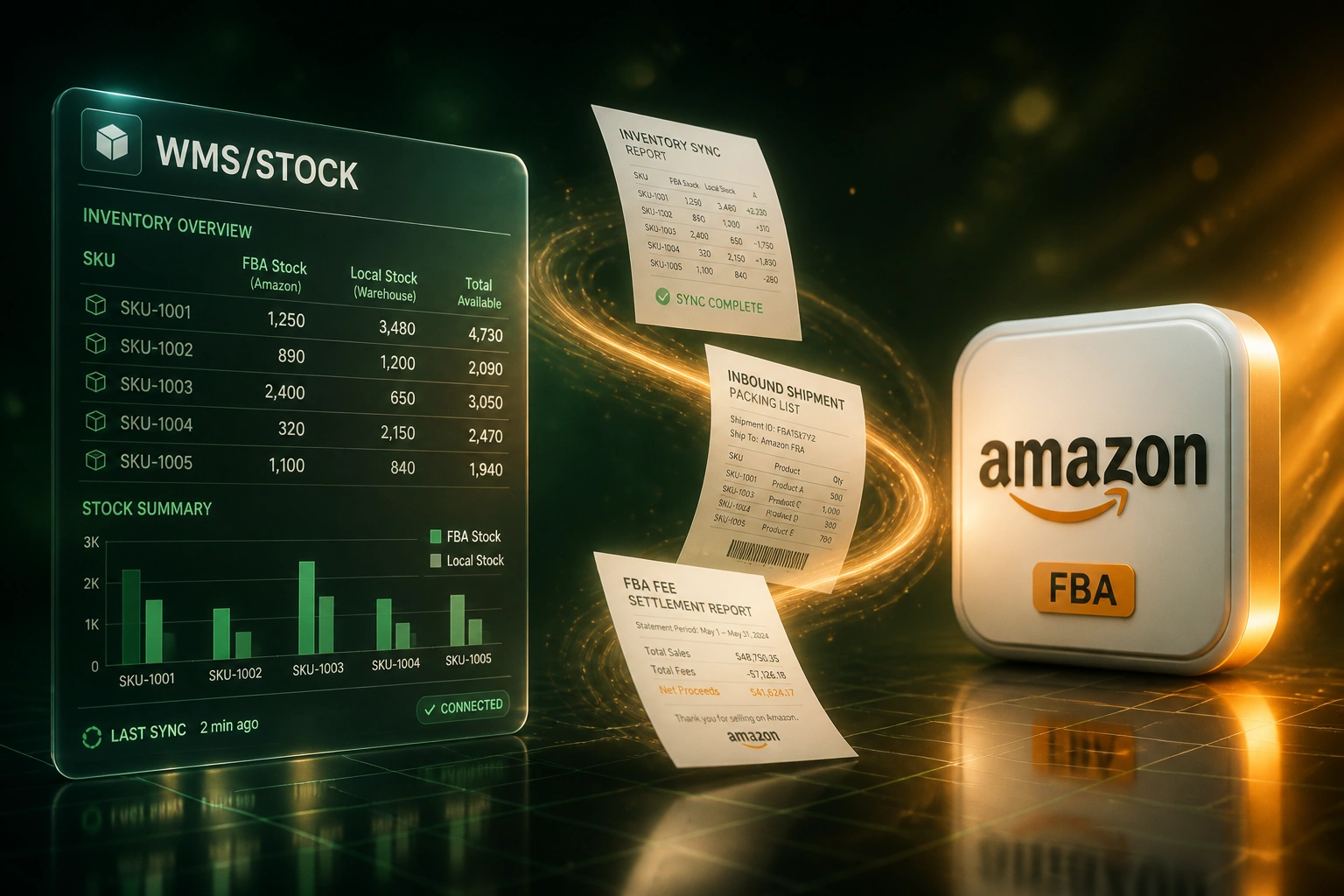
FBA quantities, inbound shipments, and fee settlements live in Seller Central silos. Without Amazon FBA integration you oversell local channels, misstate landed cost, and lose hours reconciling every payout.
We build the Amazon integration that keeps FBA inventory sync honest across your warehouse and storefronts.
Sound Familiar?
These are the exact issues our clients faced before Amazon FBA integration:
- FBA quantities in Seller Central drift from your local warehouse and Shopify stock within minutes of a sale
- Inbound FBA shipments sit in limbo for weeks while available-to-sell on Amazon stays wrong
- Oversells on Shopify or your own site because FBA deductions arrive 15–30 minutes late
- Settlement reports bury referral, FBA, and storage fees that never land cleanly in Xero or Sage
- Aged inventory surcharges appear as surprise costs because nobody tracked how long units sat in FBA
Amazon retired Marketplace Web Service (MWS) on 31 March 2024. Inventory, orders, reports, and fee data now only flow through the Selling Partner API. Spreadsheet downloads and leftover MWS connectors are a dead end for reliable Amazon FBA inventory sync.
What Amazon FBA Integration Actually Does
FBA sale or inbound receipt → stock updates everywhere → fees land in the ledger. No copy-paste from Seller Central.
FBA Movement Happens
Amazon sells a unit, receives an inbound shipment, or posts a settlement fee line
Inventory & Fees Sync
SP-API pulls quantities, shipment status, and fee categories into your systems
Channels & Ledger Update
Shopify ATS adjusts, warehouse views refresh, Xero or Sage posts fee journals
Ops Stays Ahead
Fewer oversells, cleaner inbound claims, and settlement periods that already match the bank
Everything You Need for Reliable Amazon Integration
FBA Inventory Sync
Pull live FBA on-hand and reserved quantities into your WMS or ERP so local channels never sell stock Amazon already owns.
Inbound Shipment Tracking
Track FBA inbound shipments from create to closed, flag expected vs received discrepancies, and update local stock as units check in.
FBA Fee Reconciliation
Map settlement report fees (referral, fulfilment, storage, aged inventory) into the right Xero or Sage accounts every payout cycle.
Multi-Channel Stock Guardrails
Keep Shopify, WooCommerce, and local warehouse ATS honest against FBA movements with buffers that absorb Amazon's sync lag.
Fee & Age Alerts
Surface SKUs drifting toward the 181-day aged inventory surcharge and storage spikes before they wipe margin.
ERP & Accounting Write-Back
Post net proceeds, fee expense, and inventory adjustments so finance closes the books without forensic settlement spreadsheets.
Platforms We Connect Around Amazon FBA
From 8 Hours/Week to 1 Hour/Week
How a multi-channel ecommerce brand stopped overselling Shopify against FBA stock and cleaned FBA fee reconciliation in the same build.
The Manual Process
- Ops exported FBA inventory reports and patched Shopify quantities by hand twice a day
- Inbound shipments tracked in a shared spreadsheet that lagged Amazon receiving by days
- Oversells hit during promotions when FBA deductions lagged 15–30 minutes
- Finance spent an hour every fortnight pivoting settlement flat files into Xero
- Aged inventory surcharges appeared as mystery fees at month-end
The Automated Process
- FBA inventory sync updates local ATS within minutes of Amazon movements
- Inbound shipment status and discrepancies visible beside warehouse stock
- Channel buffers absorb FBA lag so Shopify stops promising sold-out units
- Settlement fees post to mapped Xero accounts each payout cycle
- Age alerts flag SKUs approaching the 181-day surcharge before fees escalate
Before vs After Amazon FBA Integration
How It Works
From first conversation to live Amazon FBA integration in 3–5 weeks.
Map Your FBA Setup
Which marketplaces, how FBA and local stock interact, and where fees and shipments hurt most.
Free Scoping Call
30-minute call to design inventory sync, inbound tracking, and settlement-to-ledger mapping.
Build & Test
We build the Amazon FBA integration, test against live Seller Central data, and run parallel for a week.
Go Live & Monitor
Switch off spreadsheet reconciliation. Alerts keep inventory drift and fee surprises visible.
Frequently Asked Questions
How long does Amazon FBA integration take to set up?
A standard FBA inventory sync with settlement fee posting takes 3–5 weeks from scoping to go-live. Inventory-only sync into Shopify or a WMS can be live in about two weeks. Full inbound shipment tracking plus multi-marketplace fee reconciliation typically takes 5–7 weeks.
What Amazon data can you sync?
We pull FBA inventory summaries, inbound shipment status and discrepancies, orders, and settlement report fee lines via Amazon's Selling Partner API. MWS is retired, so every modern Amazon integration runs on SP-API.
Will this disrupt Seller Central or our warehouse picking?
No. We design around your existing fulfilment. Parallel runs prove FBA quantities, inbound receipts, and fee mappings before you switch off manual spreadsheets. Your team keeps using Seller Central and the warehouse tools they know.
How do you stop overselling between FBA and local channels?
FBA stock and local warehouse stock stay as separate pools with a shared available-to-promise view. When Amazon sells a unit, local channels update within minutes, with safety buffers sized for Amazon's 15–30 minute inventory lag on FBA SKUs.
How are FBA fees posted into accounting?
Each settlement period maps referral, FBA fulfilment, monthly storage, aged inventory surcharges, refunds, and reimbursements to the correct Xero or Sage accounts. Finance reconciles the bank deposit against a clean journal instead of a tab-delimited flat file.
How much does Amazon FBA integration cost?
Focused FBA inventory sync into Shopify or a WMS starts from around R25,000. Bidirectional inventory plus inbound tracking and settlement fee reconciliation typically ranges from R40,000 to R85,000. Sellers spending 6+ hours a week on stock and fee reconciliation usually see ROI within 2–4 months.
Stop Losing Hours to Seller Central Spreadsheets
If your team is still patching FBA inventory by hand and reconciling settlement fees in Excel, you are paying for a problem we already solve for multi-channel sellers.
Tell us which Amazon marketplaces you sell on, how local warehouse and Shopify stock interact with FBA, and where fee reconciliation hurts most. We will show you exactly how Amazon FBA integration would work for your operation.