Linking Bank Reconciliation Data to CRM Deal Records
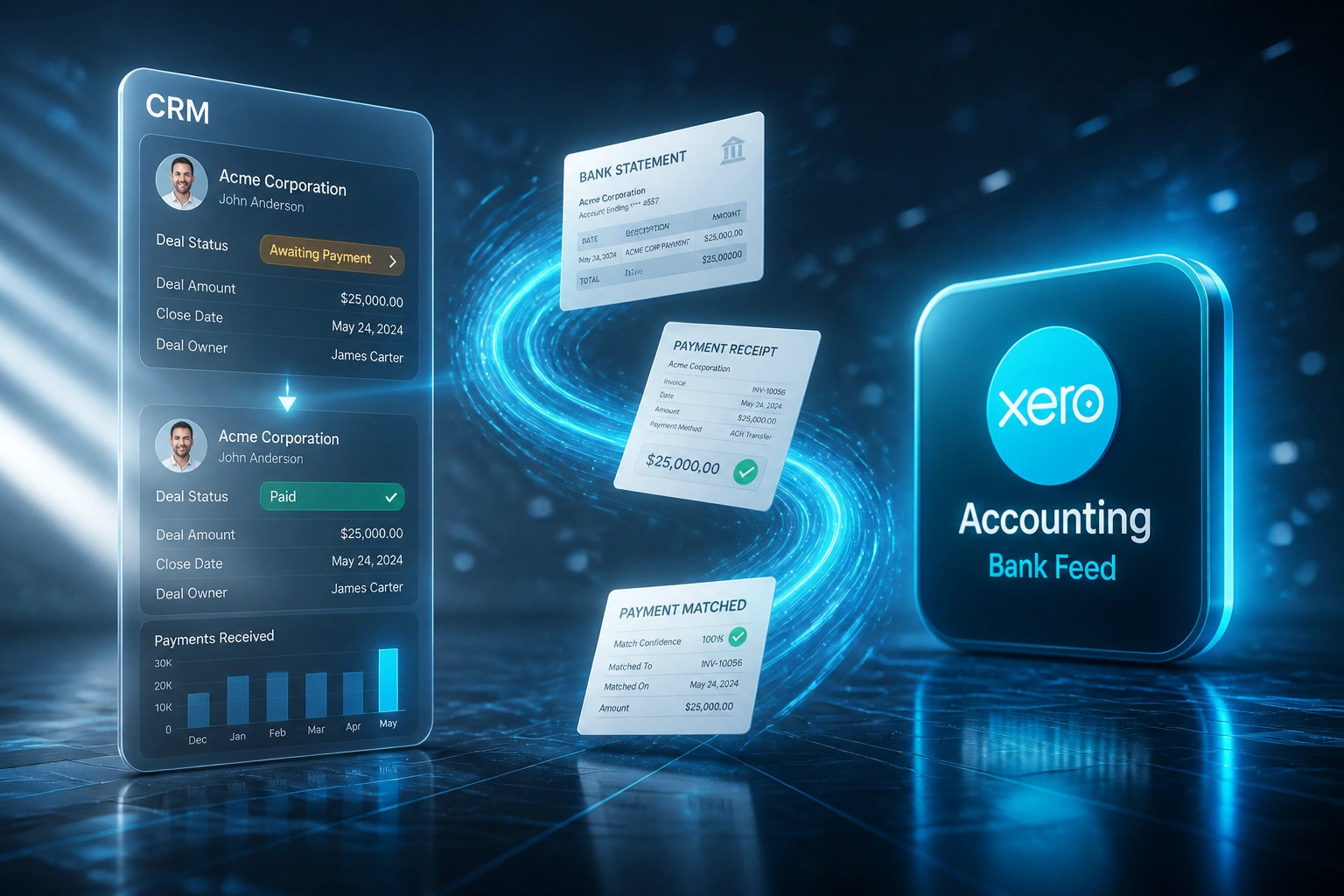
Your bank feed already knows the payment cleared. Your CRM still says "Awaiting Payment", so collections keeps chasing customers who have already paid. That gap is costing hours and goodwill every week.
We close the loop the moment the bank match lands.
Sound Familiar?
These are the exact issues our clients faced before the bank feed wrote back to the CRM:
- The bank feed has already matched the payment, but the CRM deal still says "Awaiting Payment"
- Collections keeps chasing customers who paid days ago, burning goodwill and wasting hours
- Sales ops only learns a deal is paid when finance replies to a Slack ping
- Invoice marked paid in accounting is not the same as cash cleared at the bank
- DSO reports stay inflated because CRM pipeline still treats cleared cash as open risk
Invoice-paid sync is not enough. Money can clear the bank before the invoice is marked paid, or an invoice can look paid while the deposit is still unmatched. Collections needs the bank reconciliation signal, not a ledger checkbox alone.
What Bank Feed to CRM Integration Actually Does
Payment clears → bank match confirmed → CRM deal updates → collections stops chasing.
Payment Hits the Bank
Statement line imports into Xero, Sage, or QuickBooks via the bank feed
Payment Matching Confirms
Bank reconciliation matches the line to the open invoice with high confidence
CRM Deal Updates
Linked deal moves off "Awaiting Payment" and payment fields refresh
Collections Closes the Loop
Reminders stop, pipeline risk clears, and DSO stops counting phantom debt
Everything You Need for a Reliable CRM Bank Link
Bank Match Trigger
When Xero, Sage, or QuickBooks matches a bank statement line to an invoice, that bank-cleared signal updates the linked CRM deal. Not an invoice status guess.
Deal Status Write-Back
"Awaiting Payment" flips to "Paid" (or your stage names) the moment the bank feed confirms the money. Collections stops the chase automatically.
False Chase Suppression
Pending reminders and tasks for that deal are cancelled or closed when the bank match lands, so paid customers stop getting dunned.
Partial and Multi-Invoice Matches
Part-payments, batch deposits, and one bank line covering several invoices map to the right deals without sales ops rebuilding the puzzle by hand.
Exception Queue
Unmatched or low-confidence bank lines stay with finance. Only confirmed matches touch the CRM, so pipeline stages stay trustworthy.
Cash Visibility for Sales Ops
Reps and finance leads see cleared cash in the CRM without opening the bank reconciliation screen or asking for a status dump.
CRMs We've Linked to Bank Reconciliation
From 14 Hours/Week of False Chases to Under 2
How a mid-market distributor stopped collections calling paid customers and cleaned pipeline risk the same day cash cleared.
The Manual Process
- Xero bank feed matched deposits each morning, but HubSpot deals stayed on "Awaiting Payment"
- Collections called from the CRM ageing view, not the reconciled bank screen
- Roughly one in ten follow-ups hit customers who had already paid
- Sales ops spent afternoons reconciling Slack screenshots against bank lines
- DSO looked worse than reality because cleared cash still sat in open deals
The Automated Process
- Confirmed bank match writes the deal to "Paid" within minutes
- Pending reminder tasks close so paid customers are not contacted again
- Partial deposits move deals to a partial-paid stage instead of a guessing game
- Unmatched lines stay with finance; nothing false hits the CRM
- Sales ops trusts the pipeline for cash risk without opening the bank feed
Before vs After the CRM Bank Link
How It Works
From first conversation to live bank-match write-back in 2–4 weeks.
Tell Us Your Setup
Which CRM, which ledger, how bank feeds are matched today, and where collections still chases paid deals.
Free Scoping Call
30-minute call to map bank match events to deal stages, reminder rules, and exception handling.
Build & Test
We wire bank reconciliation matches to CRM write-back, test with live statement lines, and run parallel for a week.
Go Live & Monitor
Switch off manual CRM status updates. Alerts catch unmatched payments before collections dials the wrong customer.
Frequently Asked Questions
How is this different from syncing when an invoice is marked paid?
An invoice can be marked paid before cash clears, or left open after money has already landed. This integration listens to bank reconciliation and payment matching in the ledger. The CRM only moves when the bank feed confirms the payment, which is the signal collections actually trusts.
Which accounting platforms and bank feeds do you support?
We commonly wire Xero bank feeds (including South African banks such as FNB, Standard Bank, Absa, and Nedbank), Sage Business Cloud and Sage Evolution matching, and QuickBooks Online bank rules. If your ledger exposes matched payment or reconciled statement events, we can usually connect it.
Which CRMs can receive the bank match update?
We have built write-backs into HubSpot, Pipedrive, Salesforce, Zoho CRM, Monday.com, Freshsales, and custom CRMs. Deal stage, payment status fields, and collections tasks can all update from the same bank match event.
Will this disrupt our current bank reconciliation workflow?
No. Finance keeps reconciling in Xero, Sage, or QuickBooks as they do today. We only react after a match is confirmed. Unmatched lines stay in your existing exception process and never write a false "Paid" status into the CRM.
What about partial payments and one deposit covering many invoices?
We map those cases during scoping. Part-payments can move a deal to a partial-paid stage, and batch deposits can update several linked deals once each invoice portion is matched. Ambiguous matches stay queued for finance review.
How much does a bank reconciliation to CRM link cost?
Simple one-way bank-match write-backs start from around R15,000. Bidirectional setups with reminder suppression, partial payments, and custom stage logic typically range from R25,000 to R60,000. Teams spending 10+ hours a week on false chases usually see payback within 2–3 months.
Stop Chasing Customers Who Have Already Paid
If your bank reconciliation already knows the money cleared, your CRM deal status and collections list should know it too.
Tell us which CRM and ledger you run, how bank feeds are matched today, and where false chases still slip through. We will show you exactly how a bank match write-back would work for your process.