Error Handling in CRM-Accounting Integrations: Retry Logic That Keeps Data Flowing
Your CRM-to-accounting sync fails silently. Invoices vanish, payments go unrecorded, and nobody notices until month-end when the numbers refuse to match. Without error handling, retry logic, and integration monitoring, every timeout is a cash-flow problem waiting to surface.
We build the resilience layer that catches sync errors, retries them, and alerts your team before close.
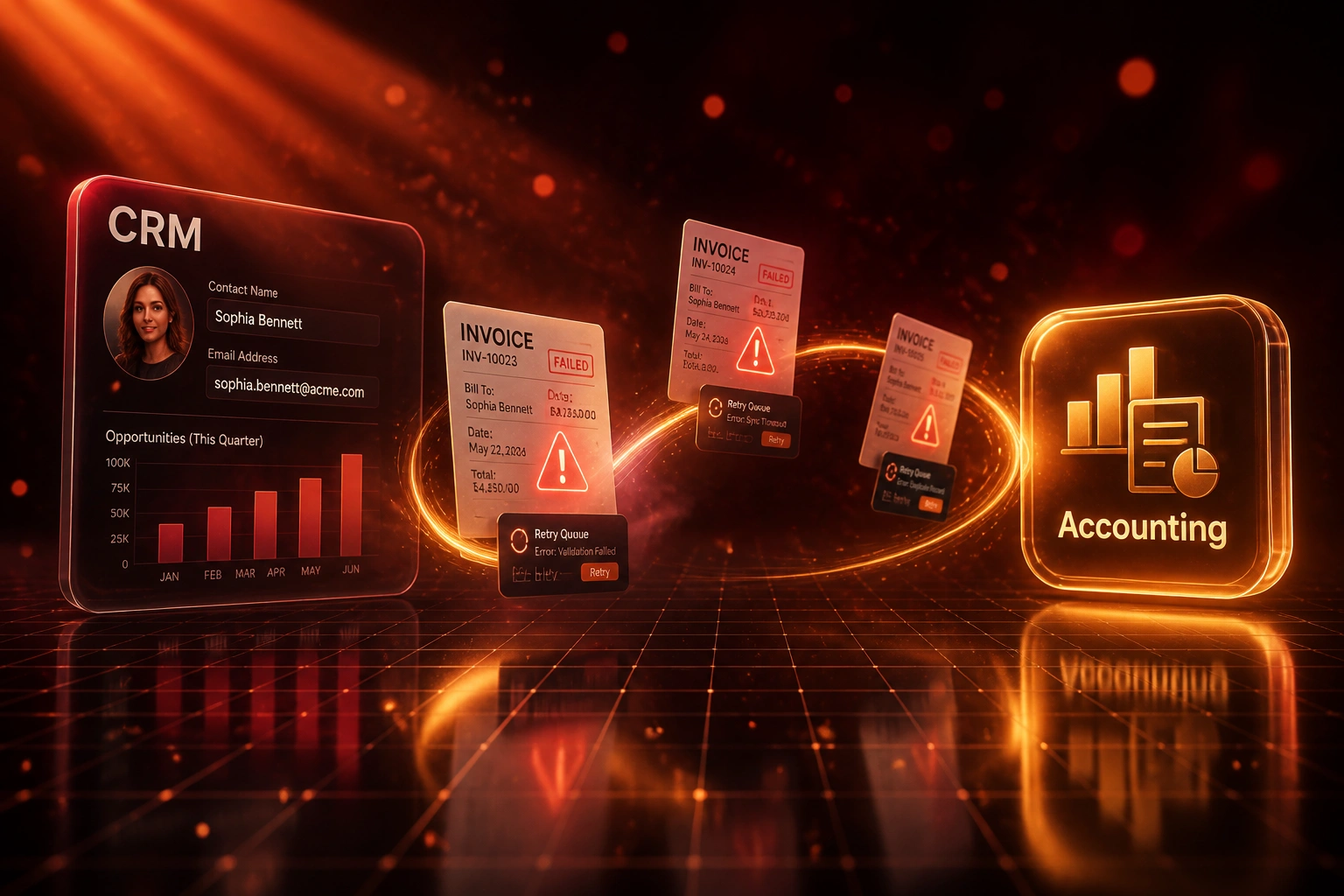
Sound Familiar?
These are the exact issues our clients faced before we hardened their sync:
- CRM shows the deal as won, but the invoice never appears in accounting, and nobody notices until month-end
- API timeouts and validation errors fail silently: the dashboard stays green while records vanish
- Finance spends days chasing sync errors with no alert trail, no retry queue, and no owner
- Payments go unrecorded because a failed webhook was never retried, delaying cash collection
- Month-end close stretches out while ops reconstructs which invoices, credits, and payments actually landed
Uptime is not reliability. Platforms reporting 99.9% uptime still lose 2–5% of records to silent validation failures and incomplete syncs. If you only watch for red lights, month-end is when you find the damage.
What Resilient Sync Error Handling Actually Does
Failure detected → automatic retry → dead-letter if needed → alert your team. Nothing disappears quietly.
Sync Attempt Fails
API timeout, rate limit, or validation error blocks an invoice or payment write
Retry with Backoff
Transient errors retry automatically with exponential backoff so temporary outages recover themselves
Dead-Letter Queue
Permanent failures park with a clear reason so finance can fix the record and replay safely
Alert and Resolve
Slack or email notifies the owner; monitoring keeps sync success above your threshold
Everything You Need for Reliable Sync Monitoring
Automatic Retry with Backoff
Transient API failures, timeouts, and rate limits retry with exponential backoff. Temporary outages stop becoming permanent data gaps.
Dead-Letter Queue
Records that fail validation or permanently reject land in a review queue with the error reason attached. Nothing is dropped on the floor.
Slack and Email Alerts
Your ops and finance leads get notified the moment sync errors cross a threshold. You find out in minutes, not at month-end.
Integration Monitoring
Sync success rate, queue depth, and failure patterns are visible on a live dashboard. Green uptime no longer hides broken data.
Idempotent Replay
Failed invoices and payments can be safely replayed without creating duplicates. Fix the cause, then clear the queue with one action.
Scheduled Reconciliation
Nightly checks compare CRM and accounting totals so silent drift surfaces before it contaminates your books.
Platforms We've Hardened for Sync Reliability
From Eight Days Blind to Five-Minute Alerts
How a 35-person professional services firm stopped losing invoices to silent CRM-accounting sync failures.
The Silent Failure Process
- HubSpot-to-Xero sync looked healthy while roughly 3% of invoices never posted
- Finance discovered mismatches only during month-end reconciliation
- Average eight days from failure to detection, often longer over long weekends
- 16 hours a month spent reconstructing which deals had actually invoiced
- No retry queue, no alerts, no owner when an API timed out overnight
The Resilient Process
- Exponential backoff retries clear transient timeouts without human involvement
- Validation failures land in a dead-letter queue with the exact field that failed
- Slack alerts fire within minutes when error rates cross the threshold
- Nightly reconciliation flags drift before it hits the books
- Safe replay clears the queue once finance fixes the underlying record
Before vs After Error Handling and Retry Logic
How It Works
From first conversation to monitored, resilient sync in 2–4 weeks.
Tell Us Your Setup
Which CRM, which accounting system, where syncs already fail, and who needs to be alerted when they do.
Free Scoping Call
30-minute call to map failure modes, design retry and alert rules, and size the resilience layer.
Build and Test
We build retry queues, dead-letter handling, and alerts, then stress-test with real failure scenarios against your data.
Go Live and Monitor
Live monitoring, Slack or email alerts, and a clear runbook so your team owns every exception.
Frequently Asked Questions
What kinds of CRM-accounting sync errors do you handle?
We cover API timeouts, rate limits, authentication expiry, validation failures (missing VAT numbers, bad account codes, incomplete contacts), webhook delivery failures, and partial batch syncs. Transient errors retry automatically. Permanent failures go to a dead-letter queue with a clear reason for your team to fix.
How quickly will we know when a sync fails?
Without monitoring, teams often take 4 to 9 hours (or until month-end) to notice. With our alerting layer, threshold breaches typically notify Slack or email within minutes. High-priority connection outages page the named owner immediately.
Will retries create duplicate invoices or payments?
No. Every write is idempotent. Retries and manual replays check whether the record already exists before creating anything new, so a failed invoice that later succeeds appears once in accounting.
Can this sit on top of an integration we already have?
Yes. Many clients already have a CRM-to-accounting sync that "mostly works." We add the resilience layer: retry logic, dead-letter queues, monitoring, and alerts, without ripping out what you already paid for.
Which CRMs and accounting systems do you support?
We have built resilient sync layers across HubSpot, Pipedrive, Salesforce, and Zoho CRM into Xero, QuickBooks, Sage, NetSuite, and Zoho Books. If both systems have APIs, we can harden the connection.
How much does CRM-accounting error handling and monitoring cost?
Adding a resilience layer to an existing sync typically starts from around R20,000. Full resilient integrations with retry queues, dead-letter handling, reconciliation checks, and alerting usually range from R30,000 to R65,000. Most clients recover the cost within one or two month-end cycles once silent failures stop leaking invoices and staff time.
Stop Finding Sync Errors at Month-End
If your CRM and accounting systems "sync" but nobody is alerted when they don't, you are flying blind until close. That gap is already costing you invoices, cash, and finance hours.
Tell us which CRM and accounting stack you run, where failures already hide, and who should get the alerts. We will show you exactly how retry logic, dead-letter queues, and monitoring would work for your business.