AI in CRM: Predictions, Recommendations and Smart Automation
Your CRM is a graveyard of incomplete records and gut-feel forecasts. Machine learning CRM features exist, but without CRM predictions, next-best-action prompts, and smart CRM data capture, the system stays a filing cabinet instead of a decision engine.
We configure and integrate the AI layer so sales directors can trust what the CRM says.
Sound Familiar?
These are the exact issues sales directors bring us before we switch on AI CRM features:
- Friday forecast meetings still run on rep optimism, not predictive close probability
- Deal records sit half-empty because logging takes longer than the call that created them
- Reps guess the next move instead of following a ranked next-best-action recommendation
- Sales directors only discover a stuck deal when the close date has already slipped twice
- Native CRM AI add-ons stay switched off because the underlying data is too messy to trust
Nine in ten sales teams already use AI agents or expect to within two years (Salesforce State of Sales 2026), yet only about 19% of reps use AI built into their CRM. Competitors are shipping predictions while your native add-ons sit idle because the data is not ready. Hygiene first, then the smart CRM layer.
What CRM Predictions and Smart Automation Actually Do
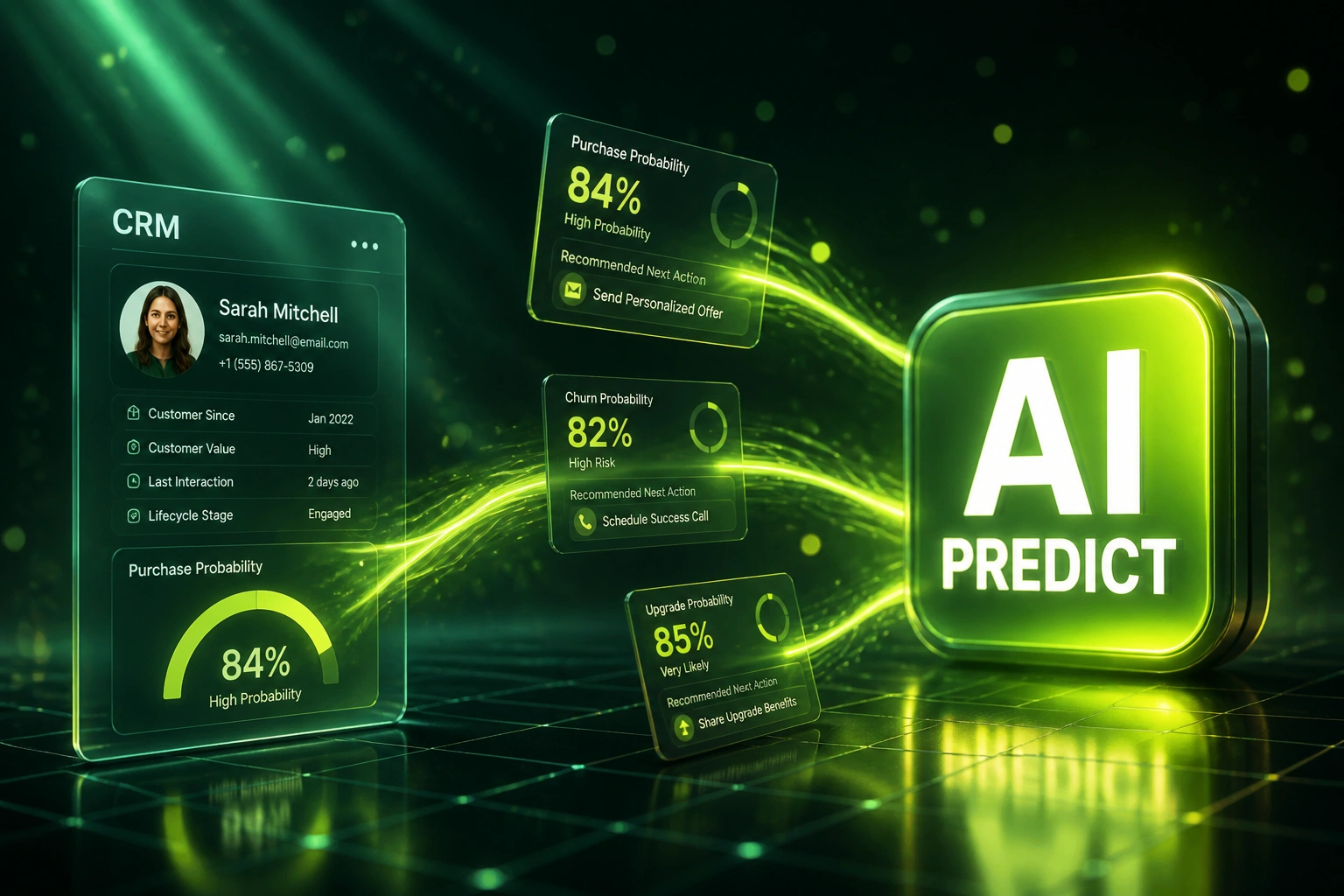
Activity captured → deal scored → next action recommended → forecast updated. No Friday guesswork.
Capture Without Retyping
Emails, meetings, and calls land in the CRM automatically so records stay complete
Predict Close Probability
Each deal gets a score based on your real win and loss patterns, not stage labels
Recommend Next Actions
Reps see the next call, email, or stakeholder move ranked by what closed similar deals
Trust the Forecast
Directors coach from confidence bands and at-risk alerts instead of optimistic stage names
Everything You Need for a Machine Learning CRM Layer That Sales Trusts
Deal Outcome Predictions
Each opportunity gets a close-probability score trained on your won and lost history. Directors see which deals are real and which are hope.
Next-Best-Action Recommendations
The CRM surfaces the next call, email, or stakeholder to engage, ranked by what moved similar deals. Gut feel stops driving the day.
Smart Data-Entry Automation
Emails, meetings, and call notes write themselves into the right fields. Reps review, they do not retype.
At-Risk Deal Alerts
Silence, missing stakeholders, or stalled stages trigger alerts before the forecast is already wrong. Managers coach early, not after the miss.
Forecast Confidence Layers
Pipeline views show predicted close dates and confidence bands alongside stage. Board packs stop being a weekly negotiation with sales.
Data Hygiene for AI Readiness
We clean required fields, close history, and activity capture so Salesforce Einstein, HubSpot AI, or Dynamics Copilot has something worth learning from.
CRMs We've Layered AI Predictions Onto
From Gut-Feel Forecasts to 15% Miss Rate
How an 8-rep industrial distributor turned incomplete HubSpot records into CRM predictions, next-best actions, and a forecast the board finally trusted.
The Manual Process
- Sales director rebuilt the forecast every Friday from optimistic stage names
- Reps spent roughly an hour a day logging notes that still arrived incomplete
- No close-probability scores, so every deal looked equally "likely"
- Stuck deals only surfaced after the close date had already slipped
- HubSpot AI features stayed off because activity and close history were too thin
The AI-Assisted Process
- Activity capture fills deal records from email and meetings without retyping
- Each opportunity shows predicted close probability and at-risk factors
- Next-best-action cards tell reps who to call and what to send next
- Directors coach from confidence bands instead of negotiating stage names
- Forecast packs pull scored pipeline, not Friday optimism
Before vs After AI CRM Features
How It Works
From first conversation to live CRM predictions in 2–4 weeks (longer if data hygiene comes first).
Tell Us Your Stack
Which CRM, how forecasts are built today, and where incomplete records or gut-feel pipeline hurt the most.
Free Scoping Call
30-minute call to map prediction models, next-action rules, capture sources, and the data hygiene work AI needs first.
Build & Test
We configure AI layers, score historical deals in parallel, and let sales directors validate predictions against real outcomes.
Go Live & Monitor
Switch on predictions, recommendations, and auto-capture. Monitoring keeps scores honest as your pipeline evolves.
Frequently Asked Questions
What AI CRM features do you actually configure?
We focus on three layers that turn a CRM into a decision engine: deal outcome predictions (close probability and at-risk flags), next-best-action recommendations for reps, and smart data-entry automation from email, meetings, and calls. We use native tools such as Salesforce Einstein, HubSpot AI Deal Intelligence, and Dynamics Copilot where they fit, and custom models or middleware when they do not.
How long does an AI CRM prediction project take?
A focused prediction and recommendation rollout on a clean CRM takes 2–4 weeks from scoping to go-live. If records are incomplete or close history is thin, we schedule a data-hygiene sprint first and the full programme usually lands in 4–6 weeks.
Will this replace our sales process?
No. Reps keep working in the same CRM. Predictions and next-best-action prompts sit on the deal record so coaching and prioritisation improve without a new tool to learn. We run parallel scoring against historical deals before anyone trusts the numbers in a live forecast.
Our CRM data is messy. Can AI still work?
Not until the basics are fixed. Salesforce Einstein Opportunity Scoring typically needs hundreds of won and lost opportunities with complete fields, and HubSpot AI outcomes ride on enrichment and activity history. We audit field completeness, activity capture, and close reason quality first, then switch on models. Shipping AI on dirty data is how teams lose trust forever.
Which CRMs support these AI features?
We have configured AI prediction and automation layers on HubSpot, Salesforce, Microsoft Dynamics 365, Pipedrive, Zoho CRM, Freshsales, and custom CRMs. If your platform stores opportunities, activities, and closed outcomes, we can layer predictions and recommendations on top.
How much does CRM AI configuration cost?
Focused prediction and next-action setups start from around R25,000. Full programmes with data hygiene, auto-capture, at-risk alerts, and forecast confidence layers typically range from R40,000 to R90,000. Most teams recovering even a few hours per rep per week see payback within 2–3 months against the manual logging cost.
Stop Running Forecasts on Incomplete Records
If your CRM still depends on retyped notes and optimistic stages, you are paying for a smart CRM and operating a filing cabinet.
Tell us which CRM you run, how forecasts get built today, and where next-best-action guidance would change the week. We will show you how AI CRM predictions and automation would work on your stack, and what data hygiene is required first.