CRM Customer Portal: Let Clients Help Themselves
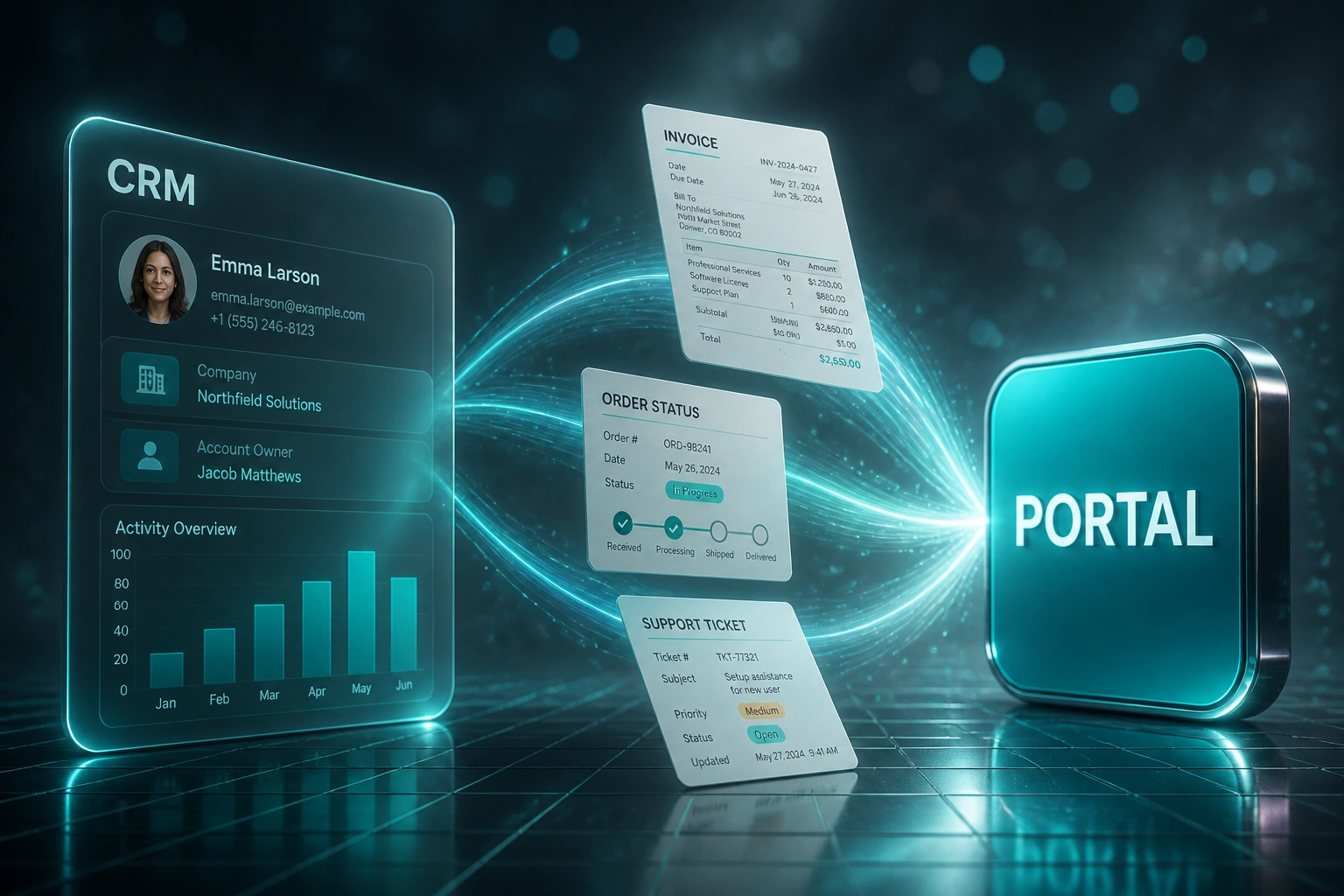
Your support queue is full of "where's my order?" and "can you resend that invoice?" calls. Those answers already live in your CRM. A self-service client portal connected to live CRM data lets customers pull them without burning an agent seat.
We build the CRM portal that deflects tickets and pays for itself in reclaimed hours.
Sound Familiar?
These are the exact issues customer success and ops leads bring us before we build a portal:
- Customers call or email asking "where's my order?" and "can I get a copy of that invoice?" every day
- Agents dig through the CRM, accounting system, and shared drives to answer the same five questions
- Order-status and invoice requests alone eat 30–40% of support volume in many commerce-heavy teams
- CSAT drops when callers wait on hold for answers they could have pulled themselves in seconds
- POPIA access requests force a 30-day scramble because customer data is scattered across tools
Support labour in South Africa is rising (median customer support pay sits around R146,000–R152,000 a year), while POPIA still demands a response to data-subject access requests within roughly 30 days. Every status and invoice call you still take by hand is expensive capacity you could reclaim, and every scattered record makes POPIA harder.
What a CRM Self-Service Portal Actually Does
Customer logs in → live CRM data loads → ticket never opens. Agents keep the complex work.
Customer Signs In
Secure login maps to their CRM contact or account record
Live Data Surfaces
Orders, invoices, tickets, and documents load from the CRM
Self-Serve Completes
They download the invoice or check status without opening a ticket
Queue Stays Clear
Agents focus on exceptions; CSAT rises on the routine work customers wanted to do themselves
Everything a Real CRM Portal Needs
Live Order Status
Customers see current order stage, estimated delivery, and tracking links pulled live from your CRM and fulfilment data.
Invoice & Statement Access
PDF invoices, payment history, and outstanding balances available on demand, without a ticket to finance.
Ticket Visibility
Open and closed support tickets sync to the portal so clients can check progress without calling for updates.
Document Library
Contracts, certificates, and signed forms sit on the customer record and surface securely in the portal.
CRM-Backed Identity
Login maps to the live CRM contact or account, so every screen shows the right company's data and nothing else.
Deflection Analytics
See which portal pages kill tickets, where customers abandon, and which intents still need a human.
CRMs We've Connected to Customer Portals
From 16 Hours/Week to 5 Hours/Week
How a Gauteng wholesale distributor cut status and invoice ticket load by 42% with a CRM-connected client portal.
The Manual Queue
- Support fielded ~200 order-status and invoice-copy contacts every week
- Each took 4–6 minutes of CRM lookup, PDF hunting, and reply drafting
- Sixteen agent hours a week burned on answers already in HubSpot and Xero
- Repeat callers drove CSAT down on otherwise healthy accounts
- POPIA access requests meant a manual export scramble across three systems
The Portal Process
- Customers log in and see live order status, invoices, and open tickets
- Invoice PDFs download in one click from the CRM-linked document store
- Forty-two percent of those routine contacts never open a ticket
- Agents keep the exceptions; the queue feels quieter within the first month
- Access requests often resolve from the same portal trail finance already trusts
Before vs After a CRM Client Portal
How It Works
From first conversation to a live CRM customer portal in 4–8 weeks.
Map the Noise
We review your ticket mix, identify the status and invoice intents drowning the queue, and confirm CRM data readiness.
Free Scoping Call
30-minute call to design portal screens, auth model, and which CRM objects power each view.
Build & Pilot
We build the portal against live CRM data, pilot with a customer cohort, and tune the flows that deflect best.
Launch & Measure
Roll out to your full base. Deflection, CSAT, and hours recovered are tracked from week one.
Frequently Asked Questions
How is this different from a generic client login page?
A CMS login page shows static content. A CRM-connected customer portal reads live orders, invoices, tickets, and documents from your CRM (and linked systems) so every customer sees their own current data. That is what deflects "where's my invoice" calls.
Which CRMs can power a self-service portal?
We've built portals against HubSpot, Salesforce, Pipedrive, Zoho CRM, Dynamics 365, and custom CRMs. If the data lives in your CRM (or syncs into it), we can surface it securely to the right customer.
How much ticket volume can a portal realistically deflect?
Well-designed customer portals average around 40% ticket deflection on self-serveable intents (Salesforce State of Service). Order-status and invoice copy requests sit at the top of that list because the answer already exists in your CRM. Mature programmes often cut live-agent volume on routine contacts by 25–40%.
Will this help with POPIA access requests?
Yes. When invoices, order history, and account documents are already available in a secured portal, many data-subject access requests stop being a 30-day scramble. Customers can pull what they need themselves, and your information officer still has a clean audit trail in the CRM.
How long does a CRM customer portal take to build?
A focused portal covering order status, invoices, and tickets typically takes 4–8 weeks from scoping to pilot. Broader document libraries, multi-brand portals, or complex account hierarchies take longer. We always pilot with a small customer group before full launch.
How much does a CRM-connected customer portal cost?
Focused portals typically range from R60,000 to R150,000 depending on screens, auth complexity, and how many systems feed the CRM. Most teams handling 100+ status or invoice contacts a week see payback within a quarter once deflection and recovered agent hours are counted.
Stop Paying Agents to Answer What the CRM Already Knows
If your queue is still full of order-status and invoice-copy requests, you are funding a problem a CRM customer portal already solves.
Tell us which CRM you run, what customers ask for most, and how many of those contacts hit the queue each week. We will show you exactly how a self-service portal would cut that load.