CSV Import Automation with Validation
Your ops team still opens partner CSVs in Excel every Friday. Manual imports create duplicates, encoding disasters, and missing fields that corrupt the database. Monday becomes a firefight.
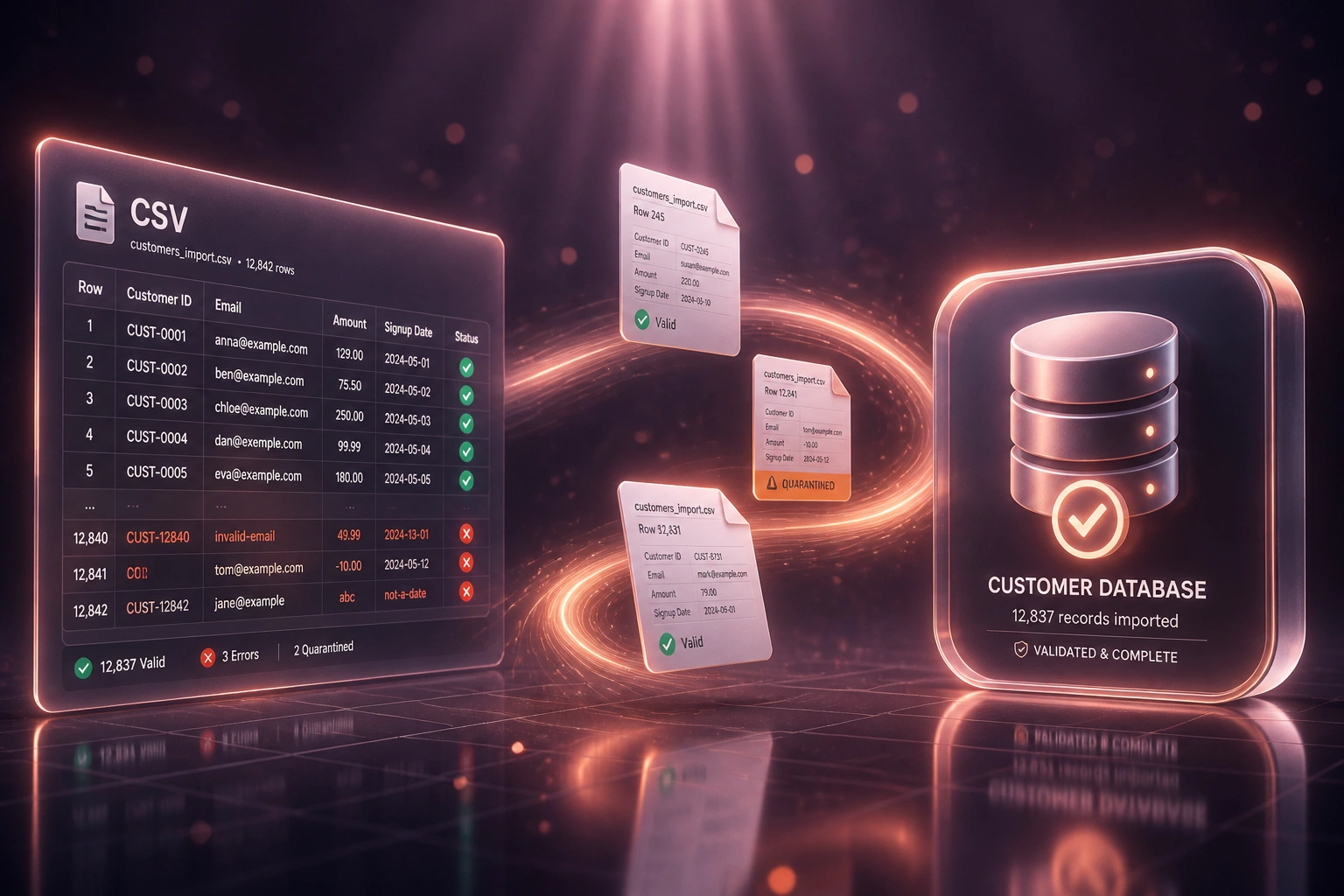
We build the csv validation pipeline that catches bad rows before they land.
Sound Familiar?
These are the exact issues our clients faced before csv import automation:
- Friday partner CSV drops still get opened in Excel and pasted into the CRM by hand
- Duplicate customers and SKUs pile up because nobody checks keys before the load
- Encoding and delimiter mismatches garble names, amounts, and account numbers
- Missing required fields only surface after the import has already corrupted the database
- Monday mornings start with firefighting bad rows instead of running the business
Poor data quality costs large organisations an average of about R213 million a year (Gartner, ~$12.9m at current rates). For mid-market teams the absolute figure is smaller, but the pattern is the same: fixing bad rows after they land costs far more than catching them at the door.
What the CSV Validation Pipeline Actually Does
Partner file arrives → rules run → bad rows quarantine → clean rows load. No Friday paste marathon.
File Drop Detected
SFTP, email, drive folder, or upload: the recurring CSV is picked up automatically
Schema & Dedup Checks
Columns, types, required fields, encoding, and duplicate keys are validated row by row
Quarantine Exceptions
Bad rows held with reason codes; clean rows proceed without waiting on a re-upload
Load to Target
Validated records land in your CRM or database with an audit trail of every drop
Everything You Need for Automated CSV Processing
Schema Validation on Ingest
Every recurring CSV is checked against your agreed columns, types, and required fields before a single row lands in the target system.
Duplicate Detection
Match on email, SKU, account number, or your composite keys so re-drops and overlapping partner files do not create junk records.
Quarantine of Bad Rows
Invalid rows are held aside with clear reasons. Clean rows load immediately. Your team fixes the exceptions, not the whole file.
Encoding & Delimiter Handling
UTF-8, Windows-1252, commas, semicolons, and tabs are normalised on the way in so partner files stop becoming silent corruption.
Automated Load to CRM or Database
Validated rows write into HubSpot, Salesforce, Postgres, SQL Server, or your warehouse on a schedule, not when someone remembers to click Import.
Audit Trail & Alerts
Every drop is logged: rows accepted, quarantined, and rejected. Ops gets notified only when human review is needed.
Sources and Targets We've Connected
From 8 Hours/Week to 40 Minutes
How a Gauteng wholesale distributor stopped Friday supplier CSV firefights and kept the CRM clean.
The Manual Process
- Ops opened three weekly supplier catalogues and two partner price files in Excel
- 1–2 hours per complex file fixing delimiters, encoding, and blank required fields
- Re-imports created duplicate SKUs and customer accounts roughly one week in four
- Bad rows only surfaced after sales quoted wrong prices or emailed the same contact twice
- Monday mornings started with cleanup tickets instead of orders
The Automated Process
- Partner files land in a drop folder and trigger automated csv processing
- Schema validation and duplicate detection run before any CRM write
- Quarantine report lists only the rows that need a human decision
- Clean catalogue and price data loads the same morning the file arrives
- Ops reviews exceptions in under an hour instead of re-pasting whole sheets
Before vs After CSV Import Automation
How It Works
From first conversation to a live csv validation pipeline in 2–4 weeks.
Map Your CSV Sources
Which partners drop files, how often, which fields matter, and where bad data hurts most.
Free Scoping Call
30-minute call to define schemas, match keys, quarantine rules, and the target CRM or database.
Build & Parallel Test
We build the csv validation pipeline, run it beside your manual process, and prove row-level accuracy.
Go Live & Monitor
Switch off Friday hand imports. Monitoring and alerts keep recurring drops running without drama.
Frequently Asked Questions
How is this different from a one-off CSV migration?
One-off migrations move a snapshot once. This is csv import automation for recurring drops: bank feeds, supplier catalogues, partner price files, and weekly CRM loads. The pipeline validates every file on the way in, every time.
What validation rules can you enforce?
Required fields, data types, date formats, email and phone patterns, numeric ranges, allowed lists, and duplicate keys. We tune the rules to your schema so automated csv processing rejects bad rows before they hit production.
What happens to rows that fail validation?
They go into quarantine with a clear reason code. Valid rows still load. Your ops team reviews the exceptions in a report or ticket queue instead of re-importing the entire file.
Which systems can validated CSVs load into?
We routinely load into HubSpot, Salesforce, Pipedrive, Zoho CRM, Postgres, SQL Server, MySQL, BigQuery, and custom APIs. If the target accepts structured records, we can write to it.
Will this disrupt our current Friday import process?
No. We run the new pipeline in parallel against the same partner files until accuracy is proven. Only then do we switch off the manual paste-into-Excel workflow.
How much does a CSV validation pipeline cost?
Straightforward one-way import with schema checks starts from around R15,000. Recurring pipelines with duplicate detection, quarantine, and multi-source mapping typically range from R25,000 to R60,000. Most teams recovering 6+ hours a week see ROI within 2–3 months.
Stop Letting Friday CSVs Become Monday Firefights
If your team still imports partner files by hand, you are paying for duplicates, missing fields, and cleanup that a validation pipeline already solves.
Tell us which files arrive each week, which fields must be clean, and where they need to land. We will show you how csv import automation would work for your operation. Related capability: our data-to-API services.