Customer Support Portal Design: Tickets, Status, and Help Without the Inbox Chase
Email-only support feels broken. Customers want a branded support portal to submit tickets, see progress, and find help articles, without guessing whether anyone read their last message.
We design and build the portal, wired into your helpdesk and CRM.
Sound Familiar?
These are the exact issues CX leads and CEOs describe before a support portal goes live:
- Customers email support, then send three follow-ups asking "any update?" because they cannot see ticket status
- Agents spend mornings digging through threads instead of resolving the issue that started the conversation
- Help articles exist somewhere on the website, but customers never find them and open a ticket anyway
- Your brand looks polished in marketing, then support still feels like a shared inbox from 2012
- Competitors already offer a branded support portal, so email-only service looks broken by comparison
Nearly three-quarters of CX executives say demand for self-service has risen in the last three years, and Microsoft research found 32% of customers have stopped doing business with a company because a portal was missing. Email-only support is no longer a quiet inconvenience. It is a competitive gap.
What a Branded Support Portal Actually Does
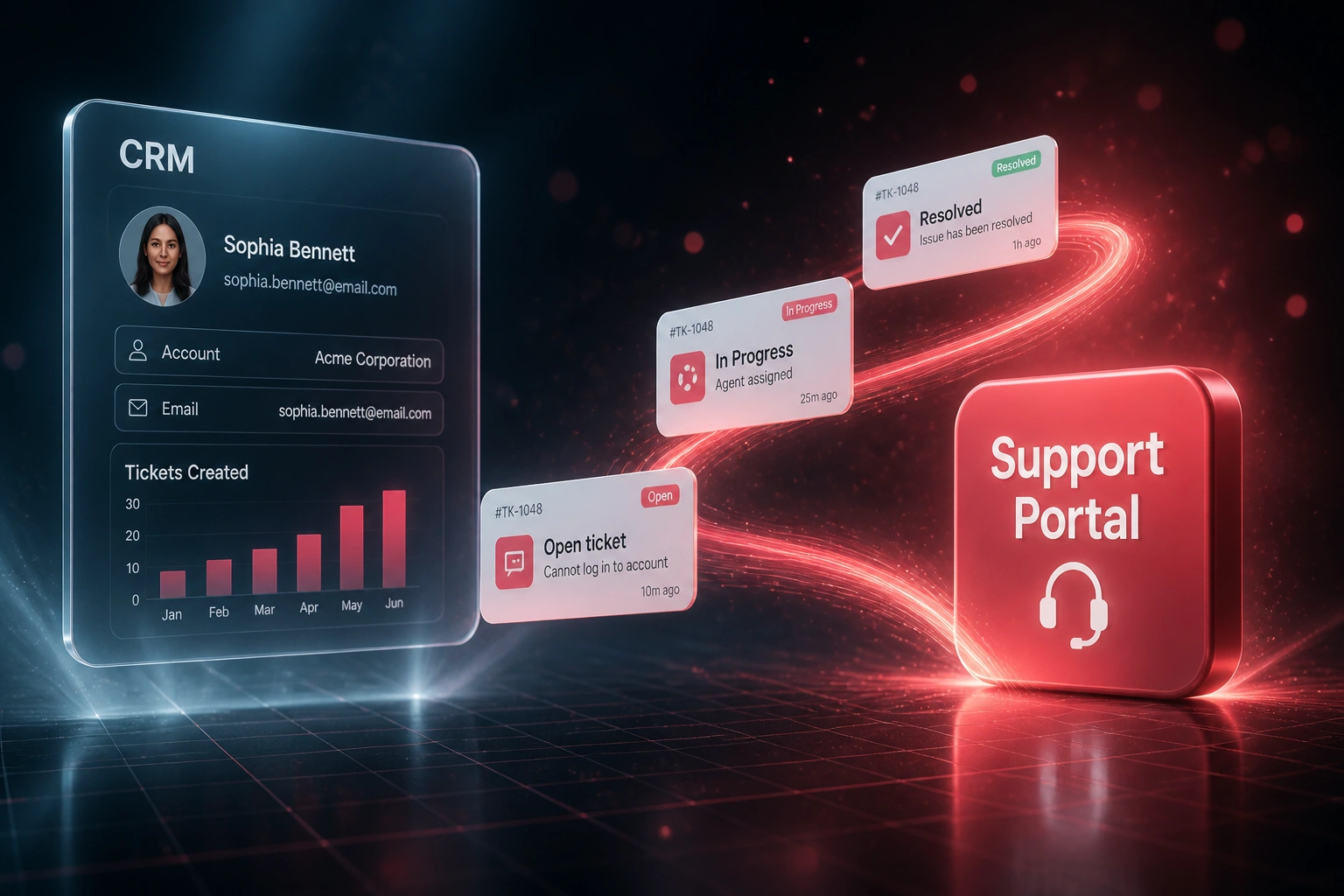
Customer opens a ticket → finds an answer or tracks status → your helpdesk stays in sync. No inbox archaeology.
Customer Needs Help
They land on your branded portal, search help articles, or start a ticket with the right fields
Ticket Hits Helpdesk
Request lands in Zendesk, Freshdesk, or HubSpot Service with category, priority, and CRM context
Status Syncs Back
Agent updates show in the portal. Customers stop asking "any update?" because they can see progress
Articles Deflect Noise
Repeat questions resolve in the knowledge base. Agents keep the complex work that needs a human
Everything a Self-Service Portal Needs to Earn Trust
Branded Ticket Submission
Customers open tickets in your branded portal with the right fields, attachments, and categories. No more unstructured email dumps.
Live Status Tracking
Open, In Progress, Waiting on Customer, Resolved. Customers see progress without chasing your team for updates.
Help Article Library
A searchable knowledge base sits next to ticket creation so customers can self-serve before they escalate to an agent.
Helpdesk & CRM Wiring
Tickets land in Zendesk, Freshdesk, HubSpot Service, or your helpdesk with CRM context already attached.
Notifications That Reduce Noise
Status changes and replies notify customers in-portal and by email, so "any update?" threads dry up.
Deflection & CSAT Reporting
See which articles deflect tickets, where customers abandon, and how portal users score satisfaction versus email-only contacts.
Helpdesks We've Wired Into Support Portals
From Inbox Chase to a Branded Support Portal
How a mid-market SA services company cut status-chase tickets by 38% and gave customers a portal that matched their brand.
Email-Only Support
- Customers emailed support@ and waited days for a reply with no visibility
- Roughly one in three inbound messages was "any update on my ticket?"
- Help articles lived on a buried FAQ page almost nobody used
- Agents spent Friday mornings reconstructing threads instead of resolving issues
- CSAT slipped whenever competitors showed a cleaner self-service portal
Branded Portal Live
- Customers submit tickets in a branded portal with structured fields and attachments
- Live status tracking cut "any update?" volume dramatically
- Help articles surface before ticket submit, deflecting routine how-to questions
- Tickets sync into Freshdesk with CRM context already attached
- Support finally feels as professional as the rest of the brand
Before vs After a Customer Support Portal
How It Works
From first conversation to a live support portal in 4 to 8 weeks.
Audit the Inbox Pain
We review ticket mix, status-chase volume, and which help topics already answer the same questions repeatedly.
Free Scoping Call
30-minute call to design portal screens, branding, helpdesk wiring, and which articles launch first.
Build & Pilot
We build the branded support portal, connect your helpdesk or CRM, and pilot with a customer cohort.
Launch & Measure
Roll out to your full base. Deflection, status-chase volume, and CSAT are tracked from week one.
Frequently Asked Questions
How is a customer support portal different from a CRM self-service login?
A CRM self-service portal usually shows orders, invoices, or account data. A customer support portal is built for help: submit a ticket, track progress, and read help articles. We often wire both into the same brand and identity, but the job of this portal is support, not billing lookups.
Which helpdesks can the portal connect to?
We have built portals against Zendesk, Freshdesk, HubSpot Service Hub, Intercom, Jira Service Management, and custom ticketing stacks. If your helpdesk has an API, tickets and status updates can sync both ways.
How much ticket volume can a support portal realistically deflect?
Zendesk's enterprise median self-service deflection sits around 41%, and well-designed portals commonly land near 40% on self-serveable intents. Results depend on article quality and whether status tracking stops "any update?" emails. We design for deflection that still resolves the customer's problem, not dead-end FAQs.
Will customers actually use a branded portal instead of email?
Yes, when the portal is the easiest path. Microsoft research found 88% of customers expect a self-service portal, and HubSpot reports 78% prefer self-service when it is available. Adoption rises when ticket status is visible, articles appear before submit, and your team stops answering the same questions only by email.
How long does a customer support portal take to build?
A focused branded portal with ticket submit, status tracking, and a starter help library typically takes 4 to 8 weeks from scoping to pilot. Multi-brand portals, complex account hierarchies, or deep CRM custom objects take longer. We always pilot with a small customer group before full launch.
How much does a customer support portal cost?
Focused portals typically range from R45,000 to R120,000 depending on branding depth, helpdesk wiring, and knowledge-base scope. Teams drowning in status-chase email usually see payback within a quarter once deflected contacts and recovered agent hours are counted.
Stop Asking Customers to Live in Your Inbox
If your support still starts and ends in email, you are asking customers to tolerate a process your competitors already replaced with a branded portal.
Tell us which helpdesk you use, how ticket volume looks today, and which questions flood the inbox. We will show you what a customer support portal would look like for your brand.