Employee Offboarding Automation: Close Every Door on the Last Day
More than half of organisations still leave former employees with active accounts for longer than a day. Manual employee exit workflows stretch access revocation across IT tickets, email chains, and Friday afternoon surprises. Security finds the leaver in Salesforce three weeks later.
We automate the full exit: revoke access, collect assets, run the exit interview, and queue final pay.
Sound Familiar?
These are the exact issues security leads, HR directors, and COOs bring us before offboarding automation:
- IT still revokes SSO, email, CRM, and payroll access one system at a time after someone leaves
- Leavers stay active in Salesforce or shared drives for days or weeks after their last day
- Asset return depends on email chasing: laptops, phones, and badges disappear into the gap
- Final pay and leave payouts get calculated late because payroll waits on incomplete exit paperwork
- Security and compliance cannot prove same-day access revocation when auditors ask for evidence
IBM places the average insider-threat incident at about R80.7 million (USD 4.92 million at roughly R16.40). Auditors increasingly expect same-day access revocation for SOC 2 and ISO 27001. A multi-day gap is both a security exposure and an evidence problem.
What the Employee Exit Workflow Actually Does
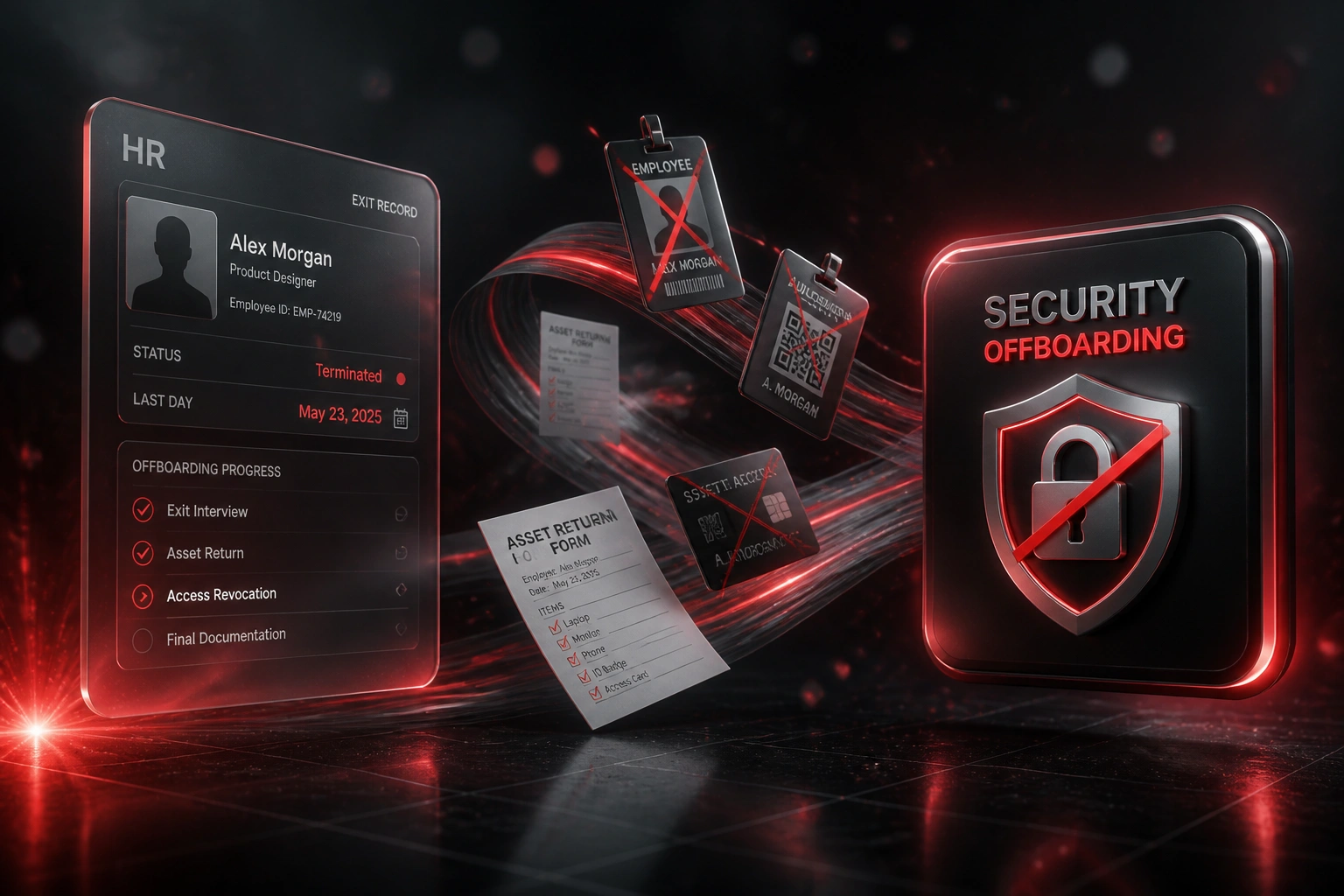
HR marks the exit → access revokes → assets and handover run → final pay is queued. No human copying between ten systems.
Exit Triggered in HRIS
Resignation or termination is confirmed with a last working day in BambooHR, Sage HR, or your HR system
Access Revocation Runs
SSO, email, CRM, payroll, VPN, and SaaS accounts disable on schedule, with privileged accounts first
Assets & Handover
Asset return forms, exit interview, and knowledge handover tasks fire with owners and deadlines
Final Pay Queued
Payroll gets leave payout and final pay inputs on time, with a full audit log for compliance
Everything You Need for Reliable Access Revocation
HR-Triggered Exit Workflow
Resignation or termination in your HRIS starts the employee exit workflow automatically. No ticket backlog between HR and IT.
Instant Access Revocation
SSO, email, CRM, payroll, VPN, and SaaS accounts disable in sequence on the last day. Orphaned logins stop being a quarterly surprise.
Asset Collection Tracking
Laptop, phone, badge, and peripherals return forms go out with deadlines and escalations. Facilities and IT see what is still outstanding.
Final Pay & Leave Payout
Payroll receives a clean exit packet: termination date, leave balance, notice period, and deductions ready for the final payslip.
Exit Interview & Handover
Exit interview invites, knowledge handover checklists, and manager sign-off run in parallel so security work is not blocked by soft tasks.
Audit-Ready Offboarding Log
Every revoke, form, and payroll handoff is timestamped. SOC 2, ISO 27001, and POPIA reviewers get evidence instead of a spreadsheet story.
Platforms We've Wired into Offboarding Automation
From 6 Days to Under an Hour
How a 120-person professional services firm closed the access gap, collected assets on schedule, and stopped discovering leavers still in Salesforce weeks later.
The Manual Exit Checklist
- HR emailed IT a spreadsheet when someone resigned or was terminated
- IT disabled Entra ID, Google, Salesforce, and payroll accounts one by one over several days
- Asset returns depended on managers chasing laptops and badges
- Final pay waited on leave balances that arrived late from HR
- A quarterly access review found three orphaned accounts still live
The Automated Exit Workflow
- HRIS termination status triggers the full offboarding sequence
- SSO and high-risk apps revoke within minutes on the last day
- Asset return and exit interview tasks assign automatically
- Payroll receives leave payout and final pay inputs the same day
- Every step is timestamped for the next compliance review
Before vs After Offboarding Automation
How It Works
From first conversation to live offboarding automation in 3–5 weeks.
Tell Us Your Setup
Which HRIS and identity stack you run, how exits work today, and where access or payroll still slips.
Free Scoping Call
30-minute call to map resignation/termination → revoke → assets → exit interview → final pay.
Build & Test
We build the offboarding automation, test with dry-run leavers, and validate every system on the checklist.
Go Live & Monitor
Switch off the manual exit spreadsheet. Alerts fire if any revoke or asset step fails.
Frequently Asked Questions
How long does employee offboarding automation take to set up?
A standard employee exit workflow takes 3–5 weeks from scoping to go-live. Narrow access-revocation builds can be live in about two weeks. Full setups covering SSO, CRM, payroll final pay, asset tracking, and audit logs typically take 4–6 weeks.
Which systems can you revoke access from?
We commonly connect Microsoft Entra ID, Okta, Google Workspace, Salesforce, HubSpot, Slack, Microsoft 365, VPN directories, and payroll or HRIS tools such as BambooHR, Sage HR, PaySpace, and SimplePay. If a system has an API or SCIM support, we can include it in the revoke sequence.
Will this disrupt our current HR or IT workflows?
No. HR keeps marking resignations and terminations in the HRIS. IT stops chasing a checklist and reviews exceptions instead. We run parallel dry-runs before the automated path becomes the only path.
How do you handle final pay and leave payouts?
The workflow packages termination date, accrued leave, notice, and any deductions into a payroll-ready packet. Payroll still approves the final payslip, but the data arrives on time instead of three days late.
What about emergency terminations and privileged accounts?
We support urgent revoke paths that disable SSO and high-risk systems first, then complete the remaining checklist. Privileged and admin accounts get explicit confirmation steps so critical access never waits on a general ticket queue.
How much does offboarding automation cost?
Focused access-revocation automations start from around R20,000. Full exit workflows with asset tracking, exit interviews, final pay handoff, and audit logging typically range from R30,000 to R70,000. Most mid-size teams recover that within a quarter against labour hours and the risk of orphaned access.
Stop Discovering Leavers Still in Your Systems
If access revocation still depends on a checklist and a hope that every app owner acted, you are carrying a measurable security and compliance risk.
Tell us which HRIS and identity tools you use, how exits work today, and where access or final pay still slips. We will show you exactly how automated offboarding would run for your stack.