Extract Data from Scanned Documents: OCR That Unlocks Paper Archives
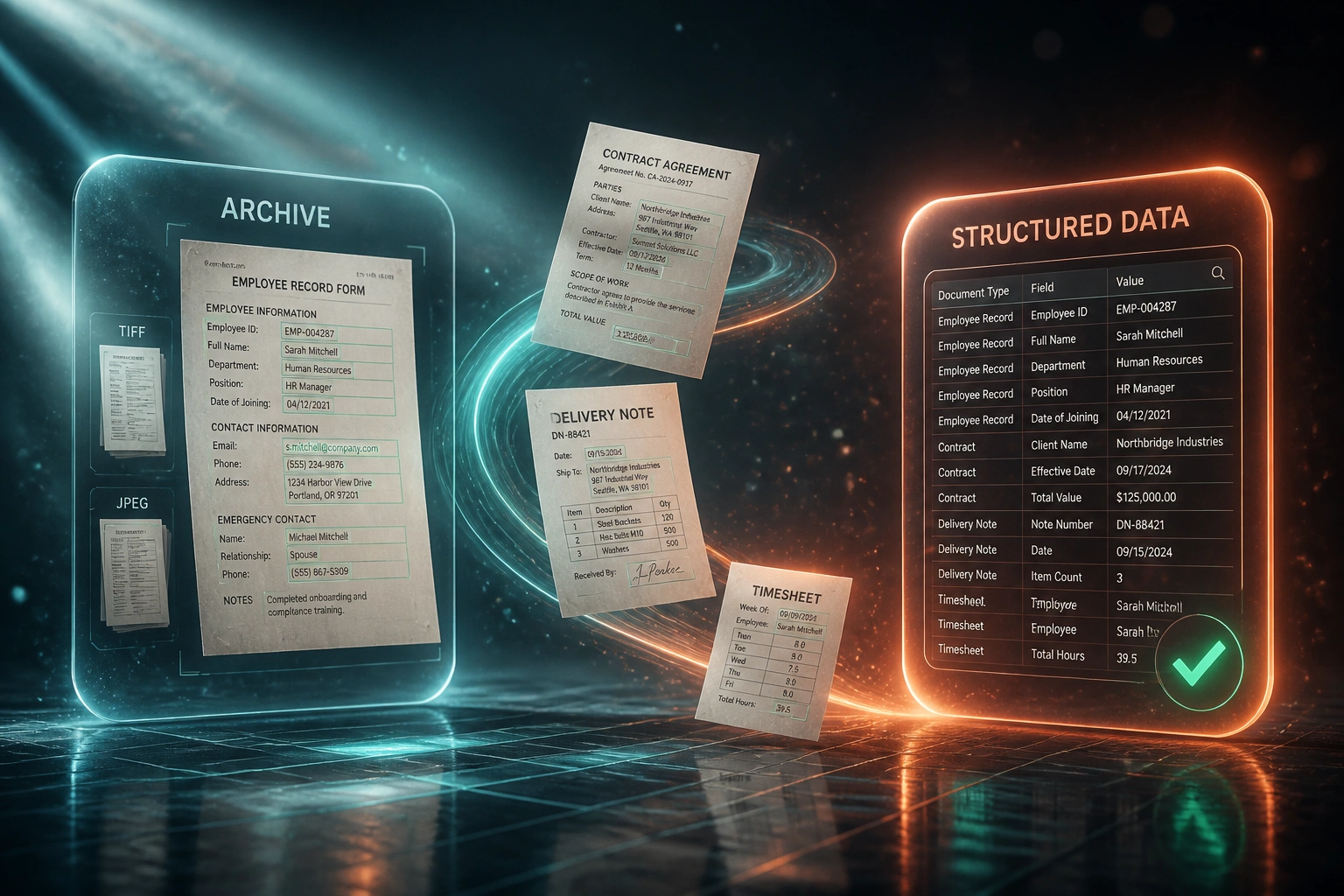
Your contracts, delivery notes, and HR packs already exist as TIFF and JPEG scans, but nobody can search them. Finding one file still takes about 18 minutes, and rekeying from noisy pages quietly plants errors that audits and claims uncover later.
We build the document OCR pipeline that turns pixel archives into searchable structured records.
Sound Familiar?
These are the exact issues operations and compliance leads bring us when the archive is “digitised” but still useless:
- Filing cabinets and TIFF/JPEG folders hold contracts, delivery notes, and HR packs nobody can search by clause, date, or customer
- Ops staff retype fields from skewed, noisy scans, planting 1–4% field errors that surface weeks later in audits or claims
- Finding one paper record still averages about 18 minutes, and a misplaced file can cost around R1,980 in labour to chase down
- Auditors and claims handlers wait days while someone digs through multi-page packs that exist only as images
- Legacy scan jobs stopped at “image stored”; without OCR and structure those pixels stay trapped forever
A folder of scans is not a searchable archive. Without OCR and field understanding, image-only files stay trapped in pixels. Low-DPI or skewed pages can lose another 12–25 percentage points of extraction accuracy versus a clean 300 DPI capture, so “we already scanned everything” is often the start of the project, not the finish.
What Scanned Document Extraction Actually Does
Scan lands → OCR reads → fields structured → searchable record. No human copying from the screen.
Scan or Archive Ingest
TIFF, JPEG, or image-only multi-page packs drop into a watched folder or repository
Clean & Recognise
Deskew, denoise, then document OCR plus AI layout understanding extract the fields you need
Exception Review
Low-confidence values pause with the source page highlighted; clear pages never wait in that queue
Searchable Records
Structured fields write to your index or system of record so audits and lookups take seconds
Everything You Need for Reliable Scan to Data
Scan-to-Structured OCR
Modern document OCR reads printed and handwritten fields from skewed, noisy scans into typed records your systems can search and filter.
Multi-Page Pack Handling
Contracts, delivery notes, and HR packs stay together as one case. Page order, attachments, and split documents are preserved through extraction.
Image Pre-Processing
Deskew, denoise, and contrast normalisation lift accuracy on faxed, photocopied, and low-DPI archives before recognition runs.
Exception-Only Review
High-confidence fields write through. Low-confidence values queue with the source scan highlighted so reviewers confirm, not rekey the whole page.
System Write-Back
Extracted fields land in SharePoint, Google Drive indexes, CRM, ERP, or your document database so ops and compliance search one place.
Audit-Ready Source Links
Every structured value links back to the page image it came from, so claims, audits, and customer lookups stay defensible.
Sources and Destinations We Wire Up
From 18-Minute Paper Hunts to Seconds
How a mid-size operations team unlocked a decade of scanned contracts and delivery notes for audits and customer lookups.
The Manual Process
- Compliance pulled boxes or scrolled unindexed TIFF folders for every audit request
- Ops retyped names, dates, and reference numbers from skewed multi-page scans
- Roughly one in three complex forms carried at least one field error after rekeying
- Customer and claims lookups often took half a day when the pack was misfiled
- “Digitised” meant images stored, not fields searchable
The Automated Process
- Document OCR plus AI understanding writes structured fields from each scanned pack
- Deskew and denoise lift accuracy on older low-DPI archive scans
- Staff review only low-confidence fields against the highlighted source page
- Auditors and ops search by customer, date, or clause reference in seconds
- Every value stays linked to the original scan for defensible evidence
Before vs After Document OCR
How It Works
From first conversation to live scan-to-data extraction in 2–4 weeks for a focused document set.
Tell Us Your Archive
What formats you hold (TIFF, JPEG, multi-page packs), which document types matter first, and where searchable records must land.
Free Scoping Call
30-minute call to sample scan quality, map fields, set confidence thresholds, and design the exception queue.
Build & Test
We wire OCR, pre-processing, and write-back, then validate against your real contracts, delivery notes, and HR packs.
Go Live & Monitor
Staff stop hunting filing cabinets for routine lookups. Accuracy and exception rates stay visible as backlog volume clears.
Frequently Asked Questions
How is scanned document extraction different from PDF-native data capture?
Born-digital PDFs often already contain a text layer. Scanned archives are images (TIFF, JPEG, or image-only PDFs) that need OCR plus layout understanding. Skew, noise, low DPI, and handwriting make accuracy harder, so we add pre-processing and confidence-based review rather than treating every page like a clean export.
How accurate is OCR on real-world scanned paper?
Clean digital PDFs can reach 99%+ field accuracy. Modern AI OCR typically hits 95–99% on standard printed business documents and about 88–96% on scanned or handwritten inputs. Scans below 150 DPI can lose another 12–25 percentage points versus a clean 300 DPI capture, which is why we tune pre-processing and route uncertain fields to humans.
What document types can you extract from?
We specialise in general business paper archives: contracts, delivery notes, legacy HR packs, claims files, and similar multi-page packs. Identity-document KYC pipelines and invoice AP OCR are separate product angles if that is your primary need.
Will this disrupt our operations or compliance teams?
No. Teams keep their existing repositories and case systems. Automation removes the retyping and filing-cabinet hunt so people spend time on exceptions, audits, and customer lookups. We run parallel testing before switching off the manual path.
How long does a scan-to-data project take?
A focused OCR-plus-write-back build for one or two document families typically takes 2–4 weeks from scoping to go-live. Large multi-year archives with many layouts and handwriting usually sit closer to 4–8 weeks, often phased so high-value packs go live first.
How much does scanned document data extraction cost?
Focused pipelines for a defined document set typically start from around R20,000. Multi-format archive projects with pre-processing, exception queues, and system write-back usually sit in the R35,000–R70,000 range. Teams drowning in weekly rekeying and audit lookups often recover the build cost within a few months against staff time and error rework.
Stop Paying Staff to Rekey Scanned Pages
If your “digitised” records are still image folders that take 18 minutes to hunt through, you are funding a problem modern document OCR already solves.
Tell us what formats you hold, which packs matter first for audits or claims, and where structured records must land. We will show you how scan-to-data extraction would work on your real samples.