Field Service Mobile App: Job Cards on the Technician's Phone
Your technicians still carry paper job cards, call the office for addresses, and photograph completed work into WhatsApp. Every incomplete card is an invoice that waits until Friday, and every customer who never gets a digital completion report is shopping for a provider who closes the loop.
We build the purpose-built field worker app that cuts incomplete paperwork and feeds clean data to billing the same day.
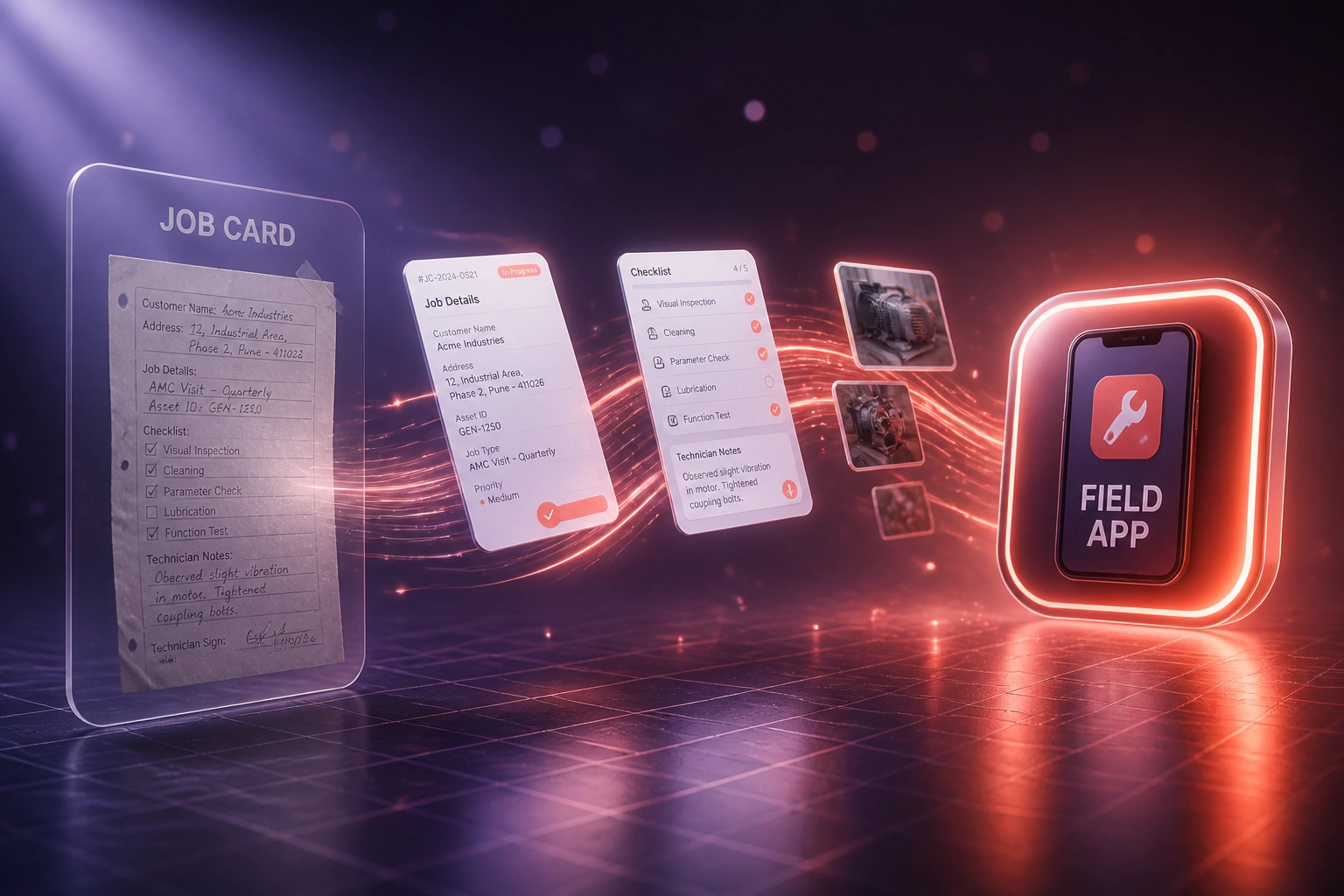
Sound Familiar?
These are the exact issues ops directors brought us before we built their technician mobile app:
- Technicians still carry paper job cards, then call the office for the address or the last service notes
- Completion photos land in WhatsApp threads that nobody can find when billing or a warranty dispute starts
- Illegible handwriting and missing checklist ticks send roughly one in ten cards back for rework before invoicing
- Jobs finished on Tuesday sit in a desk pile until Friday, so invoices wait a full week for clean paperwork
- Customers who never receive a digital completion report quietly switch to a competitor who does
Every incomplete job card is an invoice that waits until Friday. Paper tickets rejected for illegible handwriting or missing fields push DSO out, and customers who never receive a digital completion report quietly switch providers.
What the Field Worker App Actually Does
Job assigned → details on phone → forms, photos, signature → billing fed the same day.
Job Lands on Phone
Dispatch pushes address, scope, parts, and prior notes to the technician mobile app
Navigate & Complete
Directions, checklists, and required fields guide the visit without office callbacks
Photos & Signature
Proof of work and customer sign-off attach to the job before the technician leaves site
Same-Day Close-Out
Clean data syncs to office systems so finance can invoice without reconstructing paper
Everything a Field Service App Needs in the Technician's Hand
Digital Job Cards on Phone
Each technician opens today's jobs with customer details, site notes, parts lists, and safety checks already filled. No paper pad, no office callback for the basics.
Navigation & Job Context
One tap opens directions to the site, with prior visit history and asset notes so the field worker arrives prepared instead of guessing on the driveway.
Completion Forms & Checklists
Structured close-out forms replace freehand notes. Required fields block incomplete submissions so billing receives a complete job card the first time.
Photo & Signature Capture
Before, during, and after photos plus a customer signature attach to the job in seconds. Proof of work stops "you never finished" disputes cold.
Offline Field Capture
Basements, farms, and plant rooms often have no signal. The field service app stores forms, photos, and signatures locally, then syncs when coverage returns.
Same-Day Billing Feed
Completed jobs push clean data into your CRM, FSM, or accounting stack the same day, so finance invoices from facts instead of reconstructing WhatsApp threads.
Platforms We've Connected Field Apps To
From Friday Paper Piles to Same-Day Close-Out
How a Gauteng HVAC contractor cut rejected job cards from roughly 10% to near zero and recovered 420 hours a year once technicians closed work on a field service app.
The Paper Process
- Eighteen technicians carried carbon job cards and called dispatch for missing addresses
- Completion photos lived in personal WhatsApp chats, then got lost at warranty time
- About one in ten cards bounced for illegible notes or missing checklist ticks
- Tuesday jobs sat in an office pile until Friday before finance could invoice
- Customers rarely received a digital completion report after the visit
The Field App Process
- Job details, navigation, and prior visit notes open on the phone before leaving the yard
- Required checklists, photos, and signatures block incomplete close-out
- Rejected paperwork fell to near zero, matching digital field-ticket benchmarks
- Completed jobs sync the same day so invoices leave without Friday reconstruction
- Customers get a digital completion report; finance stops chasing WhatsApp threads
Before vs After a Technician Mobile App
How It Works
From first conversation to live field service app in 6–10 weeks.
Tell Us Your Setup
How many technicians, what paper or WhatsApp process you use today, and which systems must receive completed job data.
Free Scoping Call
30-minute call to map job dispatch → on-site forms → photos and signatures → sync → billing handoff for your field operation.
Build & Test
We build the purpose-built field technician mobile app, pilot with a crew, and run parallel against paper job cards for two weeks.
Go Live & Monitor
Switch off paper pads and WhatsApp photo dumps. Monitoring flags incomplete close-outs before they stall invoicing.
Frequently Asked Questions
How long does a field service mobile app take to build?
A focused technician app with digital job cards, navigation, completion forms, photo and signature capture, and sync to your back office typically takes 6–10 weeks from scoping to go-live. A single-crew pilot can land nearer six weeks. Multi-branch builds with offline queues, parts catalogues, and deep billing integrations usually take 8–14 weeks.
Is this just a time clock or GPS punch app?
No. Clock-in and GPS tools prove presence. A field service mobile app puts the full job in the technician's hand: details, navigation, checklists, photos, signatures, and clean close-out data for billing. Many operations eventually want both; this page is about replacing paper job cards.
Will technicians use it if they are used to paper?
Adoption sticks when the app is faster than the pad. We design large tap targets, required fields that match your existing checklist, and offline capture so the phone works in basements and plant rooms. We train on a live job day, not a slide deck.
Does the app work without mobile signal?
Yes. Job details can be cached before the day starts. Forms, photos, and signatures save on the device and sync when connectivity returns, so incomplete paperwork is not an inevitable side effect of a dead spot.
Which systems can receive completed job data?
We regularly feed completed jobs into ServiceM8, Jobber, HubSpot, Xero, Sage, and custom CRM or FSM stacks. If your billing or dispatch tool has an API or import path, we map fields during setup so finance stops retyping.
How much does a custom field technician app cost?
A purpose-built field service mobile app with job cards, forms, photo and signature capture, and billing sync starts from around R60,000. Multi-branch native builds with offline queues, parts lists, and deep integrations typically range from R95,000 to R180,000. Teams recovering even a fraction of rejected-ticket delay and office re-key time usually see ROI within a few months.
Put the Job in Your Technicians' Hands
If your field team still closes work on paper and WhatsApp, you are paying for incomplete cards, delayed invoices, and customers who never see a proper completion report.
Tell us how many technicians you run, what your job card looks like today, and which systems must receive completed work. We will show you how a purpose-built field service mobile app would work for your operation.