Field Service Offline Mode: Forms, Photos, and Time That Sync
When a remote job site has no signal, cloud-only field apps freeze. Technicians lose half a day to idle waiting, paper fallbacks, and unfinished paperwork that never quite makes it back to the office intact.
We build offline-capable field apps that keep the work moving, then sync when connectivity returns.
Sound Familiar?
These are the exact issues operations directors face when the field app dies the moment connectivity drops:
- Technicians sit idle when the field app times out in a mine shaft, farm shed, or township with patchy LTE
- Forms and photos get written on paper, then retyped at the office hours later with gaps and guesswork
- Incomplete job sheets force return visits that cost R3,550 to R4,050 each in travel, admin, and lost paid work
- Time logs vanish or get reconstructed from memory, so payroll and client billing never quite match
- Office staff chase crews for missing photos and signatures while jobs sit unfinished in the system
Connectivity gaps are the number one driver of field downtime at industry events in 2025. Between 40% and 65% of technician time lands in basements, mines, farms, and rural sites with unreliable signal. If your field app offline mode is missing, paper is still the real system of record.
What Offline Field Service Capability Actually Does
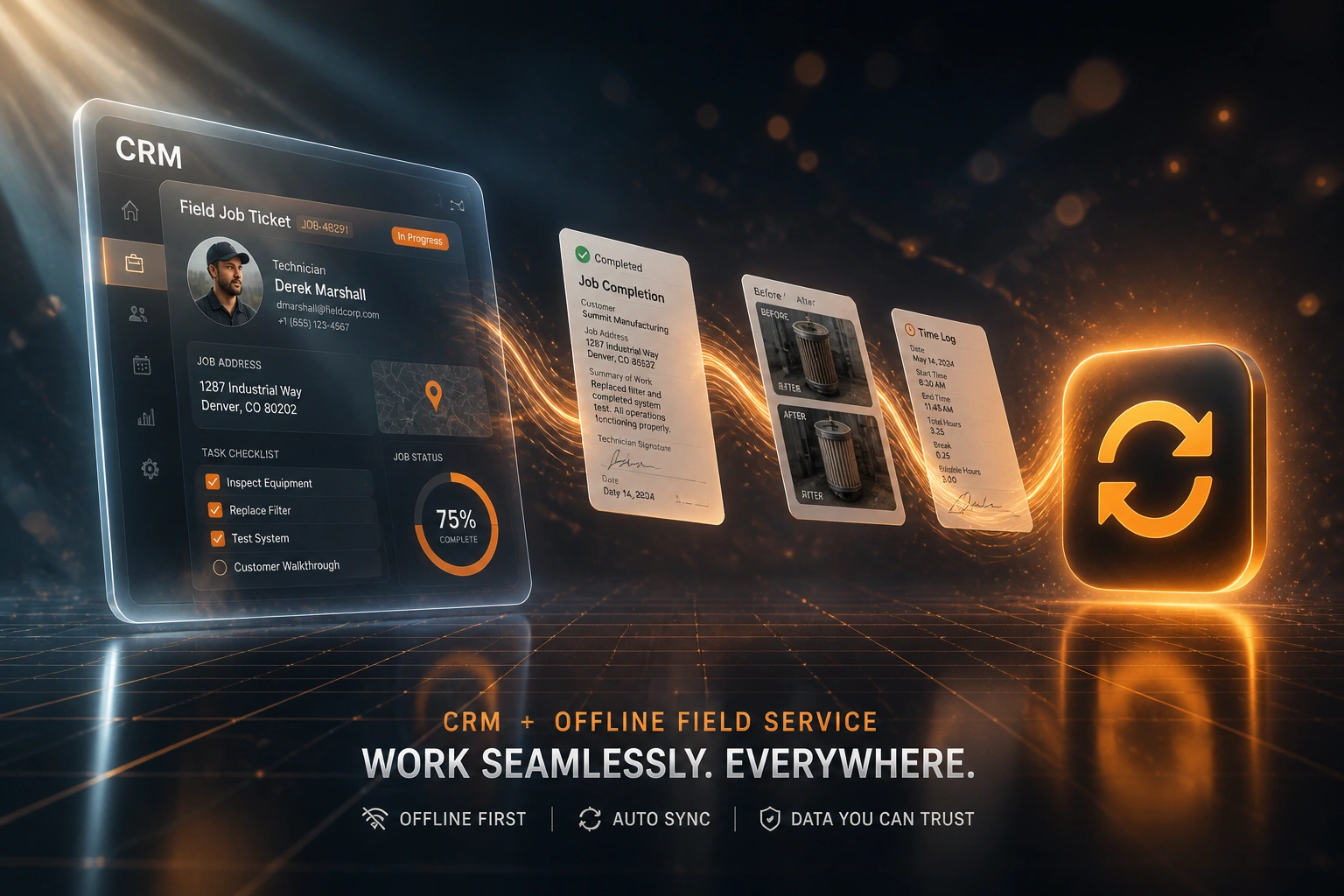
Lose signal → keep working → sync automatically → office gets a complete job. No half-day wait for bars.
Jobs Cached Before Departure
Day's job cards, customer notes, and checklists download while the phone still has signal
Work Continues Offline
Technicians complete forms, capture photos, and log time on site with zero connectivity
Queue Syncs on Reconnect
When LTE or Wi-Fi returns, forms, photos, and time entries upload in the background
Office Sees Complete Jobs
CRM and billing receive clean close-outs the same day, without retyping paper sheets
Everything You Need for Reliable Offline Field Work
Offline Job Forms
Checklists, close-out forms, and notes save on the device with no signal. Technicians finish paperwork on site instead of waiting for bars to return.
Photo Capture That Queues
Before, during, and after photos store locally when the network drops. Nothing lands in a WhatsApp dead-end; everything attaches to the job on sync.
Offline Time Logging
Clock time, travel, and labour against the job card without connectivity. Hours sync when the device reconnects, so payroll and invoicing stop guessing.
Automatic Sync on Reconnect
When coverage returns, queued forms, photos, and time entries upload in the background. No manual "upload now" step your crew will forget.
Conflict-Safe Write Queue
Updates survive app restarts and overnight dead zones. Duplicate detection and retries keep the office record clean when two devices sync late.
Back-Office Visibility
Completed work flows into your CRM, FSM, or accounting stack as soon as sync finishes, so dispatch and finance stop running a day behind the field.
Platforms We've Connected for Offline Field Sync
From 10 Hours/Week Lost to Near-Zero Idle Time
How a 12-technician plant and farm equipment crew stopped losing job data on remote Limpopo and Free State sites.
The Connectivity Tax
- Cloud field app timed out in mine access roads, farm sheds, and township dead zones
- Crews filled paper forms, then retyped at the office with missing photos and vague time notes
- Roughly 10 hours a week of productive time lost across the fleet to connectivity stalls
- About 8% of jobs needed a return visit because sheets or evidence were incomplete
- Finance waited days for clean close-outs before invoices could leave
The Offline-First Process
- Jobs cache before departure; forms, photos, and time log fully offline on site
- Write queue syncs automatically when the phone hits LTE or office Wi-Fi
- Connectivity downtime across the fleet dropped from 10 hours a week to near zero
- Incomplete-sheet return visits fell below 3% within the first month
- Same-day job data in the CRM, so billing and payroll stop reconstructing paper
Before vs After Offline Field App Capability
How It Works
From first conversation to live offline field sync in 6–10 weeks.
Tell Us Your Setup
Where your crews lose signal, what they capture on site today, and which systems must receive forms, photos, and time.
Free Scoping Call
30-minute call to map dispatch → offline capture → sync → office handoff for your sites and coverage gaps.
Build & Test
We build the offline-first field app, pilot with a remote crew, and validate sync after real dead-zone days.
Go Live & Monitor
Switch off paper fallbacks. Monitoring flags failed syncs and incomplete close-outs before they stall billing.
Frequently Asked Questions
What does offline mode actually mean for a field service app?
Offline mode means the phone keeps working when there is no mobile or Wi-Fi signal. Job details, forms, photos, and time logs save on the device. When connectivity returns, the app syncs automatically so the office receives a complete job record without retyping from paper.
How is this different from a general field service management system?
FSM platforms schedule and dispatch work. This page is about the capability your technicians need when the site has no signal: completing forms, capturing photos, and logging time offline, then syncing when they are back in coverage. Many teams already have scheduling software that fails the moment connectivity drops.
Will photos and forms still sync after a full day without signal?
Yes. We design a persistent write queue that survives app restarts and long offline stretches common on mines, farms, and construction sites. When the device reconnects, queued items upload in order with retries, so a day of remote work does not disappear overnight.
Do we need to replace our existing CRM or FSM?
Usually not. Offline capture can sit on the technician phone and push completed jobs into ServiceM8, Jobber, HubSpot, Xero, Sage, or a custom stack. If your back office already has an API or import path, we map fields so finance and dispatch stop chasing paperwork.
How long does an offline-capable field app take to deliver?
A focused offline field app with forms, photo capture, time logging, and sync to your back office typically takes 6–10 weeks from scoping to go-live. Multi-branch builds with deep conflict handling and parts catalogues usually take 8–14 weeks. A single remote-crew pilot can land nearer six weeks.
How much does offline field service capability cost?
Offline-first field apps with forms, photos, time logging, and sync start from around R60,000. Multi-crew native builds with durable queues and deep back-office integrations typically range from R95,000 to R180,000. Teams recovering even a fraction of connectivity downtime and incomplete-sheet return visits usually see ROI within a few months.
Make Your Field App Work Where There Is No Signal
If your technicians still fall back to paper whenever coverage drops, you are paying for lost hours, unfinished paperwork, and duplicate visits that offline-first design already solves.
Tell us where your crews lose signal, what they must capture on site, and which systems need the completed job. We will show you exactly how offline field service capability would work for your operation.