Intelligent Document Processing: Automate Data Extraction from Unstructured Files
Your inbox and shared drives are full of invoices, contracts, and correspondence. Your team is still typing the same fields into the ERP by hand, and every week of rekeying slows AP, stretches contract cycles, and invites costly mistakes.
We deploy the IDP pipeline that turns unstructured files into validated, structured data.
Sound Familiar?
These are the exact issues CFOs and operations directors brought us before an IDP build:
- Invoices, contracts, and supplier emails pile up as PDFs while clerks retype every field into the ERP
- AP and contracts wait days because nobody has finished the capture queue
- Nearly four in ten manually handled invoices carry at least one error that triggers rework
- Month-end is delayed while finance reconciles what was typed against what was received
- Headcount keeps growing just to keep up with unstructured document volume
Gartner published its first Magic Quadrant for Intelligent Document Processing Solutions in 2025, signalling that document AI has moved from pilot project to board-level capability. Teams still running OCR-plus-spreadsheets are competing with full ingest-to-post pipelines.
What the IDP Pipeline Actually Does
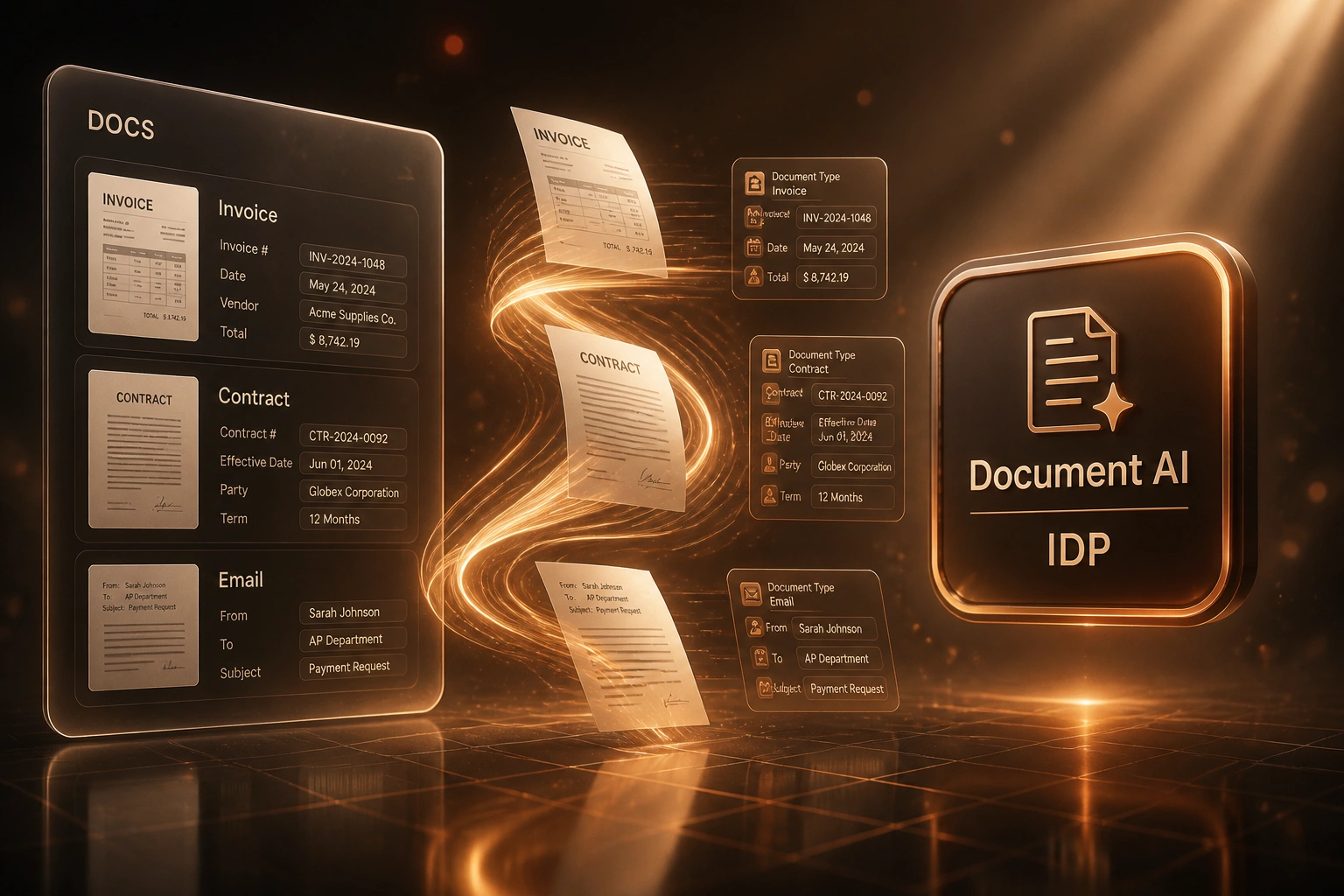
Ingest → classify → extract → validate → push. Unstructured files become trusted records without rekeying.
Ingest Documents
PDFs, scans, and email attachments arrive from inboxes, portals, and shared folders
Classify & Extract
Document AI labels the type and pulls the structured fields your process needs
Validate Exceptions
High-confidence docs auto-pass; uncertain fields land in a short review queue
Post to Systems
Clean data writes to ERP, AP, CRM, or contract registers with an audit trail
Everything You Need for End-to-End Document AI
Multi-Channel Ingest
PDFs, scans, and email attachments land in one intake queue from shared inboxes, portals, and folders. Nothing waits on a clerk to open the right file.
Document Classification
Document AI labels each file as invoice, contract, correspondence, or other before extraction starts, so the right field map and validation rules apply.
Structured Data Extraction
Intelligent document processing pulls vendor, amounts, VAT, line items, dates, parties, and key clauses into clean fields ready for systems of record.
Confidence Validation
Low-confidence fields and policy exceptions go to a human review queue. High-confidence documents post straight through without rekeying.
Push to Systems of Record
Validated data writes into Xero, Sage, ERP, CRM, or contract registers with the account codes, tax treatments, and audit trail your team already uses.
Exception & Audit Trails
Every document keeps a processing history: source file, extracted fields, reviewer actions, and destination record IDs for finance and compliance checks.
Systems We Post Extracted Data Into
From 70 Hours/Week to 8 Hours/Week
How a Gauteng distributor stopped rekeying PDFs across invoices, contracts, and supplier correspondence, and shortened AP and contract cycles by 12 days.
The Manual Process
- Two clerks spent most of every day opening PDFs and typing into Sage and shared trackers
- Roughly 900 unstructured files a month: invoices, renewals, and supplier emails
- Nearly two weeks from document arrival to a trusted record in the system of record
- Error corrections after posting consumed evenings before month-end
- Contract packs waited in the same queue as AP, delaying commercial sign-off
The IDP Pipeline
- Ingest from the AP mailbox and SharePoint folders into one Document AI queue
- Classification routes invoices, contracts, and correspondence to the right extractors
- High-confidence documents post straight to Sage; exceptions take minutes, not hours
- Finance reviews a short queue instead of retyping every line
- Ops sees the same cycle compression on contract metadata into the CRM
Before vs After Intelligent Document Processing
How It Works
From first conversation to a live IDP pipeline in 4–10 weeks, depending on document mix.
Map Your Document Mix
Which invoices, contracts, and correspondence types you process, volumes, and where data must land.
Free Scoping Call
30-minute call to size the IDP pipeline, define field maps, and estimate payback against your labour cost.
Build, Train & Test
We configure classification and extraction, tune on your real samples, and run parallel against manual capture.
Go Live & Improve
Straight-through posting for high-confidence docs. Review queues shrink as the models learn your layouts.
Frequently Asked Questions
How is an IDP pipeline different from basic OCR?
OCR reads characters on a page. Intelligent document processing classifies the document, extracts the fields that matter, validates them against business rules, and pushes clean data into your ERP, AP, or CRM. Traditional OCR alone often sits around 60% usable accuracy on messy files; AI-driven IDP commonly reaches the mid-90s on structured documents such as invoices when paired with human review for exceptions.
Which document types can the pipeline handle?
We typically start with supplier invoices, then add contracts, delivery notes, and correspondence that currently force rekeying. Classification routes each type to the right extraction model and destination system, so one pipeline covers the mix without a separate tool per document class.
Will this replace our finance and ops team?
No. It removes the rekeying. Your team reviews exceptions, approves postings, and focuses on supplier relationships and exception handling. Most clients keep the same headcount and stop hiring extra capture clerks as volume grows.
How accurate is Document AI on South African invoices and contracts?
Field-level accuracy depends on layout variety and scan quality. Structured invoices commonly reach 95–99% with modern IDP; noisy scans and handwritten notes need human-in-the-loop review. We set confidence thresholds so only uncertain fields reach a person, and we tune on your supplier pack before go-live.
How long does an IDP project take?
A focused invoice-first pipeline is often live in 4–6 weeks. Multi-document programmes covering invoices, contracts, and correspondence with several destination systems typically take 6–10 weeks including parallel testing.
How much does an intelligent document processing pipeline cost?
Focused invoice capture into one ledger starts from around R45,000. Full multi-document IDP with classification, validation queues, and multi-system posting typically ranges from R75,000 to R150,000. At South African clerical rates, teams processing a few hundred documents a month often see payback inside 3–6 months from labour and error-correction savings alone.
Turn Unstructured Files into Trusted Records
If your finance and operations teams are still typing invoice, contract, and correspondence fields by hand, you are paying South African labour rates for work Document AI already handles well.
Tell us what arrives in the inbox, which systems must receive the data, and where the bottlenecks hurt most. We will show you how an intelligent document processing pipeline would run for your volumes and where the Rand payback lands.