Sync Invoices to Your Accounting System: Without Double Entry
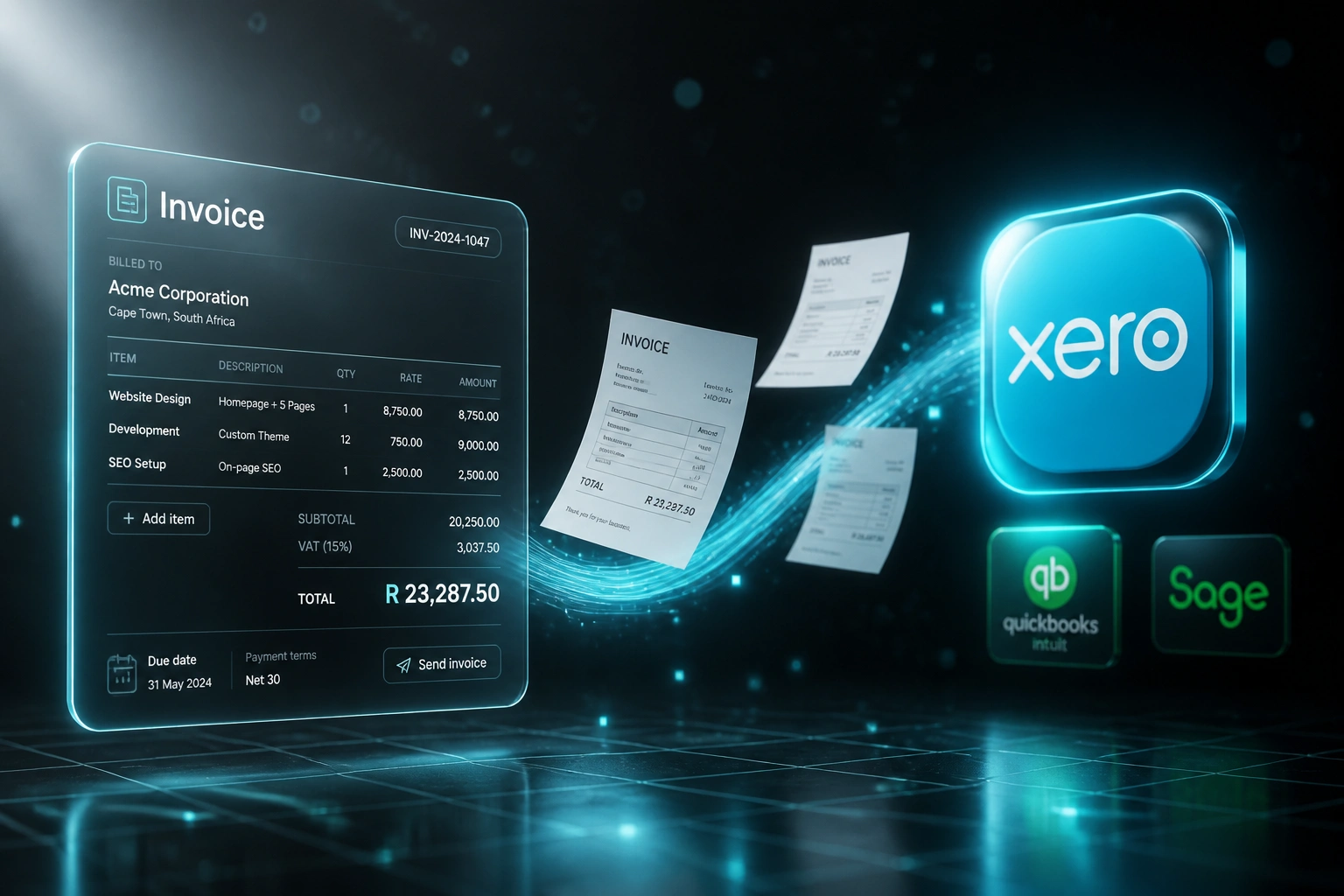
Your billing or ops system already creates the invoice. Your bookkeepers then retype it into Xero, QuickBooks, or Sage. That weekly rekeying creates silent drift on VAT codes, line amounts, and payment status, and it pushes every close later than it needs to be.
We build the two-way invoice sync that keeps both systems honest.
Sound Familiar?
These are the exact issues finance managers bring us before accounting integration:
- Invoices live in your billing or ops tool, but the ledger lags by days or weeks
- Bookkeepers retype client details, line amounts, and VAT codes into Xero, QuickBooks, or Sage
- One in every 25 to 100 invoices carries a silent error that only surfaces at month-end
- Payment status in the ledger drifts from the billing system, so collections chase the wrong balances
- Month-end and year-end close stretch because the invoice backlog is still being keyed
Year-end close and VAT return deadlines do not wait for a CSV backlog. SARS expects VAT201 figures that reconcile to the ledger. Teams still relying on weekly CSV imports into Xero or QuickBooks hit the same fragile mapping failures every close. API-based invoice sync is now the reliable path for South African finance teams.
What Invoice Sync Actually Does
Invoice finalised → posted to the ledger → payment status returns. No human copying between systems.
Invoice Finalised
Billing, proposal, or field-service tool marks the invoice ready to post
Posted to the Ledger
Client, line items, VAT codes, and account codes map into Xero, QuickBooks, or Sage
Payment Syncs Back
Client pays → billing system updates to Paid without a spreadsheet chase
Close Without Drift
Month-end and VAT prep shrink because both systems already agree
Everything You Need for Reliable Xero Sync
Automated Ledger Posting
Invoice finalised in your billing system → draft or approved invoice appears in Xero, QuickBooks, or Sage with correct line items, VAT rates, and account codes.
Two-Way Payment Sync
When a client pays in the ledger, payment status flows back to the billing system. Collections always see the real balance.
Multi-Ledger Destinations
One integration layer can feed Xero, QuickBooks Online, or Sage. Useful when subsidiaries or clients sit on different platforms.
VAT and Account Mapping
Billing product codes map to the right tax treatments, revenue accounts, and tracking categories so SARS returns stay clean.
Drift Detection and Alerts
Duplicate detection, amount mismatches, and failed syncs surface immediately. Your team only intervenes when human judgement is needed.
Faster Close and VAT Prep
When invoices and payments already match across systems, month-end goes from days of chasing to hours of review.
Systems We've Connected for Invoice Sync
From 9 Hours/Week to 90 Minutes
How a 35-person facilities company stopped retyping field-service invoices into Xero and closed five days faster.
The Manual Process
- Bookkeeper exported weekly invoices from the field-service tool and retyped each one into Xero
- Five to twelve minutes per invoice: contact match, line items, VAT codes, due dates
- Roughly one in thirty invoices needed a correction after a VAT or amount mismatch
- Payment status in Xero never flowed back, so collections chased balances already paid
- Month-end close regularly stretched to eight business days waiting on the invoice backlog
The Automated Process
- Finalised job invoice posts to Xero within minutes with mapped VAT and account codes
- Finance reviews exceptions only: new clients, unusual tax treatments, credit notes
- Payment allocations sync back so the billing system shows Paid without a spreadsheet
- Invoice error rate dropped below 1%, with mismatches caught before the VAT return
- Close moved from eight business days to three because the ledger was already current
Before vs After Accounting Integration
How It Works
From first conversation to live invoice sync in 2–4 weeks.
Tell Us Your Setup
Which billing or ops system creates invoices, which ledger you post to, and where double entry hurts most.
Free Scoping Call
30-minute call to map invoice fields, VAT rules, payment sync, and design the integration.
Build & Test
We build the sync, test with your real invoices, and run parallel for a week to prove accuracy before go-live.
Go Live & Monitor
Switch off retyping. Monitoring and alerts keep invoice sync running through busy close periods.
Frequently Asked Questions
How long does an invoice-to-accounting sync take to set up?
A standard one-way invoice sync takes 2–4 weeks from scoping to go-live. Bidirectional sync with payment status flowing back, multi-ledger destinations, or complex VAT mapping typically takes 4–6 weeks.
Which billing systems and ledgers can you connect?
We sync invoices from proposal tools, field-service platforms, industry billing systems, and custom ops software into Xero, QuickBooks Online, Sage Business Cloud, and Sage Evolution. If your source system has an API or reliable export, we can connect it.
Will this disrupt our current finance workflows?
No. Your team keeps approving and sending invoices the way they do today. The automation posts to the ledger behind the scenes. We run parallel testing so you only switch off manual retyping once the numbers match.
How do you stop duplicates and silent drift between systems?
Every synced invoice carries a stable external reference so retries never create duplicates. Periodic reconciliation checks flag amount, VAT, or payment-status mismatches before they reach your VAT return or year-end pack.
How do you handle South African VAT and multi-currency invoices?
During setup we map your billing products to the correct tax rates, account codes, and Section 20 tax-invoice fields in Xero, QuickBooks, or Sage. Multi-currency invoices post in the client billing currency with exchange rates captured at invoice time.
How much does invoice accounting integration cost?
Simple one-way invoice syncs start from around R15,000. Bidirectional accounting integration with payment sync-back and custom VAT logic typically ranges from R25,000 to R60,000. Most teams processing 40+ invoices per week see ROI within 2–3 months.
Stop Retyping Invoices Into Your Ledger
If your bookkeepers are still copying invoices from a billing system into Xero, QuickBooks, or Sage, you are spending money on drift that a two-way sync already solves.
Tell us which system creates the invoice, which ledger you post to, and where VAT or payment status breaks. We will show you exactly how accounting integration would work for your close calendar.