Populate Invoice Line Items Automatically: From Project Data, Not Spreadsheets
Every Friday someone copies task lists and SOW line items into Xero or Sage by hand. Rates get mistyped, quantities drift from the project plan, and invoices go out late or wrong. Automated line items from your project tool recover those hours and cut billing disputes.
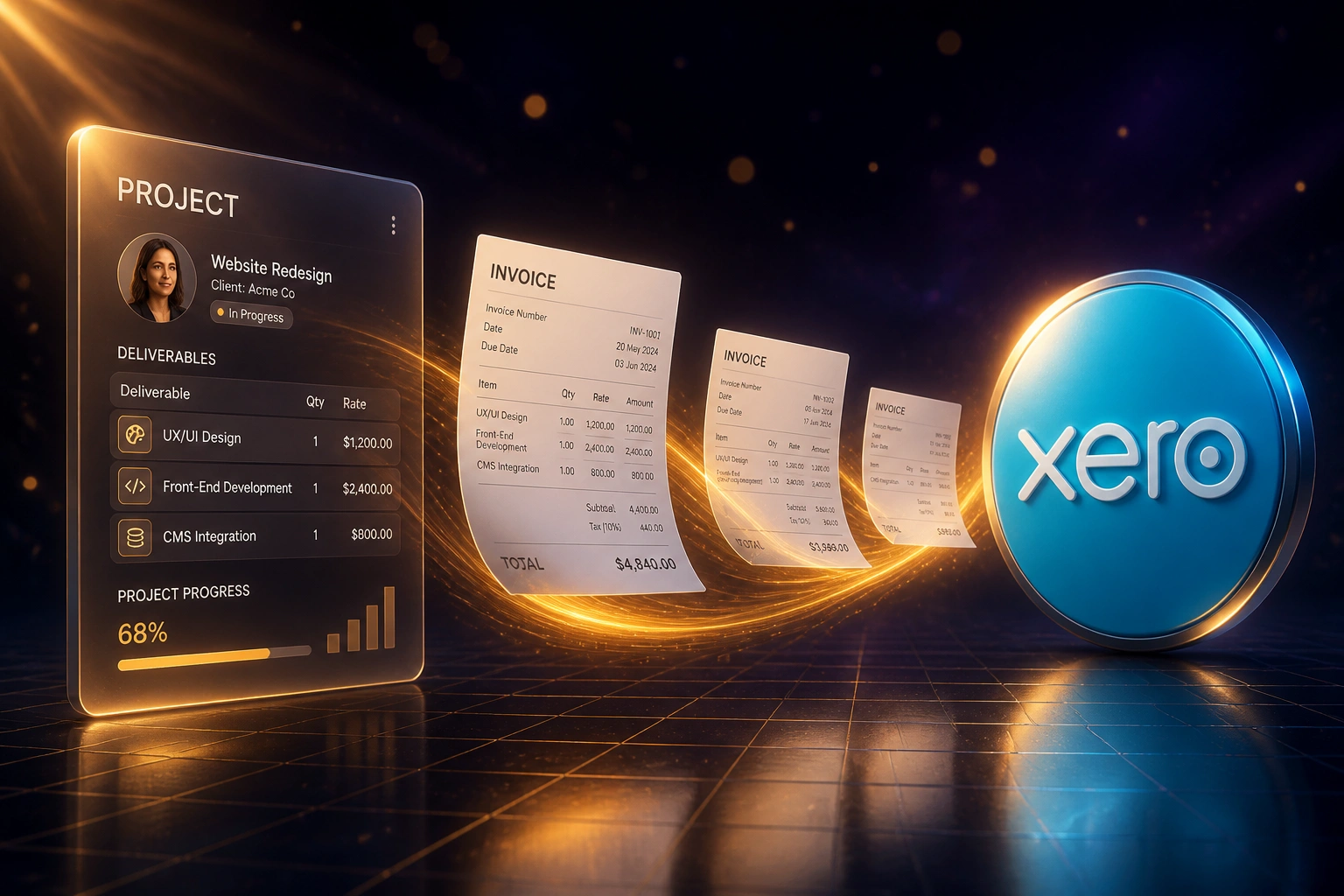
We pull deliverables, quantities, and rates into draft invoices so project billing closes on schedule.
Sound Familiar?
These are the exact issues our agency and professional services clients faced before automation:
- Every Friday someone copies Asana, Monday.com, or Jira deliverables into Xero or Sage by hand
- Quantities and rates get mistyped, so clients query the bill before they pay
- Invoices go out days or weeks after a milestone closes, while cash sits as unbilled work
- SOW line items and project task lists never match what lands on the invoice
- Ops and finance argue over which tasks were billable, instead of reviewing a draft that already matches the project
Project tools now expose richer APIs for tasks, custom fields, and milestones, while clients expect itemised invoices tied to deliverables. Agencies still copying SOW lines by hand are slower and less accurate than peers who bill the same day a milestone closes.
What Automated Line Items From Project Data Actually Do
Milestone closes → draft invoice lines → finance approves. No human copying deliverables into the ledger.
Deliverable Ready
A milestone closes or billable tasks are tagged complete in Asana, Monday.com, Jira, or ClickUp
Line Items Drafted
Descriptions, quantities, and rates map into a draft invoice in Xero or Sage
Finance Approves
Ops reviews exceptions only. Clean batches need a one-click send
Fewer Disputes
Clients see the same deliverable names they approved in the project, so payment moves faster
Everything You Need for Reliable Project Billing
Project Tasks to Invoice Lines
Completed deliverables, milestone packages, or tagged billable tasks become draft invoice line items in Xero or Sage with quantity, rate, and description intact.
Quantity and Rate Mapping
Custom fields for units, retainers, and rate cards map to the right account codes, tracking categories, and VAT treatments every time.
Milestone-Triggered Drafts
When a phase or milestone closes in Asana, Monday.com, Jira, or ClickUp, a draft invoice appears for finance to approve, not rebuild.
Dispute-Ready Descriptions
Each line carries the project task or deliverable name the client already approved, so billing queries drop and payment moves faster.
Exception Alerts Only
Missing rates, unmapped projects, or odd quantities pause for review. Clean batches flow through without a human retyping them.
Payment Status Visibility
When the invoice is paid in accounting, status can sync back to the project so ops knows what is still outstanding without chasing finance.
Project and Accounting Tools We've Connected
From 7 Hours/Week to 1 Hour/Week
How an 18-person Johannesburg agency stopped retyping Asana deliverables into Xero and got invoices out eight days sooner.
The Manual Process
- Ops lead exported completed Asana tasks and SOW packages into a spreadsheet every Friday
- 35–50 minutes per client invoice: matching quantities, checking rates, fixing VAT
- Roughly one in five invoices came back with quantity or rate queries
- Average 8–12 business days from milestone close to invoice sent
- Finance and PMs argued over which deliverables belonged on the bill
The Automated Process
- Milestone closes in Asana → draft Xero lines appear with description, qty, and rate
- Finance director reviews exceptions and approves with one click
- Client-facing descriptions match the project tasks they already signed off
- Same-day invoicing when a phase completes
- Payment status visible back on the project without chasing the ledger
Before vs After Automated Line Items
How It Works
From first conversation to live integration in 2–4 weeks.
Tell Us Your Setup
Which project tool, which ledger, how you bill from scopes, and where the Friday copy-paste bottleneck lives.
Free Scoping Call
30-minute call to map deliverables, quantities, rates, VAT treatment, and the approval gate before anything hits an invoice.
Build & Test
We build the pipeline, test with real project data, and run a parallel billing cycle so finance can compare line for line.
Go Live & Monitor
Switch off the spreadsheet export. Monitoring catches exceptions early so invoices still go out on schedule.
Frequently Asked Questions
How long does project-to-invoice line item automation take?
A standard one-way pipeline from Asana, Monday.com, Jira, or ClickUp into Xero or Sage takes 2–4 weeks from scoping to go-live. Multi-rate cards, retainers, or dual accounting entities usually sit closer to 4–6 weeks.
Which project tools and accounting systems can you connect?
We regularly connect Asana, Monday.com, Jira, ClickUp, and Notion into Xero, Sage Business Cloud, Sage Evolution, and QuickBooks Online. If your project tool or ledger has an API, we can usually bridge it.
Is this the same as timesheet invoicing?
No. Timesheet automation pushes approved hours into invoice lines. This integration pulls deliverables, quantities, and rates from the project plan or SOW tasks themselves, which is what fixed-fee and milestone agencies need when hours are not the billing unit.
Will this change how project managers run projects?
No. Teams keep planning and closing tasks the way they already do. We sit after the billable signal: tagged deliverables or closed milestones become draft invoice lines, and finance reviews before anything is sent to the client.
How do you handle retainers, packages, and different rates?
During setup we map projects, deliverable types, and rate cards to the right line descriptions and account codes. Package quantities and unit rates travel with the task. Exceptions (missing rate, unmapped client) pause for human review instead of posting a wrong invoice.
How much does invoice line item automation cost?
Simple project-to-draft-invoice syncs start from around R15,000. Pipelines with milestone triggers, multi-rate mapping, and payment status sync typically range from R25,000 to R60,000. Most agencies billing weekly or on milestones recover that cost within one to three billing cycles.
Stop Copying Project Line Items by Hand
If your ops team is still rebuilding Xero or Sage invoices from Asana, Monday.com, or Jira every Friday, you are paying for a problem that is already solvable.
Tell us which project tool you run, how you bill from scopes and milestones, and where the friction lives. We will show you exactly how automated invoice line items would work for your agency.