Build a Real-Time Invoice Tracking Dashboard
Cashflow decisions fail when paid, pending, and overdue live in five different tools. Finance cannot tell leadership what is outstanding, who is late, or what cash is landing this week without a morning of tab-hopping.
We build the live billing dashboard that becomes your one source of truth.
Sound Familiar?
These are the exact issues our clients faced before a live invoice dashboard:
- Leadership asks "what cash lands this week?" and finance opens five tabs before answering
- Paid in the bank, pending in Xero, overdue in a spreadsheet, disputed only in someone's inbox
- CRM promise-to-pay notes never reach the billing dashboard the CFO actually watches
- Payment gateway settlements take a day to appear, so yesterday's "outstanding" is already wrong
- Month-end is the first time anyone sees the true paid / pending / overdue split
Only 12% of organisations report high AR visibility with near real-time reporting, and 78% name poor cash flow or high DSO as the top consequence of inefficient AR. If your status still lives in exports, you are deciding working capital on yesterday's picture.
What the Invoice Tracking Dashboard Actually Does
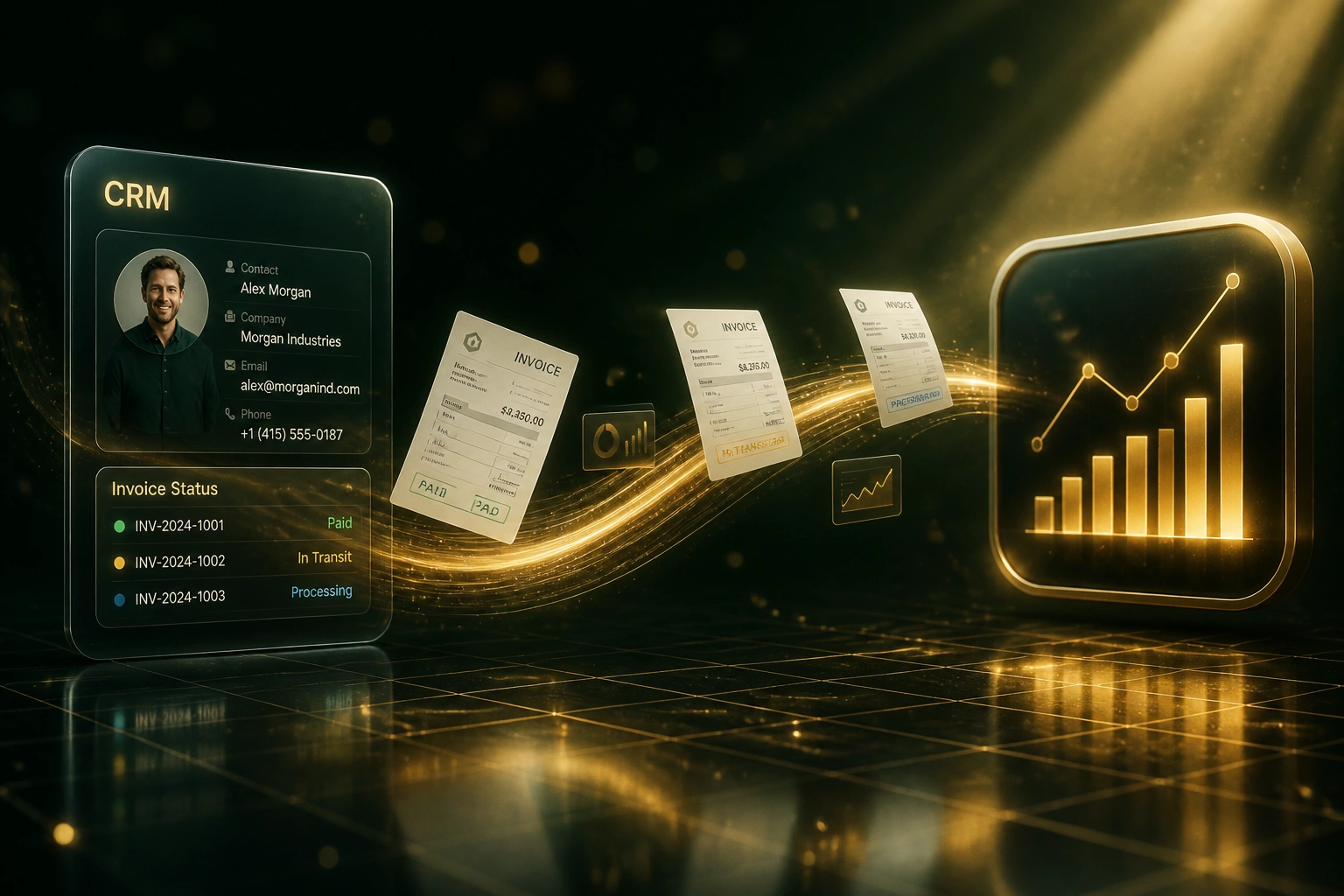
Accounting, CRM, and payments feed one live view. Leadership sees status without asking finance to dig.
Sources Connect
Ledger invoices, CRM owners and disputes, and payment settlements sync on a short refresh cycle
Status Normalised
Each invoice resolves to paid, pending, overdue, or disputed with a remaining balance
Cash Window Calculated
Expected receipts for this week and this month sit beside overdue and dispute risk
Leadership Acts
CFO, AR, and sales share one billing dashboard instead of competing spreadsheets
Everything You Need for Live Invoice Visibility
Unified Status View
Paid, pending, overdue, and disputed invoices land in one live invoice tracking dashboard, refreshed from accounting, CRM, and payment rails.
Multi-System Pull
Xero, Sage, or QuickBooks balances combine with CRM deal owners and PayFast, Peach, or Stripe settlement events so status is not trapped in one tool.
Cash Landing This Week
Expected receipts for the next seven and thirty days sit beside overdue risk, so treasury decisions stop depending on a Friday spreadsheet.
Dispute and Promise Flags
CRM notes, dispute tickets, and promise-to-pay dates overlay each invoice so collectors chase the right accounts first.
Role-Based Leadership Views
CFO summary, AR clerk worklist, and sales owner slices share the same underlying data with filters that match how each role actually works.
Threshold Alerts
Material overdue jumps, stuck pending invoices, and disputed balances above a set rand amount notify finance before the board pack is due.
Systems We've Connected into Invoice Dashboards
From Eight Hours of Status-Chasing to One
How a R45M services firm gave its CFO a live invoice tracking dashboard and shortened DSO by 12 days.
The Five-Tool Ritual
- Finance checked Xero, HubSpot, PayFast, the bank feed, and a shared Excel status sheet every morning
- Eight hours a week spent answering "has this been paid?" and rebuilding cash forecasts
- Board packs used Monday exports that were wrong by Wednesday afternoon
- Disputed invoices stayed overdue until someone noticed the email thread
- Sales had no payment visibility without pinging the controller
The Live Billing Dashboard
- Paid, pending, overdue, and disputed refresh from ledger, CRM, and gateway throughout the day
- Finance spends about one hour a week on exceptions and threshold alerts
- CFO opens one view for cash landing this week and aged risk
- Dispute flags from HubSpot sit beside the invoice balance
- Sales owners see their own paid and overdue slice without asking finance
Before vs After the Billing Dashboard
How It Works
From first conversation to a live invoice tracking dashboard in 3–5 weeks.
Map Your Status Sources
Which ledgers, CRM fields, payment gateways, and who needs the live view every morning.
Free Scoping Call
30-minute call to design status rules, cash-landing windows, and the leadership layout against your real AR volume.
Build and Parallel-Run
We wire the pulls, match them against your current spreadsheet for a week, then lock filters and alerts.
Go Live and Monitor
The billing dashboard replaces tab-hopping. Alerts fire when overdue or disputed balances cross your thresholds.
Frequently Asked Questions
How is a real-time invoice tracking dashboard different from an ageing report?
Ageing reports bucket open invoices by how old they are, often on a Monday schedule for the board pack. An invoice tracking dashboard is the live operational view: paid, pending, overdue, and disputed in one place, updated as payments settle and CRM notes change. Many finance teams run both. Ageing explains concentration risk; the dashboard answers what is outstanding and what cash is landing this week.
Which systems can feed the billing dashboard?
We typically pull invoice balances from Xero, Sage Business Cloud, Sage Pastel, or QuickBooks, enrich with HubSpot, Pipedrive, or Salesforce ownership and dispute notes, and overlay PayFast, Peach Payments, or Stripe settlements. Delivery can sit in Power BI, Looker Studio, or a dedicated finance web view.
Will the numbers stay accurate when a payment posts mid-morning?
Yes. The dashboard re-reads open balances and settlement events on a short refresh cycle, so a payment cleared at 09:40 moves the invoice out of overdue before the 10:00 cash meeting. That is the opposite of yesterday's export still circulating in email.
Can sales see payment status without asking finance?
Yes. Role filters expose paid and overdue status on the accounts each sales owner manages, while finance keeps the consolidated cash and AR totals. Everyone shares one source of truth instead of Slack threads asking "has this cleared?"
How do you handle multi-entity and multi-currency books?
Each entity keeps its own ledger and gateway connections. The dashboard consolidates into one view with entity and currency filters, and can show ZAR equivalents using your agreed rate source so leadership sees one working-capital picture.
How much does a real-time invoice tracking dashboard cost?
Straightforward single-ledger status views start from around R22,000. Multi-source builds with CRM dispute overlays, payment settlement feeds, leadership alerts, and BI delivery typically range from R35,000 to R70,000. Most mid-market finance teams recover the cost within two to three months against status-chasing time and faster collections alone.
Stop Guessing Invoice Status Across Five Tools
If your CFO still waits for a rebuilt spreadsheet to know what is paid, pending, or overdue, you are making cash decisions on a picture that is already stale.
Tell us which ledger, CRM, and payment rails you use, and who needs the live view. We will show you exactly how a real-time invoice tracking dashboard would look for your business.