Leave and Absence Tracking System: End the Email and Spreadsheet Chaos
When leave requests live in a shared inbox and balances live in Excel, overlapping leave, wrong day counts, and "I thought you approved it" arguments are inevitable. HR and office managers at SA SMEs feel that chaos every December, every sick-day scramble, and every Friday afternoon when two people suddenly both claim the same week off.
We build the leave request system that puts requests, approvals, and balances in one place.
Sound Familiar?
These are the exact issues HR and office managers bring us when leave still runs on email and Excel:
- Leave requests arrive in a shared inbox or WhatsApp, then disappear until someone chases them
- Balances live in Excel that nobody fully trusts, so "I thought I had days left" arguments keep recurring
- Two people book the same week off and nobody spots the coverage gap until the Monday morning scramble
- Sick leave, family responsibility, study, and unpaid days get mixed into annual leave columns by hand
- Managers approve by reply-all, then deny they ever saw the request when the roster falls short
Under the BCEA, employees on a five-day week are entitled to at least 15 working days of annual leave per cycle, typically 30 sick days over 36 months, and three days of family responsibility leave per year, and statutory annual leave must be granted within six months of the cycle ending. Spreadsheet and inbox tracking makes it easy to misapply those rules, then discover the shortfall when someone resigns or December leave piles up.
What a Leave Tracking System Actually Does
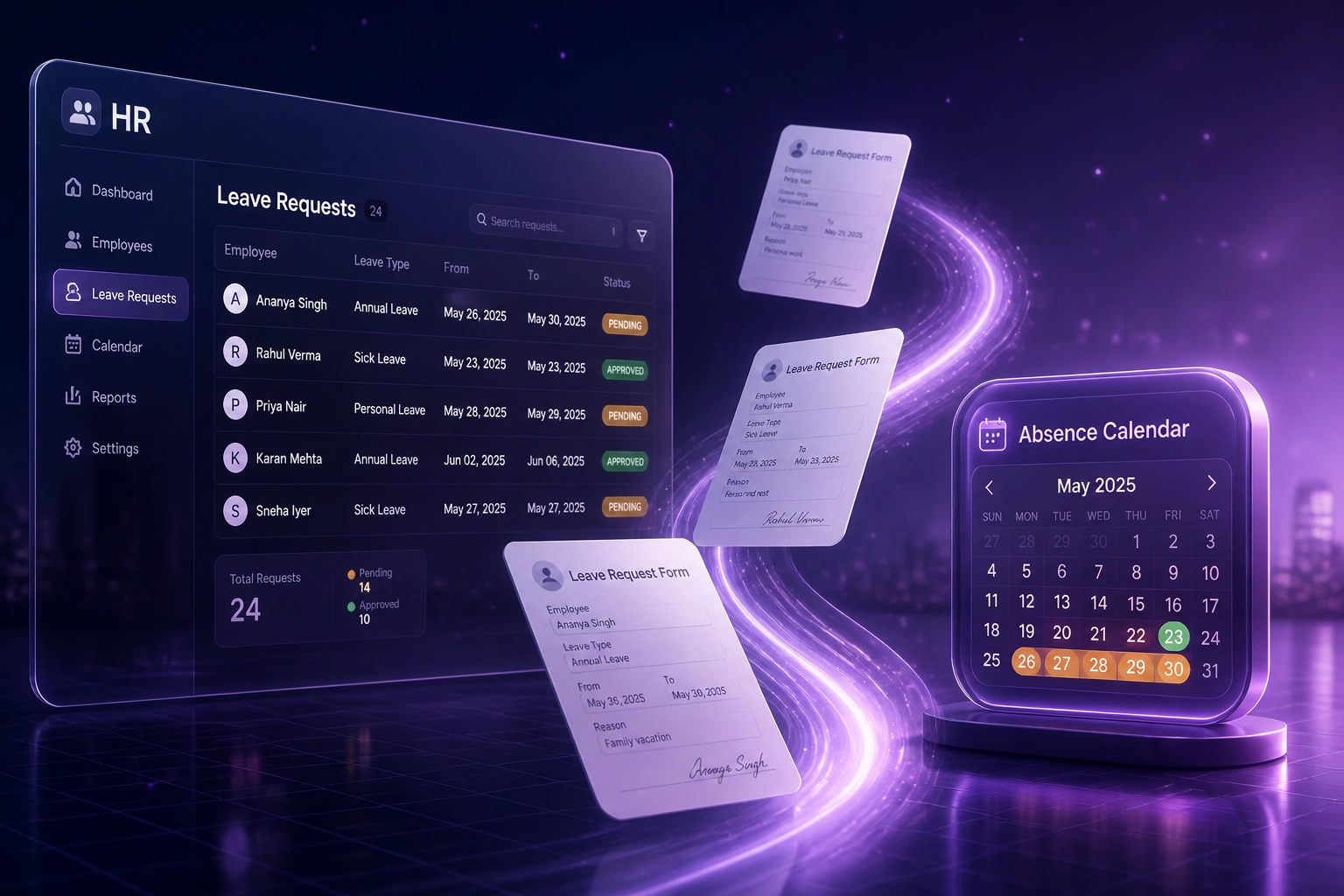
Request submitted → manager approves → calendar conflict checked → balance updated. No human copying days between inbox and Excel.
Employee Requests Leave
Annual, sick, family responsibility, study, unpaid, or short-notice absence submitted in one portal
Manager Reviews & Approves
Approval queue shows remaining balance and team coverage context before the decision
Conflict Check Runs
Overlapping leave on the same team is flagged so coverage gaps are caught before they bite
Balance Updates Live
Approved days deduct the right leave type immediately, visible to employee and HR
Everything You Need for Reliable Absence Management
Central Leave Requests
Employees submit annual, sick, family responsibility, study, unpaid, and short-notice absence in one place. No more shared-inbox archaeology.
Manager Approval Queues
Every request lands in a clear approval queue with balance context. Approvals and declines are logged, so "I thought you approved it" ends.
Calendar Conflict Checks
Before approval, the system flags overlapping leave on the same team so coverage gaps are caught while there is still time to plan.
Live Balance Updates
Approved leave deducts the right balance immediately. Employees see remaining days without pinging HR for a spreadsheet screenshot.
BCEA Leave Types
Annual, sick, and family responsibility leave follow statutory floors, with company rules for study and unpaid leave layered on top.
Absence Visibility
HR and managers see who is off, who is pending, and which teams are thin, without opening five email threads and a shared drive folder.
Systems We've Connected Leave Workflows To
From 6 Hours/Week to Under 1 Hour/Week
How a 55-person Gauteng distribution company ended leave-by-email chaos and stopped overlapping absence from gutting the warehouse roster.
The Manual Process
- Leave requests arrived in a shared HR inbox and WhatsApp groups
- Office manager updated a shared Excel sheet after every approval
- Two warehouse staff booked the same week; conflict spotted on Monday morning
- Sick and family responsibility days were often deducted from annual leave by mistake
- Employees kept asking "how many days do I have left?" because they could not see balances
The Centralised Process
- Every leave type is requested in one portal with balance context shown up front
- Managers approve from a single queue; decisions are logged and timestamped
- Calendar conflict checks flag overlapping leave before approval sticks
- Balances update the moment leave is approved, visible to employee and HR
- HR stops mediating "I thought you approved it" arguments
Before vs After a Leave Request System
How It Works
From first conversation to live leave tracking in 2–4 weeks.
Tell Us Your Setup
How leave is requested today, which leave types you use, and where approvals and balances go wrong.
Free Scoping Call
30-minute call to map request → approval → conflict check → balance update, and design the workflow.
Build & Test
We build the leave system, import opening balances carefully, and run parallel with email and Excel for a cycle.
Go Live & Monitor
Switch off the shared inbox and spreadsheet. Self-service goes live, with monitoring so exceptions surface early.
Frequently Asked Questions
How long does a leave and absence tracking system take to set up?
A standard leave request system takes 2–4 weeks from scoping to go-live. Simple request-and-approval flows can be live within a week. Full setups covering multiple leave types, calendar conflict checks, and live balances typically take 3–5 weeks.
Which leave types does the system handle?
We configure annual leave, sick leave, family responsibility leave, study leave, unpaid leave, and short-notice absence against your policy and BCEA floors. Each type keeps its own balance rules so sick days are not silently deducted from annual leave.
How is this different from annual leave accrual automation or payroll leave sync?
Annual leave accrual pages focus on how balances accumulate. Payroll sync focuses on writing approved balances into payslips. This page is the full request system: employees ask, managers approve, conflicts get flagged, and balances update in one place. Many teams need combinations of these, but they solve different problems.
Will managers and employees actually use it?
Adoption is highest when every leave request must go through the portal and email approvals are no longer accepted. Managers get a single queue with balance and conflict context, which is faster than hunting through shared inboxes. Most teams make digital leave the default within the first quarter.
How do you handle BCEA compliance for South African teams?
We configure statutory floors into the workflow: at least 21 consecutive days of annual leave per cycle (15 working days on a five-day week), sick leave on the 36-month cycle (typically 30 days for five-day workers), and three days of family responsibility leave per annual cycle. Company policy for study and unpaid leave sits on top of those floors.
How much does a leave and absence tracking system cost?
Simple request-and-approval automations start from around R15,000. Full multi-type leave systems with conflict checks, live balances, and calendar visibility typically range from R25,000 to R60,000. Most mid-size teams recover that within a few months against the hours spent on email, Excel, and coverage disputes.
Stop Running Leave on Email and Spreadsheets
If your HR or office manager is still chasing approvals in a shared inbox and updating Excel by hand, you are spending money on a problem that is already solved.
Tell us how leave works today, which leave types you need, and where coverage conflicts hurt most. We will show you exactly how a central leave and absence tracking system would work for your team.