Legacy System Data Archiving: Switch Off Without Losing History
You are about to retire an old ERP, FoxPro, Access, or on-prem box. The fear is permanent data loss and a compliance gap when SARS, auditors, or counsel ask for a seven-year record. Keeping the legacy system alive just to dig up history is the expensive, risky answer.
We build the structured legacy archive that makes decommissioning safe.
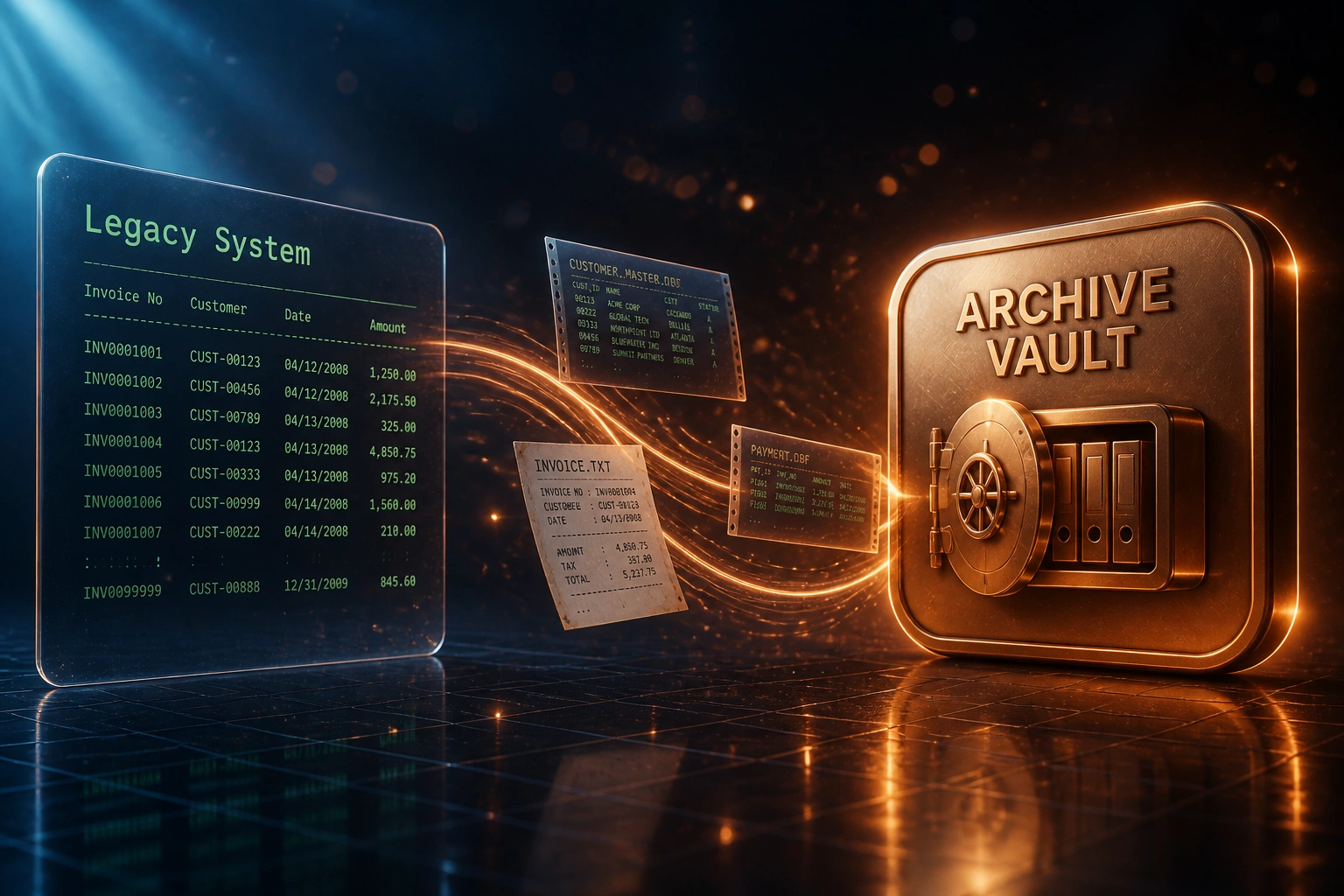
Sound Familiar?
These are the exact issues our clients faced before a structured data preservation archive:
- The old ERP, FoxPro, or Access system is still powered on only so someone can dig up a 2018 invoice
- Historical lookups take 30–60 minutes because files live on a machine only one person knows how to run
- Nobody has a written retention schedule, so the business keeps everything forever and risks a POPIA breach
- Vendor support has ended, yet the box stays online because leadership fears permanent data loss
- A SARS, FSCA, or legal request turns into a multi-day scavenger hunt across backups and forgotten shares
Windows Server 2012 and 2012 R2 Extended Security Updates end on 13 October 2026. Visual FoxPro has been unsupported since January 2015. If historical records still live on those hosts, the clock on paid keep-alive and unpatched exposure is nearly out.
What a Legacy Archive Actually Delivers
Extract → validate → index → switch off. History stays searchable without keeping the old system online.
Scope the History
Inventory tables, attachments, and retention classes that must survive decommissioning
Extract & Validate
Full-system extract into accessible formats, with counts and totals reconciled to the source
Index & Control Access
Searchable archive with retention metadata, roles, and an audit trail for every retrieval
Decommission
Retrieval drill signed off, legacy system powered down, keep-alive spend stops
Everything You Need for a Compliance-Grade Archive
Full-System Extract
We pull masters, transactions, attachments, and config from the legacy ERP, FoxPro, Access, or on-prem database before anyone pulls the plug.
Accessible Archive Formats
Data lands in queryable CSV, JSON, SQL, or warehouse tables that convert to written form within a reasonable time, as the Companies Act requires.
Retention Metadata
Every record set carries retention class, lawful basis, and disposal date so POPIA storage limitation and seven-year company record floors stay enforceable.
Searchable Retrieval
Ops, finance, and compliance find archived invoices, customer history, and ledgers in minutes, not by resurrecting a dying desktop app.
Access Controls & Audit Trail
Role-based access, request logs, and export trails so historical data stays available without leaving an unpatched server on the network.
Decommission Sign-Off
A validated archive pack and retrieval drill let leadership switch the legacy system off with evidence that compliance history survived.
Legacy Platforms We've Archived
From a R720,000 Keep-Alive Bill to a Searchable Archive
How a mid-market manufacturer archived a FoxPro estate, switched the box off, and still answers historical invoice requests in minutes.
The Keep-Alive Trap
- FoxPro system stayed online after ERP cutover solely for historical invoices and customer history
- One contractor who still knew the schemas billed roughly R35,000 a month on retainer
- Hosting, licences, and security patches pushed annual keep-alive past R720,000
- Average historical lookup took about 45 minutes on a machine only two people could operate
- Leadership delayed switch-off because a dark backup felt like permanent data loss
The Structured Archive
- Full extract into searchable SQL and document indexes with retention classes tagged
- Finance and compliance pull archived invoices in under five minutes from a controlled portal
- FoxPro host powered down after a signed retrieval drill against sample SARS and audit requests
- Access logs replaced tribal knowledge about who could open which folder
- POPIA retention schedule attached so disposal dates are visible, not tribal
Before vs After Data Archiving
How It Works
From first conversation to a signed archive and a powered-down legacy host in 4–8 weeks for most mid-market estates.
Inventory the Estate
Which systems must stay reachable for history, what volumes and attachment stores exist, and which retention laws apply.
Free Scoping Call
30-minute call to agree archive scope, formats, access model, and the switch-off criteria that count as done.
Extract, Validate & Index
We extract into accessible formats, validate counts and totals against the source, and build searchable indexes with retention metadata.
Retrieval Drill & Switch Off
Finance and compliance prove they can pull sample records from the archive. Then the legacy box can be powered down.
Frequently Asked Questions
Why archive before decommissioning instead of keeping the old system running?
Direct maintenance for a single legacy enterprise application typically runs R660,000–R910,000 a year before specialist skills and security risk. Keeping an unsupported FoxPro, Access, or Windows Server 2012 box online only for historical lookups is the expensive way to meet a seven-year retention duty. A structured archive costs a fraction of that keep-alive bill and removes the unpatched server from your network.
What does South African law require for company and personal data retention?
The Companies Act 71 of 2008 generally requires company records to be kept for seven years in written form, or in a form that can be converted into written form within a reasonable time. Tax Administration Act records typically need five years. POPIA Section 14 says personal information must not be kept longer than necessary for its purpose, unless another law authorises retention. A written retention schedule on the archive is how you satisfy both floors and storage limitation.
How is this different from live ERP data extraction or CRM migration archival?
Live ERP extraction moves masters and open transactions into a new system so operations continue on day one. CRM migration archival decides what stays live versus cold when you change CRM vendors. Legacy system data archiving is the compliance-grade pack for the full historical estate before you switch the old platform off: searchable formats, retention metadata, access controls, and a signed retrieval path so history survives decommissioning.
Will we still be able to find old invoices and customer history?
Yes, if the archive is designed for retrieval. Manual lookups from unmanaged legacy stores commonly take 30–60 minutes per request. We index the archive so typical finance and compliance queries return in minutes, with an access path and audit log. The point of the project is accessible history, not a dark backup nobody can open.
What about unsupported platforms like FoxPro or Windows Server 2012?
Visual FoxPro extended support ended in January 2015. Windows Server 2012 and 2012 R2 Extended Security Updates end on 13 October 2026. Leaving historical data on those hosts after migration is a growing security and insurance problem. Archiving into modern, accessible formats is how you retire the platform without retiring the evidence.
How much does a legacy system data archive cost?
Focused archives for a mid-market FoxPro, Access, or single-company Pastel estate typically start from around R55,000. Multi-module ERP histories with attachments and complex retention classes usually range from R95,000 to R220,000. Against R660,000+ a year in keep-alive costs for one legacy enterprise application, most clients recover the project cost inside the first quarter after switch-off.
Do Not Switch Off Until History Is Safe
If an old system is still running only because you fear permanent data loss, you are paying keep-alive costs for a problem a structured archive already solves.
Tell us which legacy platform you need to retire, how far back history must reach, and who still needs to find those records. We will show you what a compliance-grade archive looks like for your estate, and what it takes to switch the box off with confidence.