

Library Management System Integration: Connect Catalogues and Circulation
School librarians and university library directors are tired of re-creating student patrons every term, chasing overdue books with paper notices, and manually building reading lists that never match the LMS course. Library automation should recover staff hours, not add another spreadsheet.
We build the SIS-to-ILS sync that makes patrons, overdue alerts, and reading lists automatic.
Sound Familiar?
These are the exact issues librarians and education ICT leads bring us before library system integration:
- Every term, circulation staff re-create student patrons from SIS exports into the library system by hand
- New enrolments arrive at the desk before their patron record exists, so checkouts stall while staff do fast registration
- Overdue chase-ups still run on printed notices and personal email instead of staged library automation
- Academics build reading lists in Word or the LMS that never match catalogue holdings or course codes
- Reserve processing means flipping between the ILS, the LMS, and spreadsheets during peak weeks
South African universities already run Alma and WorldShare at scale (Stellenbosch, UCT, UWC, CPUT on Alma; UP, NWU, and UKZN among WorldShare sites). If your SIS still exports CSV for a manual patron load every term, you are leaving the API and scheduled sync capabilities of those platforms unused while POPIA still expects accurate patron records.
What Catalogue Management Automation Actually Does
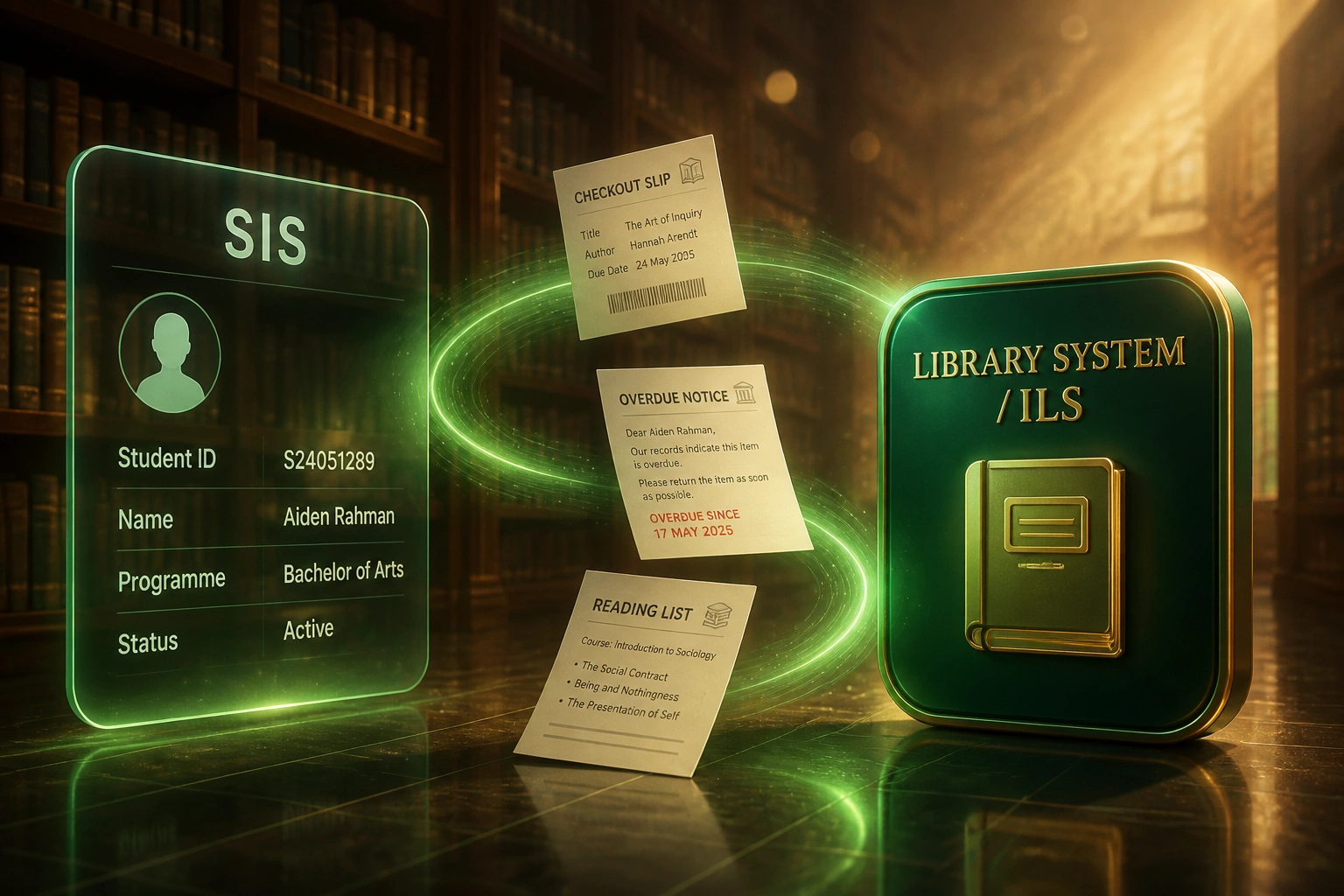
SIS enrolment changes → patron updates in the ILS → overdue notices and reading lists stay aligned with the course. No human copying student records between systems.
Enrolment Changes in SIS
Registrar updates a student, programme, or leaver status in Banner, ITS Integrator, SA-SAMS, or Edupac
Patron Synced to ILS
Koha, Alma, WorldShare, or LibWin creates or updates the patron with the correct category and expiry
Circulation & Notices Run
Checkouts, returns, and staged overdue alerts use live contact details from the SIS
Reading Lists Match Courses
Reserves and reading lists link to LMS courses and catalogue holdings, so utilisation climbs
Everything You Need for Reliable OPAC Integration
SIS-to-ILS Patron Sync
Enrolments, programme changes, and leavers flow from Banner, PeopleSoft, Ellucian, ITS Integrator, SA-SAMS, or Edupac into Koha, Alma, WorldShare, Symphony, or LibWin on a nightly (or hourly) schedule.
Automated Checkouts & Returns
Patrons exist before they reach the desk. Circulation, holds, and OPAC access use the same student number and status the SIS already trusts.
Overdue & Fine Alerts
Staged email and SMS notices replace paper chases. Fines and blocks can write back to the SIS or finance ledger when your policies require it.
Reading List & Reserve Wiring
Course reading lists and reserves link to the catalogue and the LMS course, so students see available holdings instead of broken links and mismatched titles.
Duplicate & Exception Handling
Match on student number and ID before a second patron is created. Failed syncs retry automatically; staff only see exceptions that need a human.
Catalogue & OPAC Continuity
Library automation that respects your existing OPAC and discovery layer. We specialise in connecting systems you already run, not ripping them out.
Library & Campus Systems We've Connected
From Term-Start Patron Chaos to Nightly Sync
How a multi-campus university library recovered 12 hours a week from patron loads and overdue chase-ups, and cut reserves processing labour in half once reading lists talked to the ILS.
The Manual Process
- Circulation exported SIS CSV each term and re-keyed or bulk-imported patrons with frequent mismatches
- New students hit the desk without a patron record and waited while staff fast-registered by hand
- Overdue chase-ups relied on printed notices and ad-hoc email from personal accounts
- Academics emailed Word reading lists that never matched catalogue holdings or LMS course codes
- Reserve peak weeks meant flipping between the ILS, the LMS, and spreadsheets for every request
The Automated Process
- Nightly SIS-to-ILS patron sync creates and updates students before they reach the desk
- Staged email and SMS overdue notices replace paper runs, with returns climbing by the third notice
- Reading lists and reserves link to LMS courses and live catalogue holdings
- Reserves processing labour dropped by half once staff stopped double-checking holdings in separate systems
- Exception queue only surfaces true mismatches, not routine term enrolment noise
Before vs After Library Automation
How It Works
From first conversation to live library system integration in 3–8 weeks.
Map Your Library Stack
Which ILS or LMS catalogue you run, which SIS holds patrons, and where staff still retype or print notices.
Free Scoping Call
30-minute call with librarians and ICT to prioritise patron sync, overdue alerts, and reading-list wiring.
Build & Parallel Test
We build the syncs, validate against a real student cohort, and run parallel through a registration week before cutover.
Go Live & Monitor
Switch off manual patron loads and paper overdue runs. Monitoring and exception queues keep circulation in control.
Frequently Asked Questions
How long does library management system integration take?
A focused SIS-to-ILS patron sync typically takes 3–5 weeks from scoping to go-live. Adding overdue notice automation and LMS reading-list wiring usually lands in 5–8 weeks, depending on how many campuses, patron categories, and course systems you need.
Which library systems and SIS platforms can you connect?
We work with Koha, Alma, OCLC WorldShare, Symphony, LibWin, and other ILS or library services platforms that expose an API or scheduled import. On the student side we connect Banner, PeopleSoft, Ellucian, ITS Integrator, SA-SAMS, Edupac, and peers. Reading lists can wire into Moodle, Canvas, and Blackboard course spaces.
Will this disrupt circulation or term start?
No. We design cutover around your academic calendar, run parallel patron loads on a registration cohort first, and only switch off manual processes once accuracy is proven. Circulation keeps using the same ILS and OPAC.
How do you handle guest patrons and fast registration?
External and guest categories stay available for walk-in users. When a new student hits the desk before the next sync, staff can still fast-register with the SIS match identifier so the next load updates the record instead of creating a duplicate.
Does this replace Snapplify or ITSI e-textbook platforms?
No. This integration is about traditional catalogue and circulation systems: patrons, checkouts, overdue notices, and course reading lists or reserves. Digital content marketplaces are a separate connection if you need both.
How much does library system integration cost?
A one-way SIS-to-ILS patron sync typically starts around R25,000. Bidirectional setups with overdue write-back and LMS reading-list wiring usually range from R45,000 to R90,000. Most libraries recovering 8–12 staff hours a week see payback inside one or two terms.
Stop Re-Creating Patrons Every Term
If your library team still rebuilds student patrons from SIS exports, prints overdue notices, and rebuilds reading lists that never match the LMS, you are spending staff hours on a problem catalogue management and library automation already solve.
Tell us which ILS you run (Koha, Alma, WorldShare, Symphony, LibWin, or another), which SIS holds your students, and where circulation and reading lists hurt most. We will show you exactly how the integration would work for your campus.