Load Shedding Aware Scheduling: Jobs That Respect the Eskom Calendar
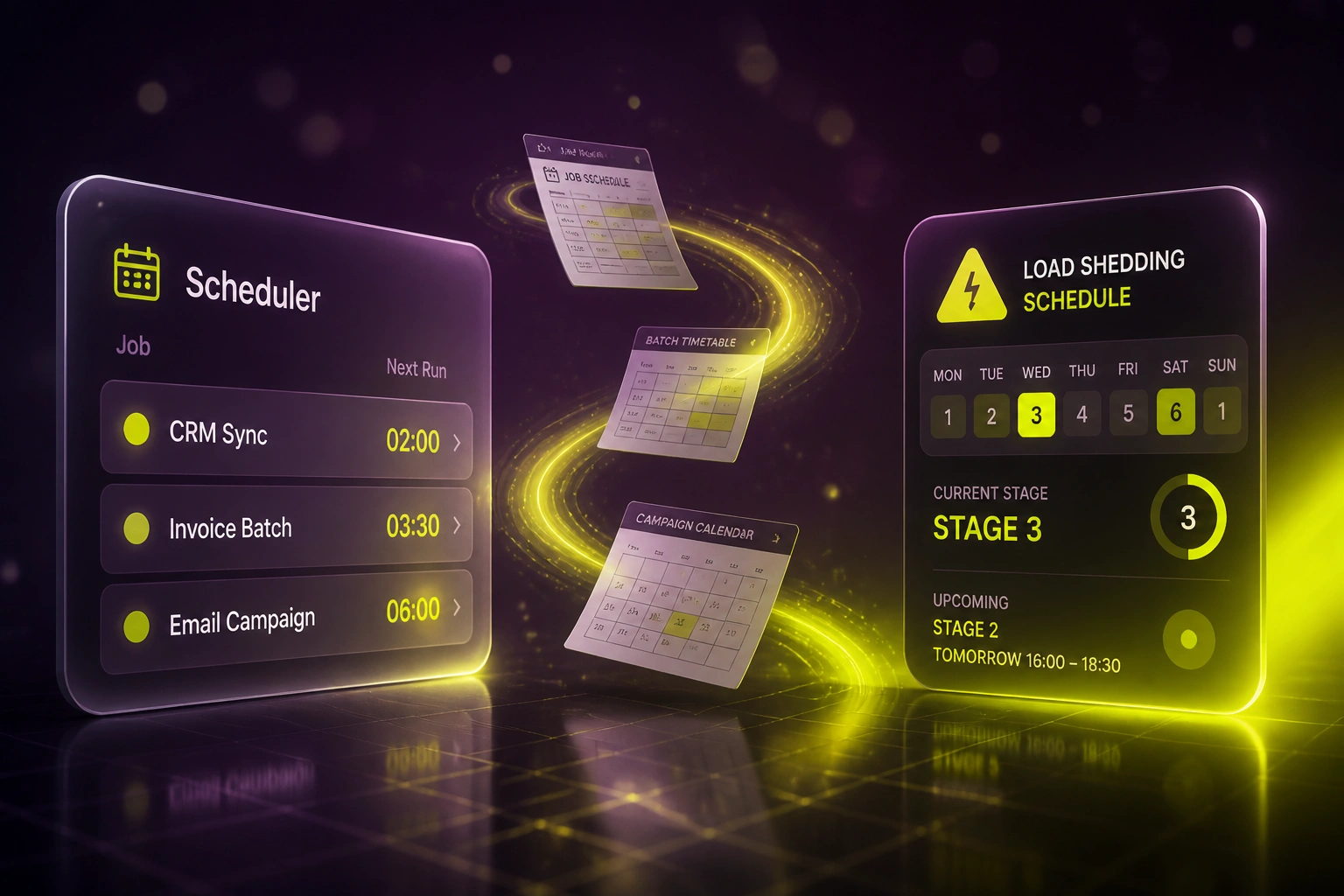
Your nightly CRM sync, invoice batch, and email campaign are still locked to a fixed clock. When Stage 4–6 overlaps that slot, the job fails quietly, finance discovers it late, and ops spends the next day rewriting the loadshedding schedule by hand.
We build schedulers that read the Eskom API and shift work into live windows.
Sound Familiar?
These are the exact issues ops and marketing ops teams bring us when fixed cron still ignores the loadshedding schedule:
- Nightly CRM syncs and invoice batches fail silently when Stage 4–6 hits the office or the server room
- Ops rewrites cron times by hand after every Eskom stage announcement
- Email and SMS campaigns go out while whole suburbs are dark, then underperform when power returns
- Nobody notices a failed job until finance asks why invoices never left, or marketing asks why the send stalled
- You already pay for cloud tools, yet fixed overnight slots still land inside known outage windows
Stage 4 alone means four 2-hour blocks in a 32-hour cycle, and Stage 6 stretches that to 12 hours off. A fixed 02:00 CRM sync or 06:00 campaign send will keep colliding with those windows until the schedule itself becomes an input.
What Power-Aware Scheduling Actually Does
Calendar consulted → window chosen → job runs live → ops gets the audit trail. No babysitting after every stage announcement.
Read the Schedule
Pull area stages from EskomSePush / municipal feeds for your office, warehouse, or audience metros
Pick a Live Window
Shift CRM syncs, invoice batches, reports, and campaigns into the next expected power-on slot
Run & Confirm
Job executes while connectivity is expected, with retries only if the stage moves after queueing
Ops Stops Firefighting
Dashboard shows what shifted and why, so stage announcements no longer mean a cron rewrite
Everything You Need for a Load Shedding Schedule That Drives the Clock
Schedule-Aware Job Windows
Batch jobs, syncs, and reports only start when your area (and optional destination areas) are expected to have power and connectivity.
Eskom & Municipal Calendar Feeds
We consult EskomSePush / ESP, municipal overrides, and published load shedding schedules so timing follows the real calendar, not a guess.
Campaign Send Shifting
Outbound email and SMS move into live windows, including the catch-up surge when power returns, instead of firing into a dark suburb.
Missed-Slot Alerts
If a stage change lands after a job was already queued, ops gets a clear alert with the new run time. No silent overnight failures.
Multi-Site Stage Mapping
Map offices, warehouses, and customer segments to their suburb schedules so national campaigns and regional batches behave differently where they should.
Ops Dashboard & Audit Trail
See what ran, what shifted, and why. Month-end and campaign retrospectives stop being a scavenger hunt through cron logs.
Sources & Systems We've Wired Into Power-Aware Schedulers
From 5 Hours/Week Babysitting Cron to 20 Minutes
How a 35-person ecommerce ops team stopped losing overnight CRM syncs and campaign sends every time Stage 4–6 hit their Joburg block.
The Fixed-Clock Process
- Ops manager checked EskomSePush every afternoon and rewrote three overnight cron times by hand
- CRM sync, Xero invoice batch, and HubSpot campaign still collided with Stage 4–6 about four nights a week
- Failed jobs discovered at 09:00 when finance asked why invoices never left
- Email blasts timed for 06:00 landed while half the audience suburb was dark
- Every new stage announcement meant another scramble before close of business
The Power-Aware Process
- Scheduler reads the area load shedding schedule and picks the next live window automatically
- CRM sync and invoice batch shift together when Stage 6 expands the overnight blocks
- Campaign sends lean into the 30–60 minute catch-up surge after power returns
- Failed overnight jobs dropped from roughly four a week to under one a month
- Ops reviews a shift log once a day instead of rewriting cron after every announcement
Before vs After Power-Aware Scheduling
How It Works
From first conversation to a live power-aware scheduler in 2–4 weeks.
Map Your Jobs & Sites
Which syncs, batches, and campaigns matter, and which suburbs or sites they depend on.
Free Scoping Call
30-minute call to design power-aware windows, alert rules, and how tightly we couple to your load shedding schedule.
Build & Parallel Test
We wire the scheduler to live calendar feeds, shadow-run against your current cron, and prove shifts before cutover.
Go Live & Hand Over
Fixed overnight slots stop. Monitoring shows shifted runs, and ops stops babysitting after every stage change.
Frequently Asked Questions
How does load shedding aware scheduling actually work?
We build a scheduler that reads your area's load shedding schedule (typically via EskomSePush / ESP, plus municipal overrides where they apply) and only starts batch jobs, syncs, reports, and outbound campaigns inside expected live windows. If a stage change lands after a job was queued, the run shifts and ops is alerted.
Is this the same as making syncs survive an outage?
No. Resilient queues that catch up after power returns are a different design. This page is about proactive timing: reading the Eskom API and published schedules so work is not started in a slot that is already known to be dark. Many teams need both.
Which jobs should be power-aware first?
Start with overnight CRM syncs, invoice and payment batches, report generation, and email or SMS campaigns timed to a fixed clock. Those are the jobs that fail silently and cost the most when Stage 4–6 overlaps the cron window.
Will this disrupt our current tools?
No. Your CRM, accounting, and marketing tools stay in place. We replace fixed cron times with a schedule that consults the load shedding calendar. We run parallel for a period so you can compare shifted runs against the old overnight slots before switching off the old schedule.
What about customers in other suburbs than our office?
We can map campaign audiences or warehouse sites to their own area schedules. A national send can avoid known Stage 6 blocks in your densest metros, or lean into the 30–60 minute catch-up window when power returns.
How much does power-aware scheduling cost?
Focused schedulers for a handful of critical jobs typically start from around R20,000. Multi-site setups with campaign shifting and custom alert rules usually sit between R30,000 and R55,000. Most ops teams babysitting schedules several hours a week see payback within a quarter.
Stop Letting Stage 4–6 Kill Your Overnight Jobs
If your ops or marketing ops lead still rewrites schedules after every Eskom announcement, you are paying people to do what a calendar feed should already decide.
Tell us which jobs matter, which suburbs they depend on, and how Stage 4–6 currently breaks your week. We will show you exactly how a load shedding aware scheduler would shift those runs into live windows.