Migrate FileMaker to a Web Database
FileMaker licences and desktop-only workflows keep your team tied to one seat, one machine, and a VPN that crawls. A FileMaker to web app migration unlocks multi-device access, real APIs, and a lower ongoing cost while preserving the data relationships FileMaker was holding.
We move you to a proper web database, with relationships and history intact.
Sound Familiar?
These are the exact issues our clients faced before a FileMaker migration:
- Every named user still needs a Claris FileMaker licence just to open the system
- Remote staff VPN into FileMaker Pro and wait through lag that can run up to 100 times slower than the office LAN
- WebDirect covers light browser access, but power users still live on the desktop client all day
- FileMaker data export gets you CSV or Excel rows, not layouts, scripts, or the relationship graph
- Accounting, CRM, and reporting tools sit behind fragile bridges because the real system is still FileMaker
Claris now sells FileMaker as a full-platform named-user subscription (FileMaker Pro, Server, Go, WebDirect, plus Connect and Studio). Staying put means renewing every seat every year, even when half the team only needs browser access and an API.
What a FileMaker to Web App Migration Actually Does
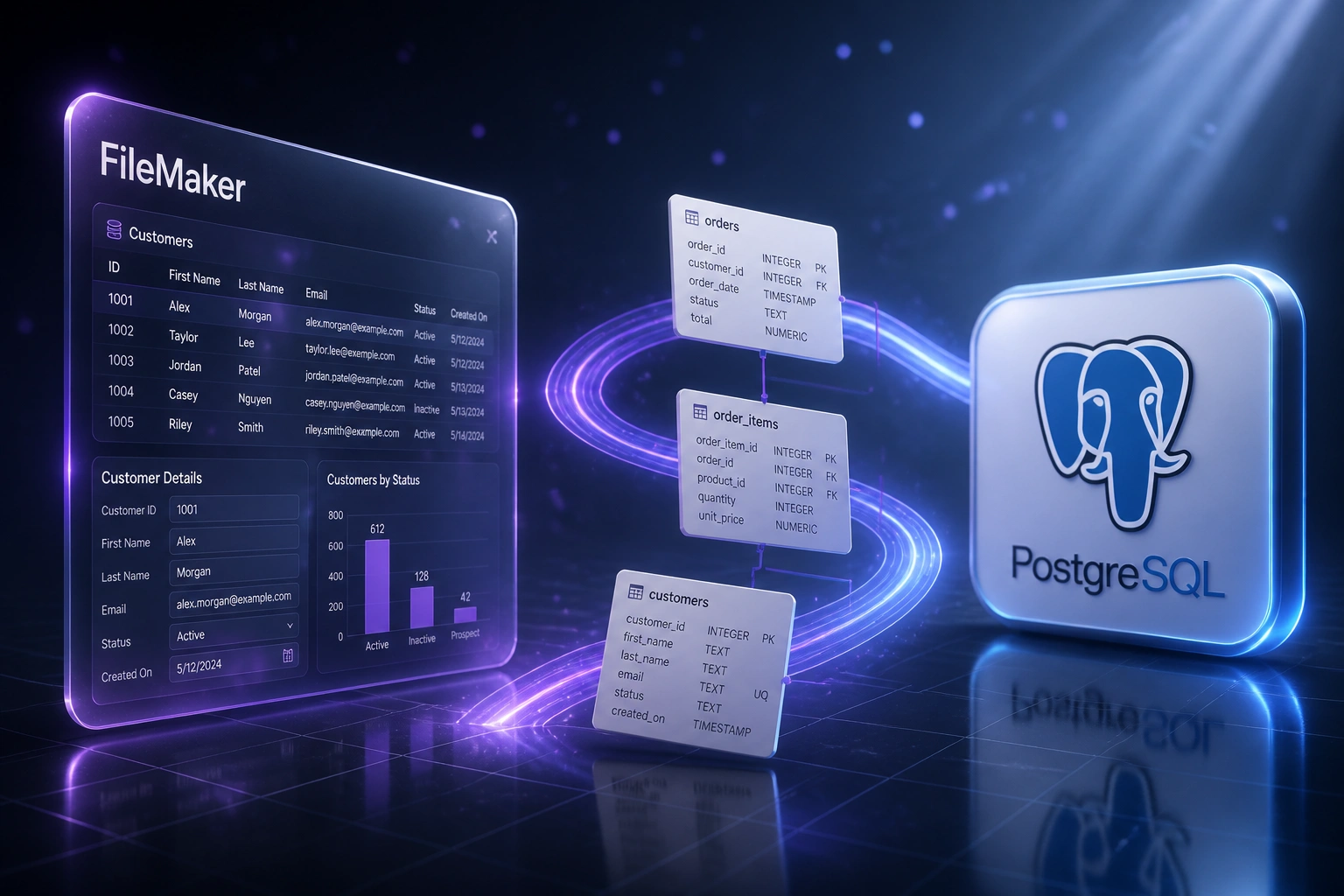
Extract the data → rebuild relationships in a web database → cut over with remote-ready access. Your team keeps working through the move.
Audit FileMaker
Tables, relationship graph, layouts, scripts, and who still needs Pro every day
Extract & Map
FileMaker data export, clean orphans, map fields to a proper web schema
Load Web Database
Postgres, Azure SQL, or Supabase with real multi-user concurrency and APIs
Cut Over Live
Parallel run, reconcile counts, open browser access, retire surplus Claris seats
Everything You Need for a Reliable FileMaker Migration
Full Data Extraction
We export every table, field, and related record from your .fmp12 files so years of FileMaker data leave intact.
Relationship Rebuild
FileMaker relationship graphs become real foreign keys and indexes in Postgres, Azure SQL, or Supabase, not orphaned flat files.
Schema & Logic Mapping
Layouts, calculations, and scripts are documented and rebuilt as web screens and server-side rules your team can actually maintain.
Licence Cost Exit
Named-user Claris subscriptions give way to a shared web database and browser access, cutting the annual per-seat bill.
Parallel Cutover
FileMaker stays available while the web database runs live. We reconcile counts and spot-check relationships before you retire Pro clients.
Modern Web Front End
Optional responsive screens and APIs so staff work from any device, with role permissions and integrations FileMaker never made easy.
Web Databases We've Migrated FileMaker Into
From R465K/Year in Licences to a Shared Web Database
How a Cape Town professional services firm left 12 named FileMaker seats behind and opened the same data to every device.
The FileMaker Lock-In
- Jobs, clients, and billing lived in a custom FileMaker Pro app on FileMaker Server
- Twelve named Claris seats at roughly R38,700 each: about R465K per year before VAT
- Remote consultants VPN'd in and lost minutes to lag on every find and commit
- Finance exported CSVs weekly because Xero and reporting tools had no clean live feed
- Only two people knew the layout and script stack well enough to change anything
The Web Database
- Full schema rebuilt in PostgreSQL with foreign keys matching the old relationship graph
- Responsive web screens replaced Pro layouts for day-to-day job and client work
- Staff open the system from laptop, tablet, or phone without a Claris client
- REST API feeds accounting and dashboards without weekly FileMaker data export rituals
- Original .fmp12 files archived read-only for audit, never used for live work
Before vs After FileMaker Migration
How It Works
From first conversation to live web database in 8–12 weeks for most FileMaker systems.
Audit the FileMaker App
We inventory tables, relationships, layouts, scripts, licences, and who still depends on Pro vs WebDirect every day.
Extract, Clean & Map
Export and clean the dataset, design the web database schema, and agree which logic becomes screens vs server rules.
Load & Parallel Run
Import into Postgres, Azure SQL, or Supabase, rebuild relationships, train the team, and keep FileMaker as a safety net.
Cut Over & Retire Licences
Go live on the web database, validate counts, then drop named-user Claris seats you no longer need.
Frequently Asked Questions
Why migrate FileMaker to a web database instead of staying on FileMaker Server?
FileMaker Server still ties you to named-user Claris licences (from about R645 per user per month, or roughly R38,700 per user per year at current rates) and a desktop-first client model. VPN access over the WAN can feel up to 100 times slower than the office LAN because FileMaker is chatty over the network. A true web database (Postgres, Azure SQL, Supabase) plus a modern front end gives multi-device access, standard APIs, and a lower ongoing cost without per-seat Claris renewals.
Can you just export FileMaker data and be done?
A FileMaker data export to CSV, Excel, or XML moves the rows, but not the layouts, scripts, calculations, or relationship graph that make the system usable. Migrating FileMaker to a web app is a rebuild of structure and workflow on top of a careful data extract, not a one-click conversion.
Is WebDirect enough for remote work?
WebDirect lets people open FileMaker layouts in a browser without installing Pro, which helps for light or occasional access. Complex scripts and layouts often behave differently, performance is usually slower than the native client, and you still pay for Claris user licences and keep FileMaker Server in the middle. For teams that need all-day multi-device access and modern integrations, a web database is the cleaner long-term path.
How long does a FileMaker to web database migration take?
A focused FileMaker app with a clear schema can move in 4–6 weeks. Most mid-complexity solutions with related tables, custom layouts, and embedded scripts run 8–12 weeks: audit, extract, clean, map, parallel run, and cutover. Heavy scripted solutions that need a full web rebuild can stretch toward 14–16 weeks.
Will we lose relationships and years of history?
No. We rebuild foreign-key relationships in the new database and migrate notes and linked history where they exist in FileMaker tables. The original .fmp12 files are kept as a read-only archive for audit reference after go-live.
How much does FileMaker migration cost?
Scoped FileMaker-to-web migrations typically land between R60,000 and R180,000 depending on table count, relationship complexity, scripted logic, and whether you need a new web front end. Against annual Claris licensing (around R38,700 per named user) plus hours lost to desktop lock-in, most mid-size teams see payback inside the first year on licence savings and recovered staff time alone.
Stop Paying Per Seat for Desktop-Only Access
If your jobs, clients, or operations still live in Claris FileMaker, you are paying named-user licences for a workflow that fights remote work and modern integrations.
Tell us how many seats you renew, how complex the relationship graph is, and whether you need a full web front end or a solid database with APIs. We'll show you a FileMaker migration path that preserves years of business data.