Migrate from Copper CRM: Leave the Google Workspace Trap
Copper's tight Google integration is the reason you adopted it, and the reason a naive Copper export fails. Contact enrichment, email tracking, and activity history live partly in Gmail and partly in Copper. Leaving means extracting both sides into a CRM you own, not downloading a spreadsheet and hoping the story survives.
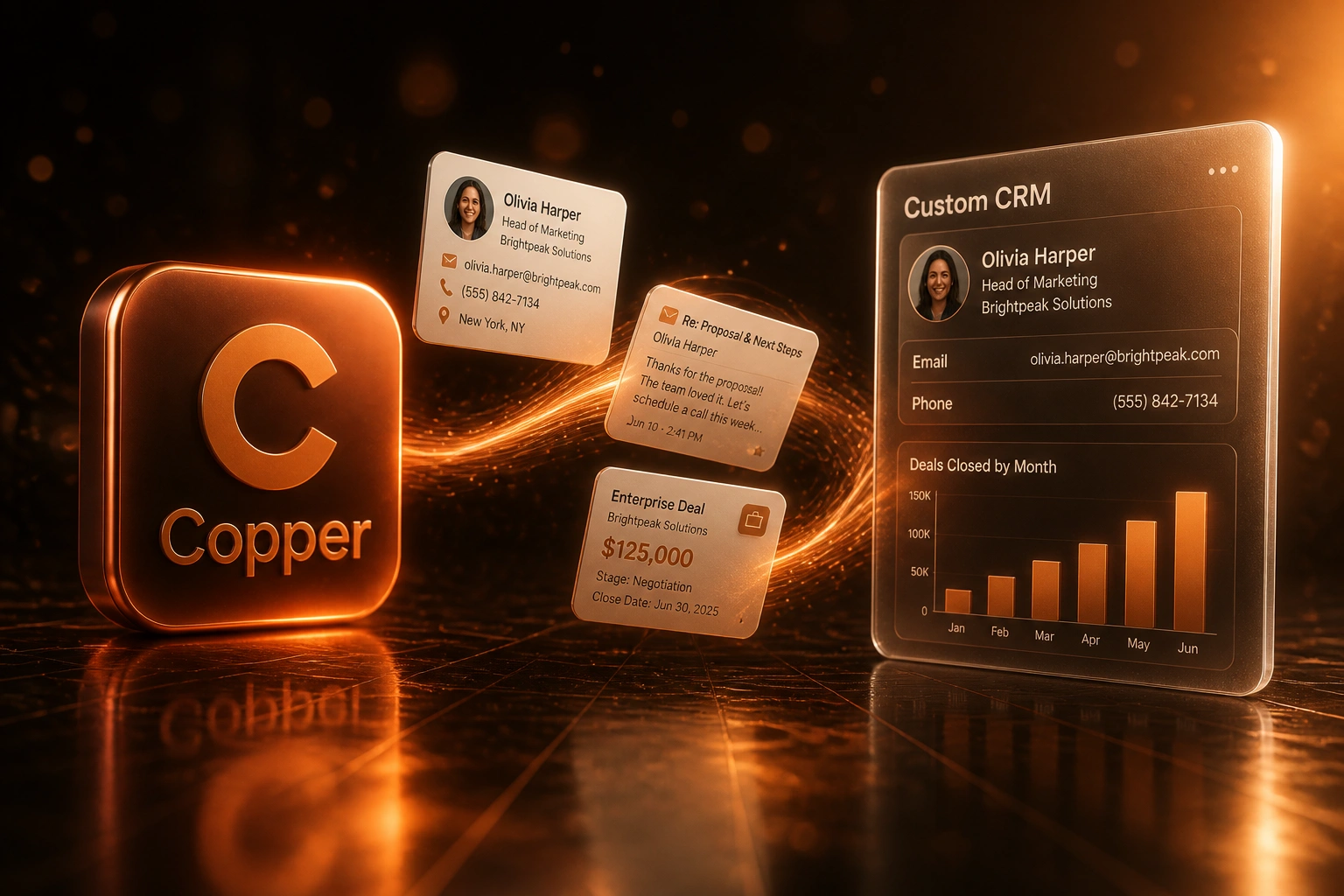
We migrate you to a custom CRM that reunites Copper records with the Gmail history that makes them useful.
Sound Familiar?
These are the Copper CRM migration pains founders and sales leads bring us when the Google-native CRM stops fitting:
- Copper felt magical inside Gmail, then the team outgrew customisation and reporting while still locked to Google Workspace
- Professional sits around R1,090 per seat per month; Business jumps to about R1,830 when contact limits or reporting force the upgrade
- A naive Copper export gives contacts and opportunities, but email bodies and activity timelines stay behind in Gmail
- Sales rebuilds deal context by searching Gmail threads that used to surface in the Copper sidebar
- Any move off Google Workspace, or any serious CRM alternative, turns Copper's deepest strength into a migration trap
Copper only works as designed inside Google Workspace. Native spreadsheet exports skip activity logs and email bodies. The API returns email metadata, not the message content. If you ever leave Google, or if you need a Google CRM alternative that owns the full timeline, a Copper export alone is not enough.
What a Copper Export Migration Actually Does
Audit Copper and Gmail → rebuild the CRM → reunite records with email timelines → retire the Copper seat bill.
Dual-Source Audit
We map what sits in Copper versus what only exists as Gmail threads and Calendar events
Custom CRM Build
Objects, timelines, and permissions shaped to how you sell, not Copper's Google-native model
Reunite the Story
People, companies, opportunities, notes, and Gmail bodies linked into one activity timeline
Leave Copper
Team live on the new CRM, Copper cancelled at renewal, no more Google Workspace CRM lock-in
Everything You Need to Leave Copper Cleanly
Copper Plus Gmail Extraction
We pull people, companies, opportunities, and activities from Copper, then reunite them with email bodies that live only in Gmail. CSV alone never tells the full story.
Activity Timelines Rebuilt
Meetings, notes, logged emails, and deal history land as a continuous timeline on each contact and opportunity, so reps stop hunting across two systems.
Google Dependency Retired
Your new CRM works whether the team stays on Google Workspace or not. Copper's Google-native magic stops being a single point of failure.
Pipeline and Opportunity Context
Open opportunities, stages, and linked people migrate with associations intact. Forecasts keep meaning on day one instead of starting blank.
Custom Fields You Actually Own
Copper's field and workflow limits stop defining how you sell. Objects, fields, and automations are shaped to your process in a CRM you control.
Plan Cliffs Left Behind
No more Professional-to-Business jumps for contact caps, custom reports, or multi-currency. Seat economics stop dictating your data model.
Copper Surfaces We've Migrated From
From Four Hours of Gmail Archaeology to One
How an eight-person Google Workspace sales team left Copper after a DIY export stranded email bodies in Gmail and the Business pricing cliff made the next renewal the wrong investment.
The Copper Trap
- Eight seats on Professional at roughly R105,000 a year, still dependent on Google Workspace
- Contact growth pushed the team toward Business near R176,000 a year
- Ops exported people and opportunities, then discovered email bodies and activity logs were missing
- Reps spent evenings searching Gmail for threads that used to appear in the Copper sidebar
- Any conversation about leaving Google felt like risking the entire CRM story
The Custom CRM
- People, companies, and opportunities migrated with associations rebuilt
- Gmail message bodies reunited with Copper activity metadata into one timeline
- Open opportunities kept stage and conversation context so forecasting never went dark
- No Professional-to-Business cliff and no Google-only CRM lock-in
- Copper cancelled at the next renewal; team trained in two weeks
Before vs After Leaving Copper
How a Copper CRM Migration Works
From first conversation to Copper cancelled, typically 6 to 12 weeks for a focused move.
Audit Copper and Gmail
People, companies, opportunities, custom fields, and where email bodies and calendar activity actually live versus what Copper stores.
Scope the Target CRM
30-minute call to map objects, timelines, and integrations, then a fixed quote for extraction, build, and cutover.
Extract Both Sides
We export Copper via API where the spreadsheet export falls short, pull matching Gmail threads, clean duplicates, and parallel-run until spot checks pass.
Cut Over and Leave Copper
Team trains on the new CRM, Copper seats cancel at renewal, and deal context stops living half in Gmail and half in Copper.
Frequently Asked Questions
When does leaving Copper CRM for a custom CRM make sense?
When Copper's Google Workspace magic has become a ceiling: limited customisation, Professional pricing around R1,090 per seat per month, and a Business cliff near R1,830 per seat for contact limits or deeper reporting. Teams that need a CRM that still works if they ever leave Google, or that need objects and workflows Copper will not grow into, hit that wall first. If the Gmail sidebar still covers a simple relationship process cleanly, stay. If every growth step means another plan upgrade or another Gmail search for deal history, leave.
Will a Copper export keep our email history and activity timelines?
Not by itself. Copper's native export covers people, companies, opportunities, projects, tasks, and leads as spreadsheet files. Activity logs and email bodies are not included. Copper's API can return email metadata such as sender, date, subject, and recipient, but the body of the message lives in Gmail. A proper Copper CRM migration extracts both sides and rebuilds the timeline in the destination CRM so reps are not forced back into Gmail search.
How long does a Copper CRM migration take?
Most migrations we run take 6 to 12 weeks from scoping to cutover. Simple people-and-opportunity moves with a focused CRM MVP sit toward the shorter end. Accounts with years of Gmail-linked activity, heavy custom fields, and large opportunity histories take closer to 3 to 4 months, phased so sales can work in the new system before every nice-to-have ships. Mid-market DIY migrations commonly burn 80 to 200 staff hours when email history is in scope.
What does Copper really cost once you need a real sales plan?
At roughly R18.50 to the dollar, Copper Professional is about R1,090 per seat per month on annual billing ($59), and Business is about R1,830 ($99). An eight-seat Professional team pays roughly R105,000 a year before Google Workspace seats. The same team on Business lands near R176,000 a year. Copper also requires Google Workspace to deliver its core value, so the true stack is CRM plus Workspace, not CRM alone.
How much does a custom CRM plus Copper migration cost?
Focused builds with contacts, pipeline, Copper data, and Gmail timeline reunification typically land between R120,000 and R350,000. Deeper custom objects, multi-branch workflows, and accounting sync push higher. Against a Professional path near R105,000 a year, or a Business cliff near R176,000, many clients see payback inside 12 to 18 months.
Can we keep Copper running while the new CRM is built?
Yes. We parallel-run so sales keeps working in Copper and Gmail while we validate the new CRM. Once open opportunities, people, and email timelines check out, Copper goes read-only and seats cancel at the next renewal. You choose the cutover pace.
Stop Paying for a Google-Native Ceiling
If Copper pricing, limited customisation, and Gmail-split history already dominate the CRM conversation, a structured Copper export into a custom CRM is often cheaper within two renewal cycles.
Tell us how many seats you pay for, which Copper plan you are on, and what you cannot lose (open opportunities, email timelines, Calendar activity). We will show you a migration path and a Rand payback estimate.