Month-End Checklists: Automate the Steps Your Finance Team Repeats Every Cycle
Your close checklist is still a spreadsheet. Tasks have no clear owner, overdue items surface too late, and nobody can prove who signed off when the auditors ask. That is not a process problem. It is a tracking problem.
We automate assignment, due dates, escalation, and completion tracking so your month-end checklist runs itself.
Sound Familiar?
These are the exact issues controllers bring us when the close checklist is still Excel:
- Your close checklist lives in a shared spreadsheet nobody truly owns
- Overdue tasks surface in a Friday status meeting, not when they slip
- Remote preparers mark items done with no evidence of who reviewed what
- Auditors ask for control ownership trails and you rebuild them from email
- The same 80–120 checklist steps get chased by hand every single cycle
Auditors are asking for evidence of control ownership, and remote teams lose visibility of who finished what. Half of finance teams still take six or more days to close, and half blame Excel-driven processes (Ledge 2025). Spreadsheet checklists cannot prove the trail.
What Close Checklist Automation Actually Does
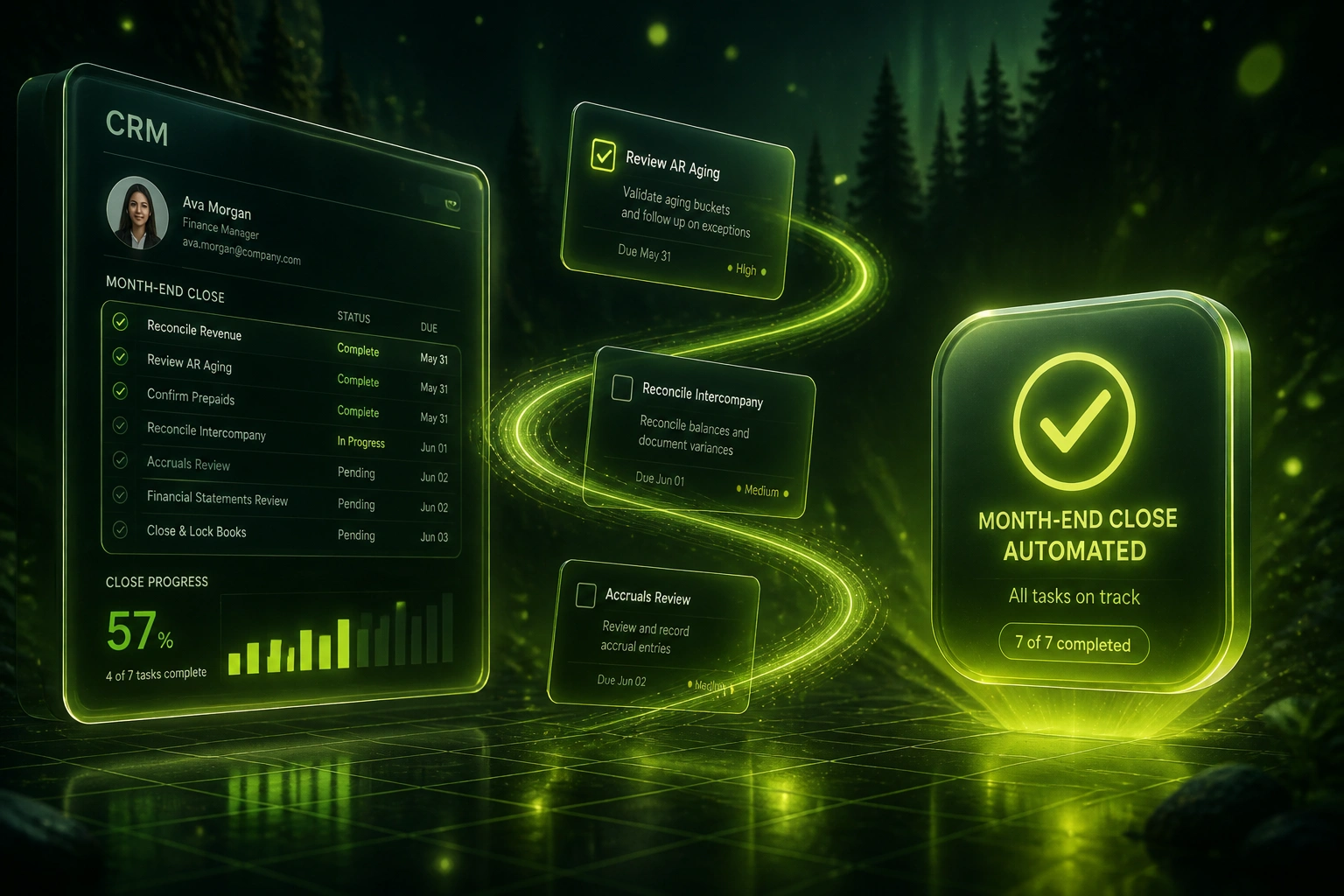
Period opens → tasks assigned → overdue items escalate → sign-off is logged. No shared spreadsheet status chase.
Period Opens
Checklist rolls over with owners, due offsets, and dependencies already set
Tasks Assigned
Preparers and reviewers get clear ownership; status updates as work completes
Overdue Escalates
Past-due items alert the owner, then the controller, before the close window slips
Sign-Off Logged
Completion stamps who, when, and what evidence was attached for audit
Everything You Need for Finance Workflow Task Tracking
Named Task Assignment
Every close step gets a preparer and a reviewer before day one. No orphan rows sitting in a shared Excel file.
Due Dates & Escalation
Deadlines fire reminders, then escalate to the controller when a task sits past due. Slippage is visible the same day.
Live Completion Tracking
A single dashboard shows open, done, overdue, and blocked items by owner and entity. Status meetings shrink to exceptions.
Audit-Ready Sign-Off
Each completion stamps who signed, when, and what evidence was attached. Auditors get a trail instead of a reconstruction.
Dependency Sequencing
Downstream tasks stay locked until upstream steps are complete. Accruals do not start before revenue cut-off is signed off.
Period Rollover
Next month's checklist clones with owners, due offsets, and notes intact. You stop rebuilding the spreadsheet from scratch.
Systems We've Wired into Close Checklists
From 72% On-Time Tasks to 96%
How a mid-market finance controller retired a 110-row Excel close checklist and cut status chasing from 12 hours a week to two.
The Spreadsheet Checklist
- Shared Excel file with 110 close steps and colour-coded status cells
- Owners updated inconsistently; remote staff often left rows blank
- Overdue items discovered in twice-weekly status meetings
- Year-end audit asked who signed off accruals; trail rebuilt from email
- About 72% of tasks finished by their due date each cycle
The Automated Checklist
- Period opens with every task assigned to preparer and reviewer
- Due-date alerts escalate to the controller before blockers stack up
- Live dashboard replaces status meetings except for true exceptions
- Each sign-off carries timestamp, owner, and attached evidence
- On-time completion lifted to 96% within two close cycles
Before vs After Month-End Automation
How It Works
From first conversation to a live close checklist in 2–4 weeks.
Map Your Checklist
We review your current close spreadsheet: owners, due offsets, dependencies, and the steps that slip every cycle.
Free Scoping Call
30-minute call to design assignment rules, escalation ladders, and which systems need status write-back.
Build & Parallel Run
We build the workflow, load one full period's tasks, and run parallel with your spreadsheet for one close cycle.
Go Live & Monitor
Switch off the shared workbook. Live alerts and a completion dashboard keep the next close on track.
Frequently Asked Questions
How is this different from just using Asana or a project tool?
Generic task tools track work. Close checklist automation is built around preparer/reviewer roles, period rollover, dependency locks, evidence attachment, and an audit trail auditors will accept. We wire that into the tools your finance team already uses, or build a dedicated close workflow if you need one.
Will this replace our reconciliations and journal work?
No. This automates the checklist layer: assignment, due dates, escalation, completion tracking, and sign-off evidence. The underlying accounting work stays with your preparers. Teams that automate coordination typically cut status-chasing overhead from around 23% of close time to about 6% (FloQast 2025 analysis).
How long does month-end checklist automation take to set up?
Most mid-market checklists go live in 2–4 weeks: map the current spreadsheet, build assignment and escalation rules, parallel-run one period, then retire the shared file. Multi-entity setups with many reviewers take closer to 4–6 weeks.
What about auditors and control ownership?
Every completion can carry a named owner, timestamp, and attached evidence. That is the trail auditors ask for when spreadsheet checklists cannot prove who signed off and when. Public and regulated teams feel this pressure first; private mid-market teams benefit the same way at year-end.
Can we keep Excel for the workpapers?
Yes. Many controllers keep Excel for reconciliations and schedules. The automation replaces the shared status spreadsheet, not every workpaper. Task cards can link out to the file or folder the preparer uses for the underlying work.
How much does close checklist automation cost?
Simple single-entity checklists with assignment and alerts start from around R20,000. Multi-entity setups with reviewer workflows, evidence attachment, and ERP status sync typically range from R35,000 to R75,000. Most teams recover that within one or two quarters against status-chasing overtime and delayed closes.
Stop Running Your Close on a Spreadsheet Checklist
If your finance team still manages month-end through a shared Excel task list, you are spending controller hours on a coordination problem that automation already solves.
Tell us how many close tasks you run, who owns them today, and where items slip. We will show you exactly how automated assignment, due dates, and completion tracking would work for your next cycle.