

Phone Number Cleanup: Normalising Formats Across Your Contact Database
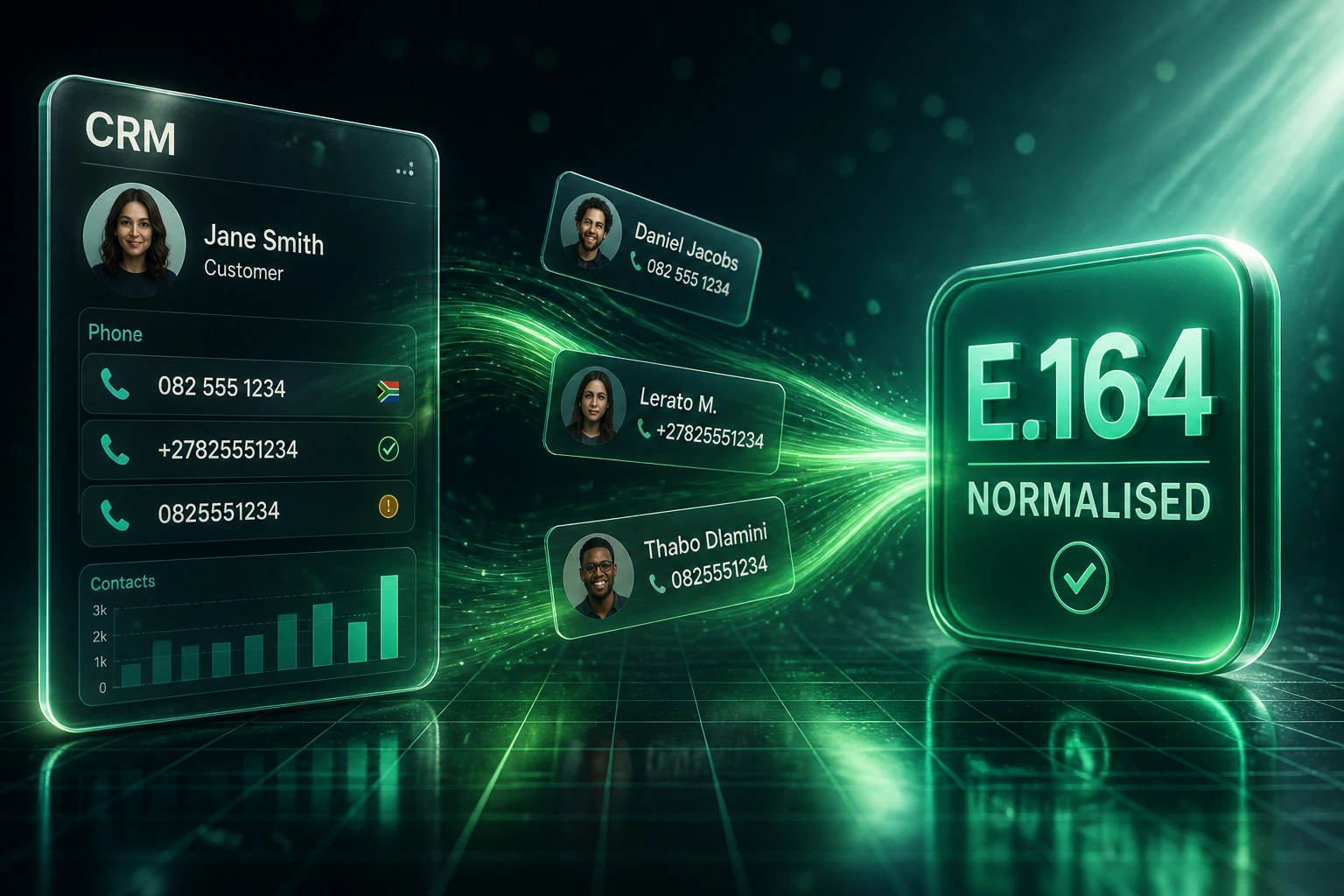
Your dialler, WhatsApp Business API, and SMS campaigns fail because half the numbers are stored as 082..., half as +2782..., and many lost their country codes after the last import. Phone number normalisation to E.164 is the fix sales and marketing ops need before the next outreach wave.
We repair the contact database so every channel can reach the same people.
Sound Familiar?
These are the exact issues our clients faced before phone data repair:
- Half your CRM numbers look like 082..., half like +2782..., and many have no country code after a list import
- Dialler connect rates stay stuck because reps burn hours on numbers that never ring
- WhatsApp Business API and SMS campaigns reject or misroute records that are not in E.164
- Marketing ops re-types phone fields by hand before every campaign, then the next import breaks them again
- Sales and marketing disagree on who is reachable, because each channel reads the same field differently
WhatsApp Business API and major SMS gateways expect E.164. Missing plus signs and country codes cause silent misrouting. POPIA also requires personal information, including phone numbers, to be accurate and kept up to date, so broken contact fields are an ops problem and a compliance risk.
What Phone Number Normalisation Actually Does
Messy CRM phones → E.164 standard → invalids flagged → dialler, SMS, and WhatsApp finally agree.
Audit the Phone Field
We profile every contact: local vs international, spacing, leading zeros, and missing country codes
Normalise to E.164
082 555 1234 and similar variants become +27825551234 with consistent country coding
Flag Invalids
Impossible lengths and non-numbering-plan entries go to a review queue, not the dialler
Channels Connect
Dialler, SMS, and WhatsApp read one clean field, so connect rates and delivery climb
Everything You Need for Reliable Phone Data Repair
E.164 Normalisation
Local SA mobiles (082..., 083...), international imports, and bare digits convert to a single E.164 standard with the correct country code.
Invalid Number Flagging
Too-short, too-long, and non-numbering-plan entries are flagged or quarantined so diallers and messaging APIs stop wasting attempts.
Bulk CRM Cleanup
We process your existing contact database in one pass: HubSpot, Pipedrive, Salesforce, Zoho, or a custom CRM export.
Channel-Ready Formats
Normalised numbers feed diallers, SMS gateways, and WhatsApp Business API without re-mapping before every send.
Ongoing Entry Rules
New leads and imports hit validation at the door, so messy formats do not creep back in after the cleanup weekend.
Reachability Reporting
Ops sees how many contacts are dialable, SMS-ready, and WhatsApp-ready, plus the residual invalid pool that still needs manual review.
Systems We've Cleaned Phone Fields In
From 4% Connect Rate to 14%
How a Johannesburg B2B sales team recovered reachable contacts after years of mixed local and international phone formats.
The Format Chaos
- 18,000 CRM contacts with mixed 082..., +2782..., and bare 10-digit imports
- Dialler connect rate stuck around 4% on cold and warm outbound
- WhatsApp Business API rejects and SMS failures on every campaign cycle
- Marketing ops spent ~6 hours before each send reformatting phone columns
- Reps blamed the dialler; ops blamed the last list import
The Normalised Database
- Full E.164 write-back across HubSpot, with invalids in a review queue
- Dialler connect rate moved to 14% on the same territory coverage
- SMS undeliverable rate fell 28% in the first quarter
- WhatsApp template sends stopped failing on format errors
- Pre-campaign phone cleanup dropped from 6 hours to a 15-minute spot check
Before vs After Contact Cleanup
How It Works
From first conversation to a clean, dialable contact database in 1–3 weeks.
Tell Us Your Setup
Which CRM, which dialler and messaging stack, and where the worst format chaos shows up.
Free Scoping Call
30-minute call to sample your phone fields, estimate invalid rates, and design the cleanup rules.
Build & Test
We normalise a slice of your real contacts, validate against dialler and WhatsApp rules, then run the full database.
Go Live & Monitor
Clean numbers land in the CRM. Entry validation and spot audits keep formats consistent after go-live.
Frequently Asked Questions
How long does phone number format cleanup take?
A typical CRM of 5,000–50,000 contacts takes 1–3 weeks from scoping to write-back. Smaller CSV cleanups can finish in a few days. Larger multi-system databases with several country codes take closer to 3–4 weeks.
Will this break numbers that are already correct?
No. We detect numbers already in valid E.164 and leave them alone. Only local formats, missing country codes, spacing variants, and invalid entries are transformed or flagged.
Does this work with WhatsApp Business API and SMS?
Yes. WhatsApp Cloud API and every major SMS gateway expect E.164. Cleaning the CRM once means dialler, SMS, and WhatsApp all read the same reachable field without per-channel reformatting.
What happens to invalid or incomplete numbers?
Invalid entries are flagged in a review queue rather than silently deleted. Your team can decide which to research, suppress, or remove. That protects POPIA accuracy duties while stopping wasted dials and failed SMS charges.
Which CRMs and lists can you clean?
We have cleaned phone fields in HubSpot, Pipedrive, Salesforce, Zoho CRM, Monday.com, and flat Excel or CSV exports from legacy systems. If you can export contacts, we can normalise them and write them back.
How much does phone number cleanup cost?
One-off database cleanups typically start from around R15,000. Ongoing entry validation with dialler and messaging sync usually falls in the R25,000–R50,000 range depending on volume and systems. Most sales teams recover the cost within one or two campaign cycles once SMS waste and wasted dial time drop.
Stop Losing Connects to Broken Formats
If your sales and marketing teams cannot dial, SMS, or WhatsApp reliably because the CRM phone field is a mess, this is a data repair problem you can solve once and keep clean.
Tell us which CRM you use, how many contacts you have, and which channels are failing. We will show you what E.164 normalisation and invalid-number flagging would recover for your database.