Sentiment Analysis: Detect Customer Emotion in Emails and Messages
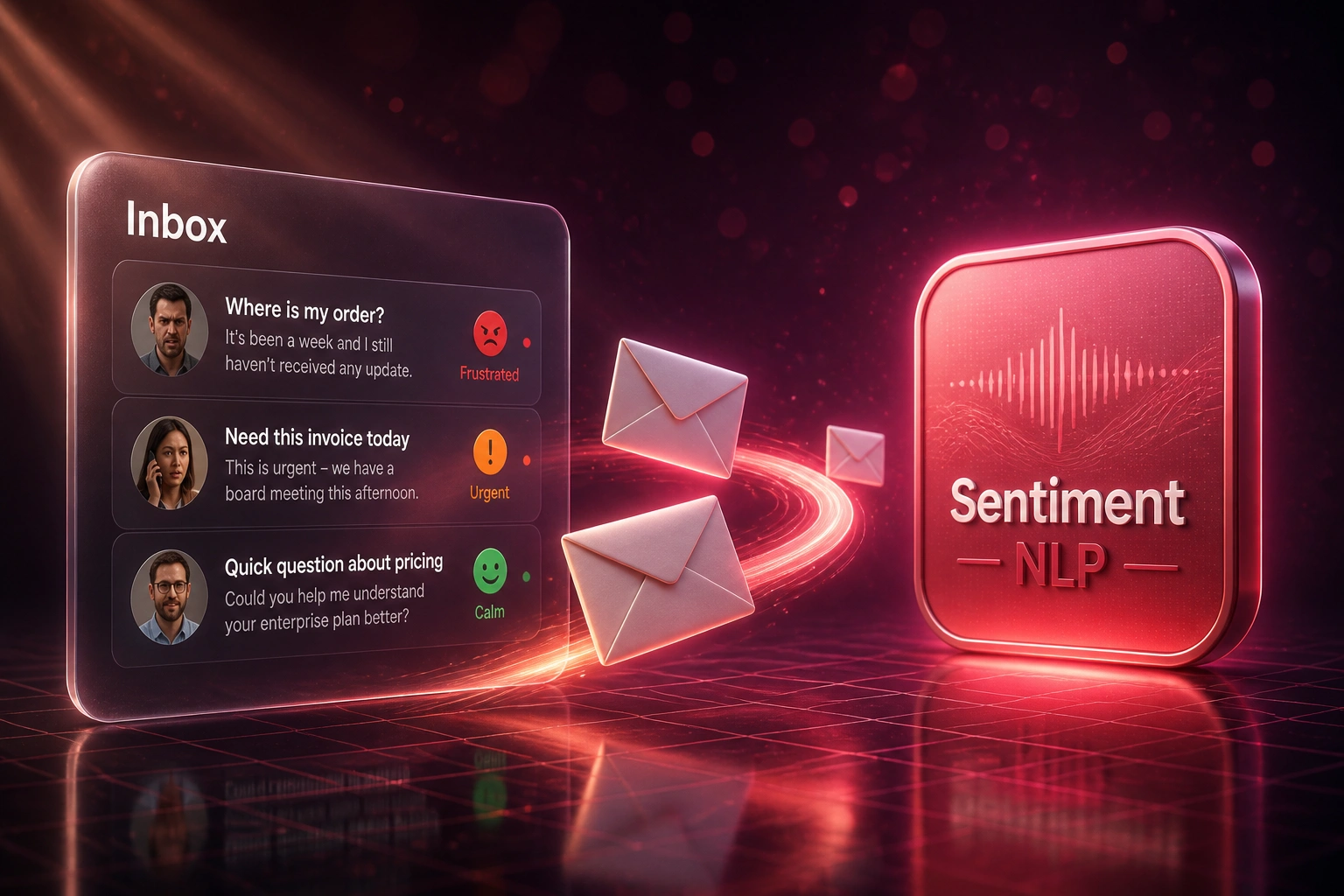
Your inbox is overflowing and FIFO is burying the people who are about to leave. Sentiment analysis and urgency scoring on inbound emails, WhatsApp, and support messages put frustrated customers at the front of the queue today.
We build the NLP layer that scores emotion and reorders the queue before anger turns into churn.
Sound Familiar?
These are the exact issues Heads of CX and Support Managers brought us before inbox sentiment scoring:
- Your queue is FIFO: the calm password reset sits above the customer who is ready to cancel
- Agents guess urgency from subject lines and still open tickets in arrival order under load
- Frustrated emails wait hours while routine WhatsApp and support messages get answered first
- You discover the blow-up on Twitter or HelloPeter, not in the inbox where it started
- CSAT and NPS lag by days, so the Head of CX cannot see which angry threads need help today
Average email first reply still sits near 12 hours, while 88% of customers now expect faster responses than a year ago (Zendesk). Manual priority tags in Zendesk and Freshdesk do not fix FIFO when agents are already underwater. Sentiment and urgency scoring is how you protect CSAT before the public complaint.
What Sentiment Analysis Actually Does to Your Inbox
Message arrives → emotion and urgency scored → queue reordered → angry customers answered first.
Message Lands
Email, WhatsApp, or support ticket hits your shared inbox or helpdesk
NLP Scores Emotion
Sentiment analysis labels tone and urgency in seconds, with confidence you can audit
Queue Reorders
Frustrated and urgent threads rise above routine password resets and FAQs
CX Outcome
Angry customers get a human sooner, public blow-ups drop, and churn risk cools
Everything You Need for Emotion-First Inbox Triage
Inbox Sentiment Scoring
NLP scores every inbound email, WhatsApp, and support message for customer emotion the moment it lands, not after a weekly review.
Urgency Detection
Separates quiet frustration from "I need this today" language so your queue ranks both emotion and time pressure.
Priority Queue Reordering
Angry and urgent threads float to the top of Zendesk, Freshdesk, or your shared inbox so agents work risk first, not first-in-first-out.
Agent Workbench Badges
Each ticket shows a clear emotion and urgency badge before the agent opens it, so they prepare tone and ownership in seconds.
Escalation Alerts
High-risk combinations (furious tone plus VIP account, or refund threats) ping a team lead while the customer is still waiting.
CX Trend Dashboards
Track volume of negative sentiment by channel, product, and hour so you staff and fix root causes, not only firefight the queue.
Inboxes and Helpdesks We've Wired for Sentiment Triage
From 9-Hour Angry Replies to 42 Minutes
How an 8-agent ecommerce support team stopped FIFO from burying frustrated customers and cut public complaints.
The FIFO Inbox
- Agents worked oldest ticket first across email and WhatsApp
- Frustrated "where is my order" threads sat behind routine FAQs for hours
- Average first reply on negative-sentiment mail: 9 hours
- Team leads only saw trouble after HelloPeter or social posts
- CSAT on at-risk tickets hovered near 48%
Emotion-First Triage
- Every inbound message scored for sentiment and urgency on arrival
- Angry and urgent threads float to the top of the Zendesk view
- Average first reply on negative-sentiment mail: 42 minutes
- Team leads get Slack alerts on high-risk combinations before noon
- CSAT on the same at-risk cohort rose to 79%
Before vs After Sentiment Analysis on the Inbox
How It Works
From first conversation to live inbox triage in 2–4 weeks.
Tell Us Your Setup
Which inbox and helpdesk, how tickets arrive today, and where frustrated customers get buried.
Free Scoping Call
30-minute call to map channels, score thresholds, queue rules, and who owns escalations.
Build & Test
We score live emails and messages in parallel with your current queue, then tune urgency rules with your CX leads.
Go Live & Monitor
Sentiment-first triage becomes the default. Monitoring keeps accuracy, latency, and queue health visible.
Frequently Asked Questions
How long does email sentiment analysis for inbox triage take to set up?
A standard build scoring email and WhatsApp into one helpdesk queue takes 2–4 weeks from scoping to go-live. Multi-inbox setups with custom escalation paths typically take 4–6 weeks. We run parallel scoring so agents trust the badges before FIFO is switched off.
Which inboxes and helpdesks do you support?
We score Gmail, Outlook, WhatsApp Business, Intercom, and shared support mailboxes, then reorder work in Zendesk, Freshdesk, HubSpot Service Hub, and custom queues. If the channel delivers text and the helpdesk has an API, we can connect them.
How is this different from Zendesk or Freshdesk priority fields?
Native priority is usually set by the customer or guessed by a busy agent. Our sentiment analysis and urgency scoring read the message body with NLP, then move high-emotion, high-urgency work to the front of the queue automatically so frustrated customers are not buried under routine tickets.
Will agents still control how they reply?
Yes. The AI ranks the queue and badges emotion. Your team still owns the wording, the offer, and the escalation. Low-confidence scores can sit in a review lane before they bump a ticket to the top.
How accurate is sentiment analysis on real customer emails?
Modern LLM sentiment models reach roughly 0.91 F1 on clean text, and production email topic pipelines have hit weighted F1 near 0.96. We calibrate on your real threads during parallel testing so South African English, slang, and product names score correctly.
How much does sentiment analysis for customer emails cost?
Inbox scoring into one helpdesk starts from around R15,000. Full multi-channel builds with urgency rules, escalation alerts, and CX dashboards typically range from R25,000 to R60,000. Teams that save even a handful of at-risk customers usually see ROI within 2–3 months against churn and public complaint cost.
Stop Letting FIFO Bury Frustrated Customers
If angry emails still wait behind routine tickets, you are paying for churn and public complaints that sentiment analysis can prevent.
Tell us which helpdesk and channels you run, how deep the backlog gets on busy days, and where frustrated customers slip through. We will show you exactly how emotion and urgency scoring would reorder your queue.