Shift Scheduling and Time Tracking: See Planned vs Actual Before Payroll
When roster management and shift time tracking live in separate tools, ops and HR only discover the gap on payday: buddy punching, unplanned overtime, understaffed peaks, and hours that never matched the published roster. That blind spot costs real rand every week.
We build the closed loop that compares scheduled versus actual hours in real time.
Sound Familiar?
These are the exact issues our clients faced before closing the loop between roster and clock:
- The roster lives in one tool and clock-ins live in another, so nobody sees planned versus actual until payroll week
- Managers discover unplanned overtime only after the pay run, when it is too late to stop it
- Buddy punching and early clock-outs hide in the gap between the published roster and the timesheet export
- Understaffed peaks and overstaffed quiet hours only show up in a spreadsheet reconciliation, days later
- HR spends Friday afternoons matching roster lines to clock records for BCEA overtime and Sunday premiums
The BCEA requires accurate ordinary and overtime records for three years. Paper registers and disconnected roster-versus-timesheet spreadsheets leave ops and HR exposed in Department of Employment and Labour or CCMA disputes, and still miss the money leaking every week.
What Shift Time Tracking Against the Roster Actually Does
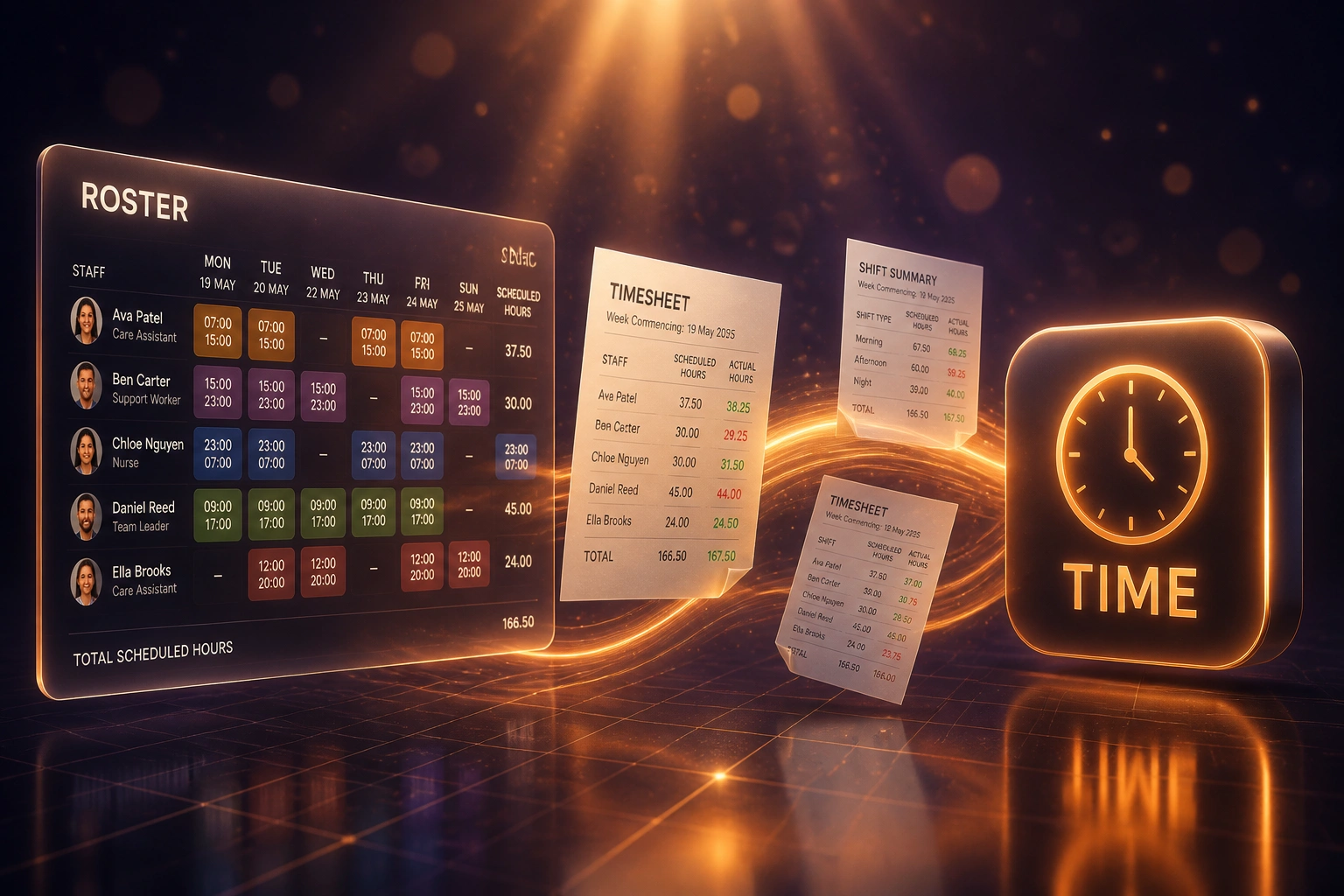
Roster publishes → clocks capture → variance flags → payroll gets clean hours. No Friday spreadsheet match.
Roster Publishes
Scheduled shifts, roles, and planned hours land as the source of truth for the week
Clocks Capture Actuals
Clock-ins and clock-outs sync against the roster in real time across sites
Discrepancies Flagged
Early starts, late finishes, missed punches, and unrostered time alert managers same day
Payroll Gets Clean Hours
Approved actuals, overtime, and Sunday premiums export with an audit trail
Everything You Need for Roster Management That Matches the Clock
Scheduled vs Actual Dashboard
Every shift shows planned hours next to clocked hours in one view, so ops and HR see variance while the week is still open.
Discrepancy Alerts
Early starts, late finishes, missed clock-outs, and unrostered time trigger alerts before they become payroll surprises.
Buddy Punching Controls
Biometric, GPS, or photo clock rules, plus roster presence checks, flag when someone clocks a shift they were never rostered for.
Overtime vs Plan
Unplanned overtime is separated from approved extensions so managers can cut leakage without blocking genuine cover.
Understaffing Signals
When actual headcount falls below the roster mid-shift, supervisors get a live signal instead of finding out from the till or the floor.
Payroll-Ready Hours
Approved actual hours, overtime, and Sunday premiums flow into SimplePay, Sage, PaySpace, or your payroll file with an audit trail for BCEA.
Platforms We've Connected for Shift Scheduling and Time Tracking
From 14% Variance to Under 3%
How an 80-person Gauteng retail group stopped losing money in the gap between the roster and the clock.
The Blind Spot
- Rosters in Deputy, clocks on a separate biometric terminal, no live compare
- Ops managers spent 12 hours a week matching planned shifts to timesheet exports
- Unplanned overtime and buddy punching only surfaced after the pay run
- Schedule-to-actual variance sat around 14% of rostered hours every month
- Payroll disputes and BCEA overtime queries ate another half-day each cycle
The Closed Loop
- Every clock event lands against the published roster within minutes
- Managers review flagged exceptions only: about 2 hours a week
- Unrostered punches and early clock-outs surface same day, not payday
- Variance dropped below 3% within two pay cycles
- Approved actuals export straight into SimplePay with an audit trail
Before vs After Integration
How It Works
From first conversation to live closed loop in 3–5 weeks.
Tell Us Your Setup
Which roster and clock tools you use, how many sites, and where planned versus actual currently breaks down.
Free Scoping Call
30-minute call to map roster publish → clock capture → variance alerts → payroll handoff for your operation.
Build & Test
We wire the closed loop, define discrepancy rules, and run parallel against your current reconciliation for one full pay cycle.
Go Live & Monitor
Switch off the Friday spreadsheet match. Monitoring keeps variance alerts and payroll exports running cleanly.
Frequently Asked Questions
How is this different from shift scheduling automation alone?
Scheduling automation builds a better roster. This page is about the closed loop after publish: comparing rostered hours to clocked time, flagging discrepancies, catching buddy punching and unplanned overtime early, and feeding accurate hours to payroll. Many clients need both, and we often deliver them as one programme.
How long does a shift scheduling and time tracking integration take?
A standard closed-loop build takes 3–5 weeks from scoping to go-live. Single-site setups with clean roster and clock APIs can be live in about two weeks. Multi-site builds with biometric clocks, variance rules, and payroll write-back typically take 4–6 weeks.
Which roster and time-tracking tools can you connect?
We have connected workforce tools such as Deputy, When I Work, 7shifts, Homebase, Clockify, and TSheets, plus custom timeclocks and biometric terminals. Hours export into SimplePay, Sage Payroll, PaySpace, and similar SA payroll systems. If roster and clock data still live in separate spreadsheets, we can start there and migrate into proper systems as part of the build.
Will managers still approve exceptions?
Yes. The integration surfaces planned versus actual variances automatically. Managers still approve overtime, correct missed clock-outs, and sign off the week. The point is to cut the hours spent hunting for mismatches, not to remove judgement from the floor.
How does this help with BCEA compliance?
The Basic Conditions of Employment Act requires accurate records of ordinary and overtime hours, meal intervals, Sundays, and public holidays, kept for three years. A closed loop of roster plus clock data gives you an audit trail of what was planned, what was worked, and who approved the difference, instead of a paper register completed after the fact.
How much does shift scheduling and time tracking integration cost?
Single-site planned-versus-actual syncs with exception alerts start from around R25,000. Multi-site builds with buddy-punching controls, overtime rules, and payroll write-back typically range from R40,000 to R80,000. Most clients recovering manager reconciliation time plus a few percent of payroll leakage see ROI within two to three months.
Stop Losing Money Between the Roster and the Clock
If ops and HR still discover planned-versus-actual gaps on payday, you are paying for a blind spot that integrated shift scheduling and time tracking already solves.
Tell us which roster and clock tools you use, how many sites you run, and where variance hurts most. We will show you exactly how a closed loop would work for retail, hospitality, manufacturing, or field services in South Africa.