

Snapplify Digital Textbook Integration: Connect Content to Your LMS
Your school already buys Snapplify digital textbooks. Someone still emails class lists and licence codes into Moodle or Google Classroom by hand, learners miss day-one access, and paid seats sit idle when children leave mid-year.
We build the Snapplify integration that provisions licences, reclaims waste, and puts title usage on the leadership dashboard.
Sound Familiar?
These are the exact issues principals and e-learning coordinators describe before Snapplify LMS sync:
- The e-learning coordinator still emails class lists and Snapplify invite codes into Moodle or Google Classroom every January
- Learners who join mid-term wait days for prescribed e-textbook access while teachers start CAPS work without them
- Dropouts and subject changes leave paid licences idle until the next annual renewal
- Title-level usage never reaches the principal or Head of Academics, so digital LTSM spend is hard to defend
- Licence codes, LMS enrolments, and Snapplify groups drift apart whenever a timetable changes
January roster chaos and annual 1-year licence renewals hit at the same time. CAPS prescribed lists change with the academic cycle, while Snapplify seats bought for leavers sit unused until renewal. If learners are still waiting on invite codes in week two, day-one digital access is already lost.
What Snapplify LMS Content Sync Actually Does
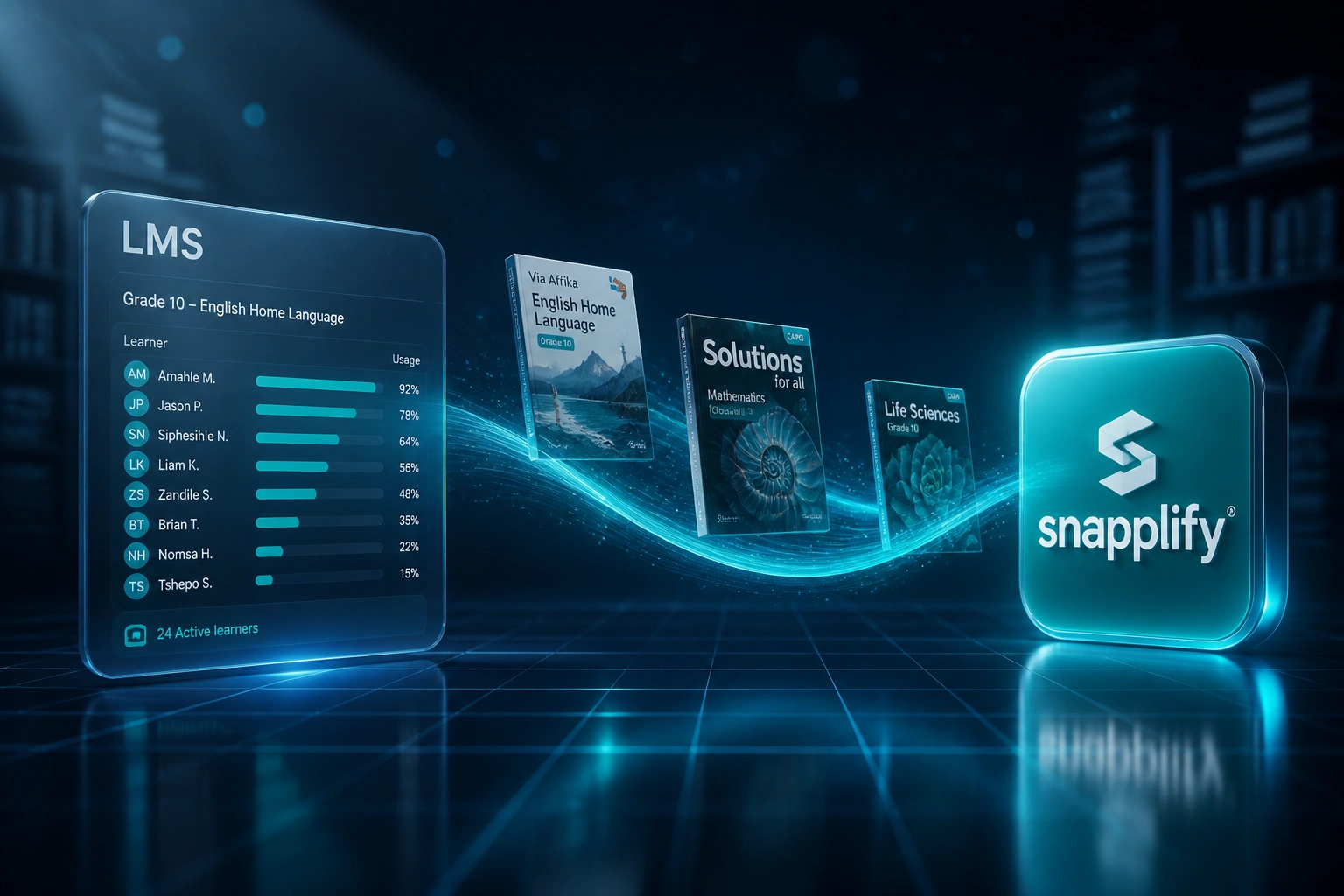
Enrolment changes → prescribed licences update → usage returns to leadership. No more emailing ebook invite codes between systems.
Learner Joins LMS Course
A Grade 10 English enrolment appears in Moodle, Canvas, or Google Classroom
Snapplify Licence Assigned
Prescribed titles and Engage groups allocate automatically from your mapped lists
Usage Syncs Back
Activation and reading activity feed a title-level view for academics and ICT
Idle Licences Reclaimed
Dropouts free seats for reassignment instead of waiting for next year's renewal
Everything You Need for Reliable Ebook Platform Sync
Prescribed Licence Provisioning
When a learner lands on a Moodle, Canvas, or Google Classroom course, Snapplify allocates the matching prescribed titles and Engage group without a spreadsheet chase.
LMS Class List Sync
Class lists stay aligned between your LMS and Snapplify. New enrolments, movers, and leavers update on a scheduled cycle, not an email thread.
Title-Level Usage Analytics
Activation, reading time, and under-used titles flow into a leadership view your principal and Head of Academics can open before an SGB meeting.
Licence Reclaim on Dropout
Leavers and subject drop-offs release seats automatically so paid e-textbook licences can be reassigned instead of sitting idle until renewal.
CAPS Prescribed List Mapping
Your Snapplify prescribed lists map to the subjects and grades already defined in the LMS, so Grade 10 English gets the Grade 10 titles, every time.
Leadership Dashboards
Day-one access rates, reclaim totals, and title adoption sit on one dashboard instead of three exports no one has time to reconcile.
Systems We've Connected Around Snapplify
From Three Weeks of Invite Codes to Overnight Sync
How a Western Cape independent school with 580 Snapplify learners stopped emailing licence codes into Moodle and put prescribed-title usage on the principal's dashboard.
The Manual Process
- E-learning coordinator emailed Snapplify invite codes and class lists into Moodle for three weeks each January
- Mid-year movers waited on helpdesk tickets before opening prescribed titles
- Leavers kept 1-year licences until renewal, with no reclaim workflow
- Head of Academics had no title-level view of which CAPS ebooks were actually opened
- SGB asked for digital LTSM ROI; leadership had only anecdotes
The Automated Process
- Moodle enrolments push overnight into Snapplify groups and prescribed lists
- Learners open CAPS titles on day one from the LMS deep link
- Dropouts reclaim seats for reassignment instead of sitting idle
- Title activation and reading time roll into a leadership dashboard
- Principal walks into SGB meetings with live ebook adoption figures
Before vs After Snapplify Digital Textbook Integration
How It Works
From first conversation to live Snapplify LMS sync in 2–4 weeks.
Map Your Content Stack
Which LMS, how Snapplify licences are bought and assigned today, and where term-start provisioning hurts most.
Free Scoping Call
30-minute call with the e-learning coordinator and Head of Academics to design roster, licence, and usage flows.
Build & Parallel Test
We build the sync, test against a live grade cohort, and run parallel for a week before invite-code emails stop.
Go Live & Monitor
Overnight provisioning, reclaim alerts, and usage monitoring so prescribed titles reach learners on day one.
Frequently Asked Questions
How long does a Snapplify digital textbook integration take?
A standard licence and class-list sync takes 2–4 weeks from scoping to go-live. Simple one-way LMS-to-Snapplify provisioning can be live within a week. Full setups with licence reclaim, title analytics, and a leadership dashboard usually take 4–6 weeks.
Which LMS platforms can you connect to Snapplify?
We regularly connect Snapplify Engage with Moodle, Canvas, Google Classroom, Schoology, and Blackboard. Snapplify already supports LTI 1.3 and Deep Linking for many of these. We wire the roster and licence layer your school still handles by hand on top of that foundation.
Will this disrupt teaching at the start of term?
No. We design the integration around your existing classroom routines. Teachers keep using the LMS and Snapplify Reader as they do today. Automation runs behind the scenes, and we only switch off manual invite codes after parallel testing proves the sync is accurate.
What happens when a learner drops a subject or leaves mid-year?
The sync listens for enrolment changes in your LMS or SIS. Leavers and subject drop-offs release Snapplify group membership and reclaim seats on the next cycle so licences can be reassigned instead of waiting for the annual 1-year renewal.
Can leadership see whether prescribed titles are actually being used?
Yes. We surface activation and title-level engagement into a view your principal and Head of Academics can open before an SGB meeting, so digital textbook spend is no longer guesswork.
How much does Snapplify LMS integration cost?
Simple one-way licence provisioning starts from around R15,000. Bidirectional syncs with reclaim logic and leadership dashboards typically range from R25,000 to R60,000. Most schools with a few hundred Snapplify licences see payback within a term once unused seats stop sitting idle and term-start admin shrinks.
Stop Paying for Digital Textbooks Learners Cannot Reach
If your school still emails Snapplify licence codes into the LMS every January, you are funding licence waste and day-one delays that integration already solves.
Tell us which LMS you run, how Snapplify prescribed lists are managed today, and what the SGB wants to see on usage. We will show you exactly how automated digital textbook integration would work for your campus.