

Student Information System Integration: Unify Your Education Data
Your SIS is meant to be the system of record. In practice, registrars and bursars still retype enrolment, addresses, and fee status into the LMS, finance, and parent channels, creating student data silos that break every reporting deadline.
We build the student records sync that makes one change fan out everywhere.
Sound Familiar?
These are the exact issues operations directors and registrars bring us before SIS integration:
- A change of address is updated in the SIS, then retyped into the LMS, finance, and parent portals by three different people
- Enrolment clears in the SIS, but the student waits hours (or overnight) before the LMS roster updates
- Fee status lives in finance while academic access lives in the LMS, so clearance and de-registration never match
- Duplicate student records take half an hour in the best case and days when multiple departments are involved
- HEMIS or EMIS reporting season becomes a scramble because the same learner exists differently in every system
POPIA holds you accountable for accurate student personal information, while HEMIS and EMIS submissions still have hard deadlines that affect funding and compliance. If the same learner looks different in three systems, every reporting cycle becomes an audit risk.
What Student Records Sync Actually Does
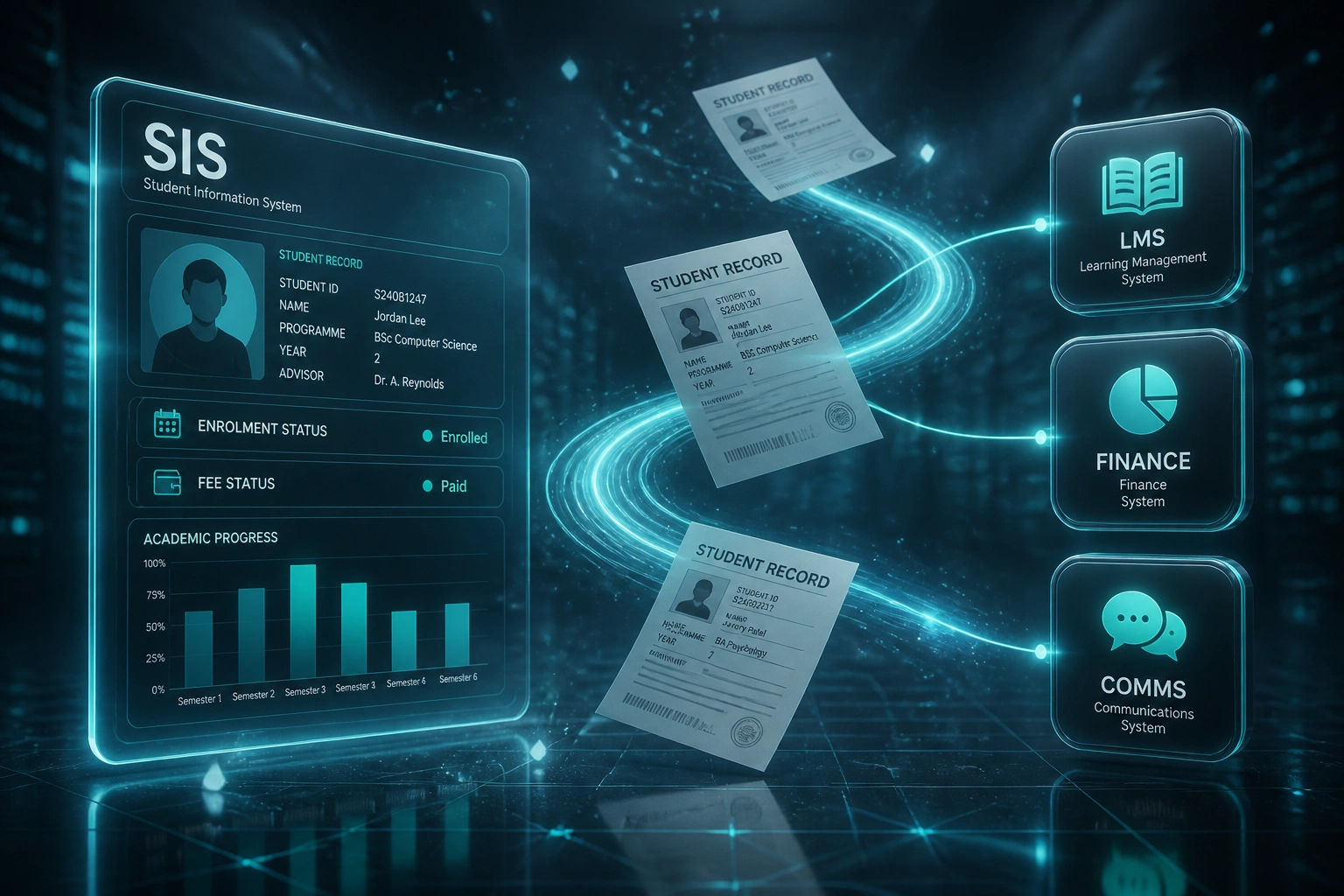
Change once in the SIS → LMS, finance, and communications update. No overnight CSV rituals.
Record Changes in SIS
Registrar or bursar updates enrolment, address, or fee status in the system of record
Hub Fans Out
Mapped fields push to LMS, finance ERP, and parent or student channels automatically
Status Writes Back
Fee clearance, drops, and contact corrections sync back so every desk sees the same truth
Reporting Stays Clean
HEMIS, EMIS, and board packs pull from one consistent education data platform
Everything You Need for a Reliable SIS Hub
SIS as the Hub
Enrolment, address, programme, and fee status change once in Banner, PeopleSoft, Ellucian, ITS Integrator, SA-SAMS, Edupac, or PowerSchool, then fan out to every connected system.
LMS Roster Sync
Course sections, enrolments, and drops land in Moodle, Canvas, Google Classroom, or Blackboard without overnight batch files or manual CSV uploads.
Finance & Fee Clearance
Fee holds, payment confirmations, and bursary status write back so academic access, statements, and parent notices stay aligned with the ledger.
Comms That Stay Accurate
Parent and student channels (d6, WhatsApp, email, SMS) receive the current record: correct contact details, fee reminders, and enrolment confirmations.
Duplicate Detection
Match on ID number, student number, and contact fields before a second record is created. Failed syncs retry with alerts only when a human is needed.
Standards-Ready Pipelines
Where platforms support it, we align to OneRoster and Edu-API patterns so your education data platform stays maintainable as vendors evolve.
Platforms We've Connected Around the SIS
From 14 Hours/Week to 2 Hours/Week
How a multi-campus private college stopped retyping student records and made fee clearance land in the LMS the same day.
The Manual Process
- Registrar staff exported enrolments from ITS Integrator and retyped them into Moodle and the finance pack
- Address and guardian updates were chased across three inboxes before parent SMS lists were current
- Fee clearance often lagged a full business day, leaving paid students locked out of online classes
- Duplicate learner IDs surfaced during HEMIS prep and took days to untangle
- EMIS-style board packs needed a week of spreadsheet reconciliation every term
The Automated Process
- Enrolment, programme, and fee status change once in the SIS and fan out within minutes
- LMS rosters and finance holds stay aligned without overnight batch files
- Parent communications pull the current contact and balance fields automatically
- Duplicate matching blocks a second identity before it spreads downstream
- Reporting extracts start from one consistent record set instead of reconciled CSVs
Before vs After SIS Integration
How It Works
From first conversation to a live education data platform hub in 3–10 weeks.
Map Your Systems
Which SIS is the system of record, which LMS, finance, and comms tools consume it, and where staff still retype.
Free Scoping Call
30-minute call to prioritise enrolment, fee clearance, and reporting flows, then design the hub architecture.
Build & Parallel Test
We build the syncs, validate against real student records, and run parallel for a registration cycle before cutover.
Go Live & Monitor
Switch off the retyping. Monitoring, retries, and exception queues keep registrars and bursars in control.
Frequently Asked Questions
How long does student information system integration take?
A focused SIS-to-LMS or SIS-to-finance sync typically takes 3–6 weeks from scoping to go-live. A full hub covering LMS, finance, and parent or student communications usually lands in 6–10 weeks, depending on how many platforms and custom fields you need.
Which student information systems can you connect?
We work with Banner, PeopleSoft, Ellucian, ITS Integrator, SA-SAMS, Edupac, PowerSchool, and other SIS platforms that expose an API, file export, or supported middleware. On the consumer side we connect Moodle, Canvas, Google Classroom, Blackboard, finance ERPs, and school communication tools.
Will this disrupt registration or term start?
No. We design the cutover around your academic calendar, run parallel testing on a registration cohort first, and only switch off manual processes once accuracy is proven. Your teams keep using the same SIS, LMS, and finance tools.
How do you handle duplicate student records?
Integrations include matching rules on student number, ID number, and contact details before a new record is created downstream. Exceptions queue for registrar review instead of silently creating a second identity across campus systems.
Does this help with HEMIS, EMIS, and POPIA?
Yes. When the SIS is the single source of truth, HEMIS and EMIS extracts start from cleaner, consistent learner data instead of reconciled spreadsheets. POPIA accuracy duties are easier to meet when one update fans out everywhere with an audit trail of what changed and when.
How much does SIS integration cost?
A single high-value sync (for example SIS to LMS) typically starts around R35,000. Multi-system hubs with custom fee clearance and communications logic usually range from R60,000 to R150,000. Most institutions recovering 10+ staff hours a week see payback inside one or two terms.
Stop Retyping Student Records Across Campus
If your SIS is the system of record on paper but your teams still copy data into LMS, finance, and communications tools by hand, you are paying for a problem that integration already solves.
Tell us which student information system you run, which platforms consume it, and where the retyping hurts most. We will show you how a hub architecture would work for your institution.