

Student Portal Self-Service Development: Empower Learners Online
Registrars and Student Affairs teams drown in walk-in queues for fee statements, registration forms, and transcript requests. Every routine ask that needs a counter visit steals time from the exceptions that actually need a human.
We build the self-service education portal that cuts front-desk load and speeds fee collection.
Sound Familiar?
These are the exact issues campuses faced before student app development for self-service:
- Registration week turns the front desk into a queue for forms, module changes, and "am I cleared to register?" questions
- Students walk in or phone for fee statements they could download themselves if the ledger were exposed securely
- Transcript and proof-of-registration requests sit in email for days while employers and bursars wait
- Finance and Student Affairs answer the same balance and clearance questions dozens of times a day at peak
- Admin messaging lives on personal WhatsApp and email, so nothing is tracked and POPIA risk climbs
South African universities already push online registration and fee payment through student portals (UWC, NWU, UFS and peers). Learners expect that bar. Campuses still running counter-only statements and paper transcript forms lose both staff hours and fee momentum every peak week.
What the Student Education Portal Actually Does
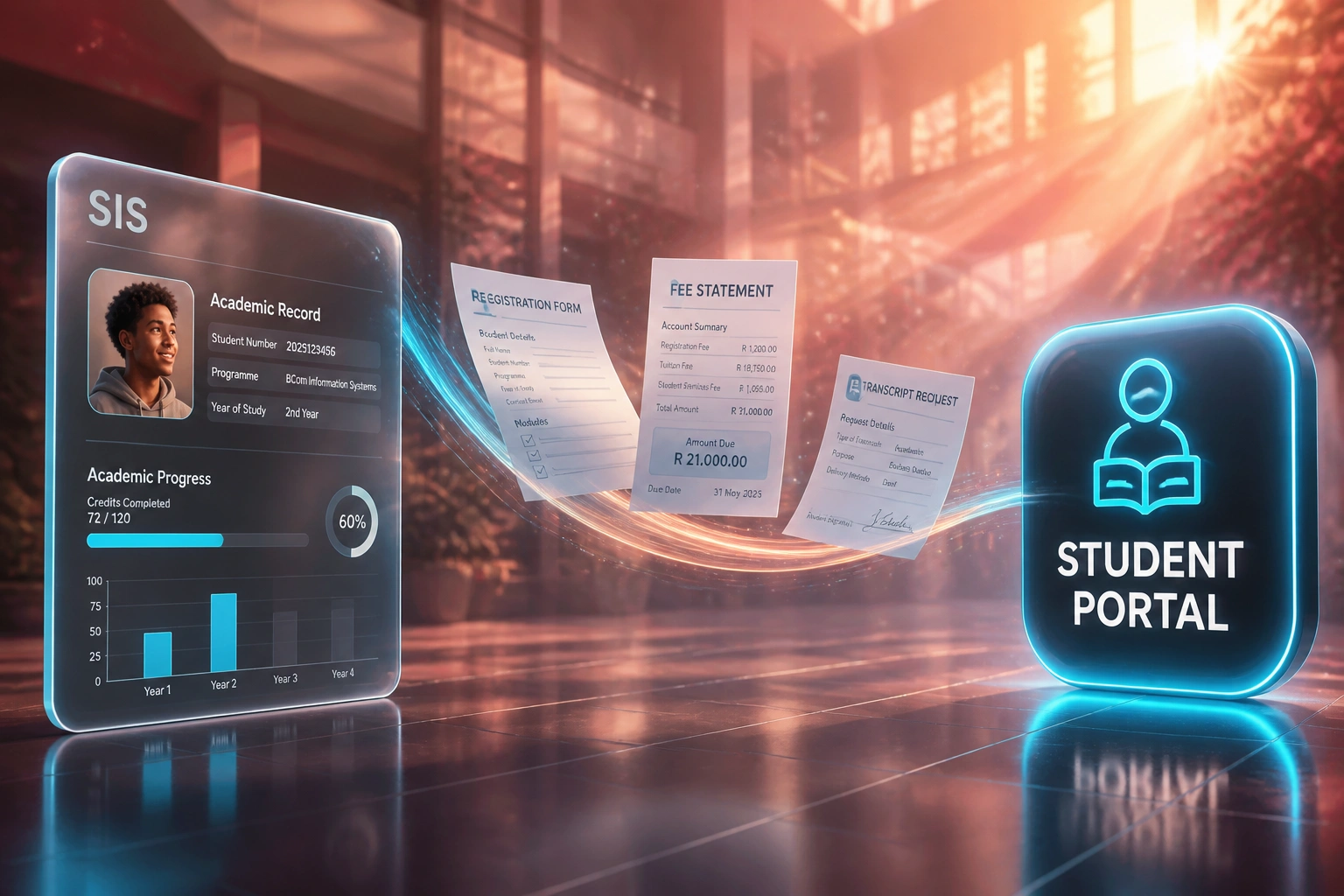
Student acts online → SIS and finance update → staff only touch exceptions. No retyping at the counter.
Student Signs In
Secure login against your identity rules; portal shows their registration, fees, and records
Self-Service Action
Register, pay fees, download a statement, or request a transcript without joining a queue
Systems Update
SIS, ledger, and LMS stay in sync so clearance and course access reflect the latest payment
Staff Handle Exceptions
Front desk focuses on appeals, holds, and complex cases instead of printing statements
Everything You Need for Reliable Student Portal Development
Online Registration & Module Changes
Students complete registration and module selections against SIS rules and fee holds. Staff only handle exceptions, not every form.
Fee Statements & Instant Payments
Live balances, statements, and PayFast, Ozow, or Netcash checkout post back to the student ledger so collection does not wait on walk-ins.
Academic Records On Demand
Results, enrolment history, and progress views pull from the SIS. Students stop asking reception for screenshots of their own record.
Transcript & Document Requests
Transcript, proof of registration, and letter requests queue with status tracking. Routine documents leave the counter and the email backlog.
Admin Messaging Inbox
Students raise finance, registration, and records queries in a branded inbox. Officers reply from one queue instead of scattered inboxes.
SIS, Finance & LMS Hooks
We wire the portal to your SIS, payment gateway, and LMS so fee status, enrolments, and course access stay consistent without dual capture.
Platforms We've Wired Into Student Portals
From Counter Queues to 24/7 Self-Service
How a multi-campus private college cut routine registrar load and sped fee collection with a custom student portal.
The Manual Process
- Students queued for fee statements, registration forms, and proof-of-registration letters
- Finance printed balances on demand while PayFast payments posted with a day lag
- Transcript requests sat in a shared inbox for 5–10 working days
- Registration week phone and WhatsApp lines mixed status checks with real exceptions
- Staff estimated 35+ hours a week on walk-in and call deflection that never stuck
The Self-Service Process
- Students register, download statements, and pay fees in one branded portal
- PayFast and Ozow payments write back to the ledger the same day
- Routine transcript and document requests run with online status tracking
- Admin inbox catches exceptions; front desk no longer prints every statement
- Peak-week staffing focuses on holds, appeals, and complex clearance cases
Before vs After Student Portal Self-Service
How It Works
From first conversation to a live student portal in 6–14 weeks, timed for your registration cycle.
Tell Us Your Setup
Which SIS and LMS you run, how fees are collected today, and which walk-in queues hurt most at registration.
Free Scoping Call
30-minute call to map registration rules, payment gateways, document types, and the staff roles who will own the inbox.
Build & Test
We build the student portal, connect SIS and payments, and pilot with one faculty or campus before peak open.
Go Live & Monitor
Publish the portal, divert routine requests to self-service, and watch front-desk load drop while exceptions stay human.
Frequently Asked Questions
How is a student self-service portal different from a family or parent app?
Family portals focus on parent notices, progress summaries, and fee visibility for schools. A student self-service portal is built for the learner: registration, fee payments, academic records, transcript and document requests, and messaging with admin staff. Universities, private colleges, and high schools use it as the student channel beside the SIS, not as a parent app.
Will this replace our NSFAS status tools or myNSFAS?
No. NSFAS funding status and document checklists are a focused financial-aid layer. This portal covers the broader student lifecycle: registration, fees, records, and documents. We can surface NSFAS clearance flags where your SIS already holds them, without pretending to replace myNSFAS.
Which systems can you connect for student portal development?
We commonly integrate ITS Integrator, Banner, Ellucian, PeopleSoft, PowerSchool, Edupac, and SA-SAMS for records and registration rules; Moodle or Canvas for enrolment and access gating; and PayFast, Ozow, or Netcash for fee payments with ledger write-back. If your stack has an API or a supported export, we can usually connect it.
How long does student portal self-service development take?
A focused portal for registration, statements, and document requests typically takes 6 to 10 weeks from scoping to go-live. Broader builds with payment gateways, LMS hooks, and an admin messaging inbox usually sit in the 10 to 14 week range. We aim to be live before your next registration peak.
How do you handle POPIA and student data?
Student records, fee data, and documents are personal information under POPIA. We design role-based access, audit logs, secure document storage, and consent where messaging goes beyond operational necessity. Students only see their own data; staff see what their role requires.
How much does a custom student portal cost in South Africa?
A focused self-service student portal with registration views, fee statements, and document requests typically starts from around R80,000. Full builds with PayFast or Ozow payments, LMS hooks, and an admin messaging inbox usually range from R120,000 to R220,000. Campuses that reclaim even one FTE of peak-season front-desk load often recover the build inside a single academic year.
Stop Running Registration Week From the Front Desk
If students still walk in for fee statements, registration forms, and transcripts, you are spending staff time on a problem that self-service education portals already solve.
Tell us which SIS you run, how fees are collected, and which queues hurt most. We will show you how student portal self-service development would work for your campus.