

Zoom Virtual Classroom LMS Integration: Seamless Online Learning
Lecturers still create Zoom meetings by hand, paste links into Moodle or Canvas announcements, and never get attendance or recordings back into the course. That admin loop burns teaching time and leaves SETA and DHET evidence incomplete.
We build the Zoom API and LTI integration that provisions sessions from the timetable and closes the loop.
Sound Familiar?
These are the exact issues our clients faced before Zoom LMS integration:
- Lecturers still create every Zoom meeting by hand and paste the join link into a Moodle or Canvas announcement
- Course timetables change mid-term, but Zoom sessions and LMS calendar events stay out of sync for days
- Attendance lives in a Zoom CSV export that never reliably reaches the gradebook or SETA evidence pack
- Cloud recordings sit in Zoom until someone remembers to publish them, so catch-up learners wait or give up
- E-learning directors have no single view of which live sessions ran, who attended, and which recordings landed in the course
Hybrid learning stayed after COVID, and funded programmes still need attendance proof. More than half of L&D teams now run hybrid classes, while SETA ATR monitoring expects attendance registers that include virtual class evidence. Manual Zoom CSVs do not survive a verification visit.
What Zoom LMS Integration Actually Does
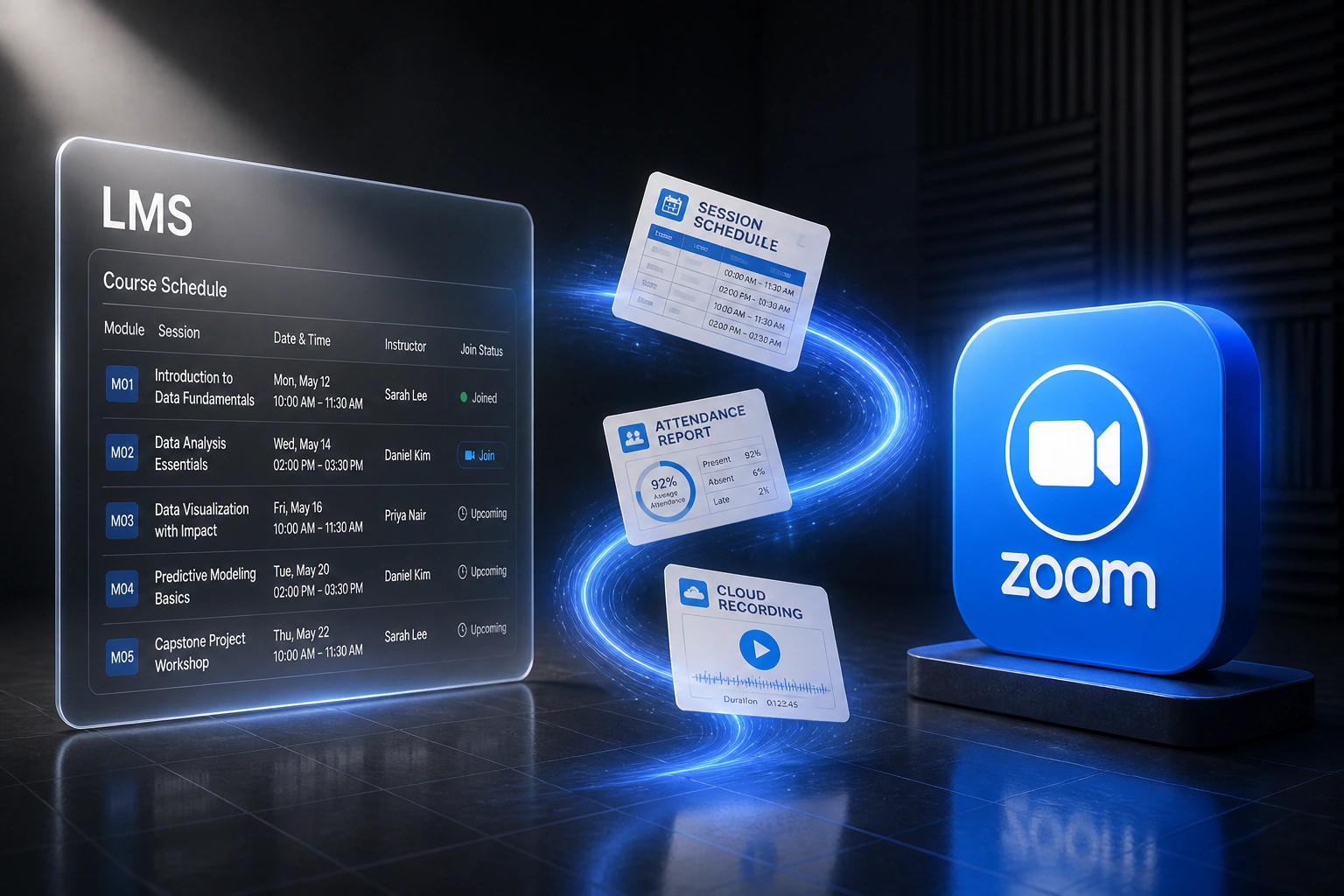
Timetable schedules the class → Zoom meeting appears → attendance and recordings sync back. No human copying links between systems.
Session Hits the Timetable
A live class is scheduled in Moodle, Canvas, or your SIS-fed course calendar
Zoom Meeting Auto-Created
Host, time, recurrence, and join link provisioned; link appears in the LMS course
Attendance Syncs Back
Participant join, leave, and duration map into LMS attendance or gradebook fields
Recording in the Course
Cloud recording publishes for on-demand playback beside the original session
Everything You Need for a Reliable Virtual Classroom
Timetable-Driven Meeting Creation
When a live session lands on the LMS course schedule, Zoom creates the meeting automatically with the right host, duration, and recurring pattern.
Join Links Inside the LMS
Learners open the course and see the Zoom join link beside the session. No hunting through email, WhatsApp, or yesterday's announcement.
Attendance Sync for Compliance
Join time, leave time, and duration flow back into the LMS attendance or gradebook fields your auditors already expect for DHET and SETA evidence.
Cloud Recording Publish
When a session ends, the cloud recording lands in the course for on-demand playback. Catch-up stops depending on a lecturer remembering to share a link.
Moodle, Canvas & LTI Mapping
We map Zoom LTI Pro or Zoom API workflows to your Moodle, Canvas, Blackboard, or Brightspace setup, including course context and roster identity matching.
Exception Alerts Only
Failed meeting creates, missing hosts, and unmatched attendance rows surface as alerts. Your team handles exceptions, not every session.
Platforms We've Connected for Virtual Classrooms
From 12 Minutes Per Session to Under 30 Seconds
How a private college with 12 lecturers running hybrid programmes recovered 310 lecturer hours a year and stopped scrambling for SETA attendance packs.
The Manual Process
- Each lecturer created Zoom meetings by hand for every live module slot
- About 12 minutes per session: settings, host, paste link into Moodle announcements
- Attendance exported as CSV after class, then retyped into the attendance activity
- Cloud recordings stayed in Zoom until someone remembered to share a link
- SETA evidence packs assembled from scattered screenshots weeks later
The Automated Process
- Course schedule creates the Zoom meeting; join link appears in Moodle
- Lecturers open the session from the LMS and teach
- Attendance duration syncs into the course attendance record after each class
- Cloud recordings publish into the module for catch-up the same day
- Compliance pulls a single LMS attendance and recording trail for audits
Before vs After Zoom LMS Integration
How It Works
From first conversation to live Zoom virtual classroom sync in 2-4 weeks.
Tell Us Your Setup
Which LMS, how Zoom is licensed today, and where lecturers still create meetings and paste links by hand.
Free Scoping Call
30-minute call to map timetable sources, attendance rules, recording publish policy, and SETA or DHET evidence needs.
Build & Test
We wire Zoom to the LMS, test against a real course schedule, and run parallel for a week so attendance and recordings match expectations.
Go Live & Monitor
Switch off manual meeting creation. Monitoring catches failed sessions before learners arrive to a missing link.
Frequently Asked Questions
How does Zoom virtual classroom LMS integration work?
Your course timetable remains the source of truth. When a live session is scheduled in Moodle, Canvas, or your SIS-fed LMS calendar, we create the matching Zoom meeting, push the join link into the course, and after the session pull attendance and cloud recordings back for gradebooks and on-demand playback. Lecturers teach. Learners join from the LMS. Compliance evidence stops living in spreadsheets.
Which LMS platforms can connect to Zoom?
We have scoped Zoom virtual classroom integrations for Moodle, Canvas, Blackboard Learn, and Brightspace (D2L), including Zoom LTI Pro where that fits, and Zoom API workflows where LTI alone cannot cover timetable auto-provision or institutional attendance rules. If your LMS exposes course schedules and can accept join links plus attendance or recording metadata, we can usually automate the loop.
Will this disrupt lecturers mid-term?
No. Lecturers keep teaching in Zoom and working inside the LMS they already use. The automation sits between the timetable and Zoom. We run parallel testing so every auto-created meeting, attendance sync, and recording publish is checked before you retire manual paste-and-export workflows.
How does this help SETA and DHET attendance evidence?
SETA ATR and monitoring visits expect attendance registers, including virtual class evidence with learner identity, date, and duration. Zoom participant reports already hold that data. The gap is getting it into the LMS evidence pack without CSV exports. We sync timestamped attendance into the fields your compliance team already uses, so funded programmes stop scrambling before verification visits.
What about cloud recordings and catch-up learners?
When cloud recording is enabled for a session, we publish the recording into the course once processing completes, based on your policy (auto-publish or staff approval). Learners find catch-up video beside the original session instead of waiting for a forwarded Zoom link that expires or never arrives.
How much does Zoom LMS integration cost in South Africa?
Simple one-way meeting create and join-link push starts from around R15,000. Bidirectional setups with attendance sync, recording publish, and custom timetable mapping typically range from R25,000 to R60,000. Most institutions running dozens of live sessions a week see payback inside one teaching term against recovered lecturer admin time and fewer compliance scrambles.
Stop Burning Lecturers on Manual Zoom Admin
If your e-learning team still creates meetings by hand and chases attendance CSVs for funded programmes, you are spending money on a problem that webinar integration already solves.
Tell us which LMS you run, how Zoom is licensed, and where live online classes still break the timetable. We will show you exactly how Zoom LMS integration would work for your virtual classroom.